






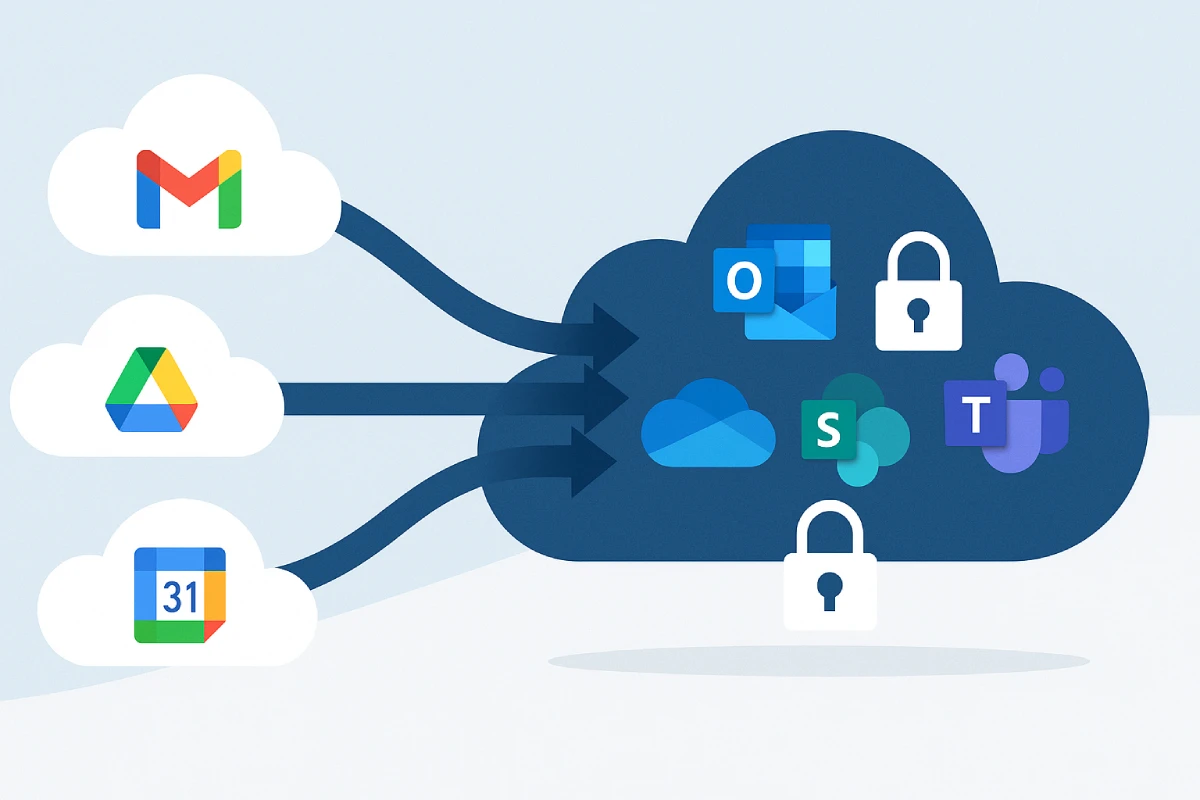
How to migrate from Google Workspace to Microsoft 365 without losing data
By MSAdvance · B2B cloud consulting in Microsoft 365, Azure, migrations and modern workplace
Want MSAdvance to handle the entire migration for you?
If you need a smooth migration with zero data loss and a strong focus on user adoption, our team is ready to support you end to end.
Introduction
Migrating from Google Workspace to Microsoft 365 without losing data is not just moving mailboxes: it’s about preserving processes, security and productivity without friction. This guide gives you a clear, people-first plan: honest inventory, identity and DNS choices without unnecessary jargon, security that protects without getting in the way, well-explained coexistence, and a go-live with delta sync to keep everyone included. We also link to official Microsoft and Google documentation so every step can be audited.
1. Why migrate to Microsoft 365 now
Microsoft 365 brings together collaboration (Teams, SharePoint, OneDrive), security (Defender for Office 365), identity (Microsoft Entra ID) and governance (Microsoft Purview). It’s all synchronized so IT gets a single control plane and the business gains speed.
| Google Workspace | Microsoft 365 | What to consider |
|---|---|---|
| Gmail | Exchange Online | Labels ↔ folders/categories; review rules and delegations. |
| Calendar | Exchange Calendar | Rooms/resources and delegated permissions. |
| Drive / Shared Drives | OneDrive / SharePoint | Permissions, versions and native format conversion. |
| Chat / Meet | Teams | Channels, meetings, recordings and telephony. |
| AppSheet | Power Apps / Power Automate | Replatforming of apps and flows. |
2. Project methodology & governance
At MSAdvance we work in waves: first a small, representative pilot; then early adopters; and finally critical areas. Every wave includes delta sync, real business tests and role-based communications to minimize surprises.
2.1 Clear governance from day one
| Role | Responsibilities |
|---|---|
| Executive | Prioritize, unblock and approve change windows. |
| IT Lead | Architecture, master plan and wave coordination. |
| Security/Legal | Retention, DLP, eDiscovery and compliance. |
| Partner (MSAdvance) | Technical design, execution, automation and day-1 support. |
| Champions | Adoption, feedback and best practices per area. |
2.2 RACI (condensed)
| Activity | R | A | C | I |
|---|---|---|---|---|
| Identity & DNS | IT | IT | MSAdvance | Executive |
| Microsoft 365 hardening | MSAdvance | IT | Security | Business |
| Data migration | MSAdvance | IT | Business | Executive |
| Communications | Business | IT | MSAdvance | All |
2.3 Sample timeline
- Weeks 1–2: Assessment & architecture.
- Weeks 3–4: M365 security and Google prep.
- Week 5: Pilot (10–15%).
- Weeks 6–8: Waves 1 & 2 + delta sync.
- Week 9: MX cutover, final UAT and stabilization.
3. Phase 0 — Discovery & assessment
3.1 Honest inventory
- Users, aliases, groups, shared mailboxes and delegations.
- Mail volume/attachments, special rules and retention.
- Room/team calendars, bookings and permissions.
- Drive/Shared Drives: size, file count, external owners, Docs/Sheets/Slides.
- Integrations: SMTP/IMAP, Apps Script, webhooks, SSO.
3.2 Data quality
| Item | What to check | Recommended action |
|---|---|---|
| Duplicate aliases | Conflicts with UPN | Normalize before provisioning |
| Delegations | Cross-mailbox access | Inventory and recreate in target |
| Public permissions | Open links in Drive | Restrict and notify |
| Docs/Sheets/Slides | Usage by area | Conversion plan to Office formats |
3.3 Compliance & retention
Define retention and legal holds in Records Management and eDiscovery. Document who can access what and for how long.
4. Phase 1 — Identity, DNS & coexistence
4.1 Identity without headaches
- Cloud-only (Microsoft Entra ID) or hybrid model.
- Clear UPN, verified domains and MFA from day one.
4.2 Mail, MX & authentication
Coexistence avoids hard cutovers. Preparing SPF, DKIM and DMARC reduces spam and spoofing.
- SPF: configure
- DKIM: enable
- DMARC: define policy
# MX to Exchange Online Protection
MX @ 0 → company-com.mail.protection.outlook.com

# Email authentication
TXT @ "v=spf1 include:spf.protection.outlook.com -all"
CNAME autodiscover → autodiscover.outlook.com
TXT _dmarc "v=DMARC1; p=quarantine; rua=mailto:dmarc@company.com"
5. Phase 2 — Microsoft 365 hardening & governance
5.1 Minimum viable hardening
- MFA and Conditional Access by role/location/risk.
- Block POP/IMAP (basic auth) except for migration use: reference.
- Enable Defender for Office 365: Safe Links, Safe Attachments and anti-phishing.
5.2 Information governance (MIP & DLP)
Label taxonomy (MIP)
| Label | Scope | Action |
|---|---|---|
| Public | General docs | Visual marking; no encryption |
| Internal | Internal use | Marking; limited external sharing |
| Confidential | Finance/Customers | Encryption; forward blocking |
| Secret | R&D/Legal | Strong encryption; expiration |
Recommended DLP policies
- Mail: block/justify for PII and financial data.
- SharePoint/OneDrive: sensitivity detection and owner alerts.
- Teams: protect messages and files.
5.3 Pre-provisioning & licenses
Pre-create users, shared mailboxes, groups and OneDrive to save time on cutover day. Reference: Microsoft Graph PowerShell.
6. Phase 3 — Google Workspace prep (OAuth, cleanup, permissions)
6.1 Cleanup
- Disable inactive accounts and close public shares.
- Freeze critical changes the week before each wave.
6.2 Delegation & APIs
Configure domain-wide delegation for the migration service account. Official guide: Google Admin.
6.3 Drive permissions
Review owners and groups; identify Shared Drives with irregular permissions and normalize them. Reference: Sharing options.
7. Phase 4 — Mail, calendars & contacts migration
The Exchange Admin Center (EAC) lets you migrate from Google in batches with delta syncs until cutover. Official guide: migrate from Google Workspace.
7.1 Recommended flow
- Create a migration endpoint (IMAP/OAuth depending on approach).
- Upload a CSV with users for the wave.
- Run a pilot batch and validate rules, delegations and calendars.
- Schedule deltas and define the MX cutover.
Connect-ExchangeOnline
New-MigrationEndpoint -Name "Gmail-IMAP" -Imap -RemoteServer "imap.gmail.com" -Port 993 -Security SSL

$csv = [System.IO.File]::ReadAllBytes("C:\Migration\users.csv")
New-MigrationBatch -Name "Batch-Gmail-01" -SourceEndpoint "Gmail-IMAP" -CSVData $csv `
  -TargetDeliveryDomain "company.onmicrosoft.com" -AutoStart -AutoComplete:$false

Get-MigrationBatch | Get-MigrationUser | Get-MigrationUserStatistics -IncludeReport
7.2 CSV format
EmailAddress,UserName,Passwordana.perez@company.com,ana.perez@company.com,TempPwd#1juan.garcia@company.com,juan.garcia@company.com,TempPwd#28. Phase 5 — File migration (Drive/Shared Drives → OneDrive/SharePoint)
Use Migration Manager in the SharePoint admin center to move Drive and Shared Drives with identity mapping. Guide: Microsoft Learn.
8.1 Key steps
- Configure source/target connectors.
- Map identities and define destinations.
- Scan, resolve permissions/ownership and push initial load.
- Run a pre-cutover delta and validate access.
8.2 Limits & best practices
- Long paths/names: review official limits: OneDrive/SharePoint.
- Groups: Google Groups ≠ Microsoft 365 Groups; recreate and map.
- Docs/Sheets/Slides: clear conversion policy to Office formats for native editing.
9. UAT, validations & quality control
Make sure what matters to the business works as before… or better. Test with real users by role, not just IT.
| Area | Test | Success criteria |
|---|---|---|
| Send/receive, rules and delegations | 100% deliverability and rules active | |
| Calendar | Bookings and permissions | Availability and delegations correct |
| OneDrive | Sync and external sharing | No conflicts; stable access |
| SharePoint | Library permissions | Inheritance and groups OK |
| Mobile | Outlook + Intune | Protected mail and compliance |
| Integrations | SMTP/reports | Updated connections |
10. Change management and 30–60–90 communications
10.1 Communication milestones
- T-14 days: general announcement and expectations.
- T-7 days: “what changes today”, access and support.
- Day 0: reminder, support channel and first-day guide.
- Day 7/30: productivity tips and common questions.
10.2 Role-based training
- Sales: Outlook + Teams meetings and client sharing.
- Finance: retention, labels and critical SharePoint libraries.
- Operations: Teams channels by process and shift checklists.
Looking for adoption support and modern workplace enablement? Explore Modern Workplace, Azure Architecture or browse all our services.
11. Licensing: Business Basic, Business Standard and Business Premium
For many organizations moving from Google Workspace, the most direct options are Microsoft 365 Business Basic, Business Standard and Business Premium. Here’s a simple, practical way to choose:
| Plan | What’s included | Security & management | When to choose |
|---|---|---|---|
| Business Basic | Mail (Exchange Online), Teams, OneDrive/SharePoint, web Office apps | Baseline controls; can combine with initial access policies and DLP | Teams that don’t need desktop apps or need tighter cost control |
| Business Standard | Everything in Basic + desktop Office apps (Word/Excel/PowerPoint/Outlook) | Best fit for advanced productivity and heavy collaboration | Users who work intensively with documents and meetings |
| Business Premium | Everything in Standard + strengthened security and device management | Endpoint management with Intune, advanced protection and stricter policies | Orgs needing device control and advanced protection without going Enterprise |
12. RAID risk matrix & mitigations
| Risk | Prob. | Impact | Mitigation |
|---|---|---|---|
| Gmail labels → Outlook folders | Medium | Medium | Communicate the change with examples and a short video |
| Long paths in OneDrive/SharePoint | High | High | Normalize before migrating · official limits |
| Complex inherited permissions | Medium | High | Pre-scan and recreate groups in M365 |
| Legacy IMAP apps | Medium | Medium | Inventory and migrate to OAuth/Graph |
| MX cutover bounces | Low | High | Low TTLs, testing and rollback plan |
13. Playbooks by scenario
13.1 Scale-up SaaS (150–300 employees)
- Pilot 10–15% with sales, support and product profiles.
- Two waves with deltas and Friday-night cutover.
- DLP for code/PII; alerts to the IT channel.
13.2 Multi-domain M&A
- Verify domains and align UPNs.
- Temporary calendar coexistence; transition to Teams (live events if needed).
- SharePoint “bridge” for combined teams.
13.3 Industry with kiosks
- Business Premium + Intune for shared devices.
- Waves by shift; signage and micro-training.
- Teams Walkie Talkie and plant-wide announcement channel.
14. Migration methods: comparison & selection
| Method | Pros | Limitations | Best for |
|---|---|---|---|
| EAC (Google Workspace) | Native; batches and deltas; basic reporting | Depends on source/API; manual adjustments | Most B2B scenarios |
| IMAP (EAC) | Simple; useful for legacy | Email only; no calendars/contacts | Minimal or emergency cases |
| Third-party tools | More mappings; detailed reporting | Cost; learning curve | Complex/M&A environments |
| Scripts/Graph | Bespoke automation | Requires expertise | Custom workflows |
15. Operational checklists (pre, during, post)
15.1 Before migration
- Verified domains; UPN strategy decided.
- MFA and Conditional Access enabled.
- Users/licenses and OneDrive provisioned.
- Google OAuth: domain-wide delegation.
- Migration Manager connectors (guide).
- Wave-based communication and day-1 support plan.
15.2 During
- Monitor batches and retries (EAC/PowerShell).
- Resolve name conflicts and long paths.
- Run delta synchronizations.
15.3 After
- Update MX/SPF/DKIM/DMARC.
- Validate delegations, rooms and mobiles.
- Review SharePoint/OneDrive permissions and recertify access.
16. Scripts & configurations (PowerShell/JSON)
Connect-ExchangeOnline
Get-CASMailbox -ResultSize Unlimited | Set-CASMailbox -ImapEnabled:$false -PopEnabled:$false
{
  "displayName": "MFA required for M365-licensed users",
  "conditions": {
    "users": { "includeUsers": ["All"] },
    "clientAppTypes": ["browser", "mobileAppsAndDesktopClients"]
  },
  "grantControls": { "operator": "OR", "builtInControls": ["mfa"] }
}
Connect-MgGraph -Scopes "User.ReadWrite.All","Directory.ReadWrite.All","Files.ReadWrite.All"
$sku = (Get-MgSubscribedSku | Where-Object {$_.SkuPartNumber -eq "ENTERPRISEPACK"}).SkuId
Import-Csv "C:\Provisioning\users.csv" | ForEach-Object {
  $u = New-MgUser -DisplayName $_.DisplayName -UserPrincipalName $_.UPN `
    -MailNickname $_.Alias -AccountEnabled:$true `
    -PasswordProfile @{Password=$_.Password; ForceChangePasswordNextSignIn=$true}
  Set-MgUserLicense -UserId $u.Id -AddLicenses @{SkuId=$sku} -RemoveLicenses @()
  Invoke-WebRequest -Uri "https://graph.microsoft.com/v1.0/users/$($u.Id)/drive" -Headers @{Authorization="Bearer $((Get-MgContext).AccessToken)"}
}
# Doc: https://learn.microsoft.com/en-us/powershell/microsoftgraph/overview
EmailAddress,UserName,Password
ana.perez@company.com,ana.perez@company.com,TempPwd#1
juan.garcia@company.com,juan.garcia@company.com,TempPwd#2
# Tag external subjects and block executable attachments
New-TransportRule -Name "Tag External" -SentToScope NotInOrganization -PrependSubject "[EXTERNAL]"
New-TransportRule -Name "Block executables" -AttachmentExtensionMatchesWords @("exe","js","vbs") -DeleteMessage $true

# Reference:
# https://learn.microsoft.com/en-us/exchange/security-and-compliance/mail-flow-rules/mail-flow-rules
17. Success KPIs & adoption analytics
18. Frequently asked questions (FAQ)
How long does a full migration take?
It depends on volume, bandwidth and business calendar. Work in waves with delta sync and perform the MX cutover during off-peak hours.
Do Gmail labels remain?
They map to folders/categories in Outlook. Explain this with screenshots to avoid confusion.
What happens to Docs/Sheets/Slides?
You can convert them to Office formats for native editing or keep them with clear access rules in SharePoint.
How do I protect mobile access?
Manage devices with Intune and apply Conditional Access (MFA, compliance).
19. Glossary
- Delta sync: incremental synchronization prior to cutover.
- EOP: Exchange Online Protection (routing and filtering).
- MIP: Microsoft Information Protection (labels/encryption).
- Entra ID: Microsoft’s cloud identity (formerly Azure AD).
- DLP: Data Loss Prevention.
20. Official resources
- EAC: migrate from Google Workspace
- Migration best practices
- Migration Manager (Google Drive → OneDrive/SharePoint)
- OneDrive/SharePoint limits
- Conditional Access (Entra ID)
- Defender for Office 365
- Google: Domain-wide Delegation
- Google Drive: sharing options
- Microsoft Graph PowerShell
- POP/IMAP in Exchange Online
21. Conclusion & next steps
Migrating from Google Workspace to Microsoft 365 without losing data is absolutely achievable when you follow a structured path: inventory, well-planned identity/DNS, security that supports users, meaningful pilots, wave-based execution with delta sync, serious UAT and clear communications. With native tools (EAC and Migration Manager) and sound practices, go-live becomes predictable and adoption rises naturally.
Want MSAdvance to take care of the entire process?
We’ll support you at every step: discovery, architecture, migration, security and adoption.
Contact MSAdvance Explore our migration service
· We can also help with Modern Workplace and Azure Architecture · All services
