'/%3E%3Cpath%20fill='%23b2b2b2'%20d='M241%20382q0%2016%2017%2026%2017%2011%2042%2011t42-11q16-11%2017-26V269H241'/%3E%3Cpath%20fill='%239f7e00'%20d='M241%20379q0%2014%208%2023%209%209%2021%209%2014%200%2021-9%209-9%209-23V269h-59'/%3E%3Cpath%20d='M241%20339v-70h59v110q0%2014-9%2023l-6%205v-68h-15v72q-8%200-14-4v-68zm59%2040c0%2022%2015%2032%2029%2032%2021%200%2030-18%2030-32v-40h-59'/%3E%3Cpath%20fill='%239f7e00'%20d='M266%20277v5h2v12h-3v-5h2v-5h-9v5h2v5h-4v9h3v18h-5v10h34v-10h-5v-18h3v-9h-4v-5h2v-5h-9v5h2v5h-3v-12h2v-5zm42%20101q0%2010%206%2017%206%206%2015%207%2010-1%2016-7%206-7%206-17v-29h-43'/%3E%3Ccircle%20fill='%230044ad'%20cx='329.5'%20cy='372'%20r='6'/%3E%3Cellipse%20fill='%230044ad'%20cx='300'%20cy='340'%20rx='16'%20ry='21'/%3E%3C/svg%3E)


IDENTITY AND MIGRATION · ARCHITECTURE DECISIONS
Cross-tenant synchronization vs tenant-to-tenant migration: differences and use cases
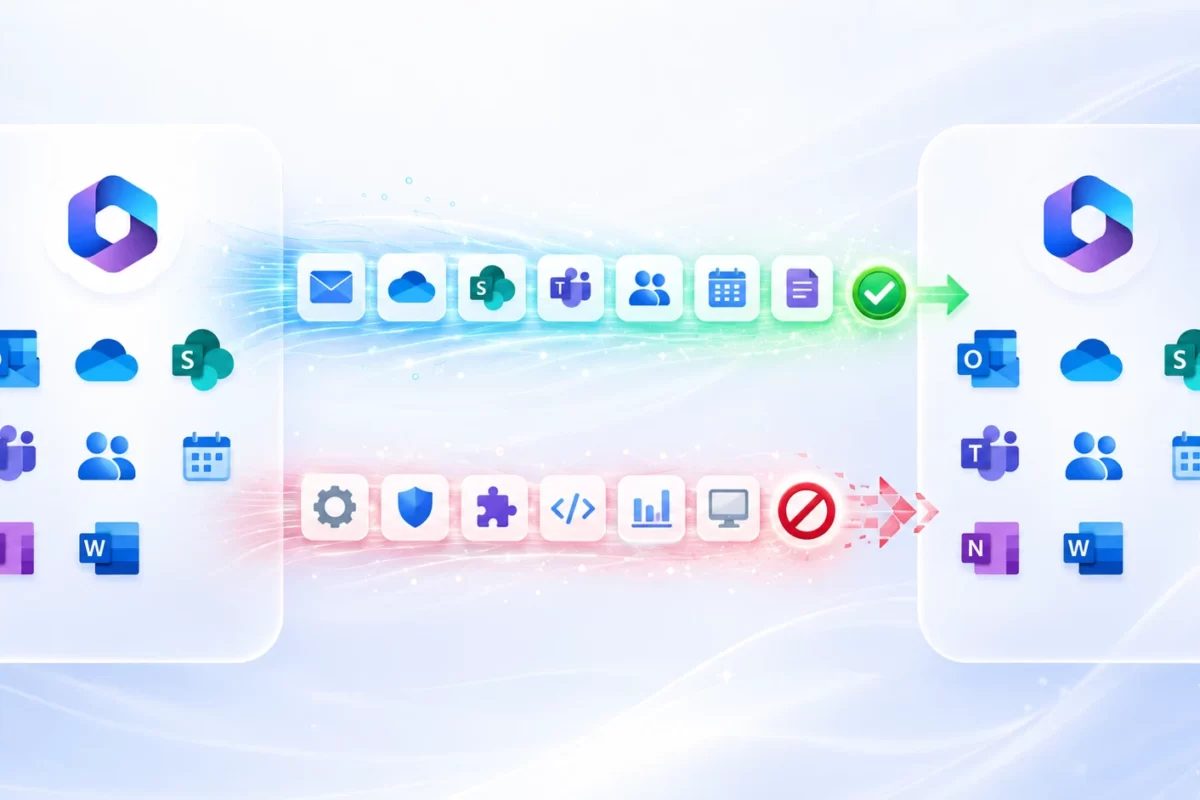
An organisation acquires another business and needs its teams to collaborate quickly. Someone proposes synchronising users across tenants and calling the integration complete. Access may improve, but mailboxes, documents and services remain where they were. Choosing collaboration or migration requires knowing where people authenticate, where content resides and which organisation should administer the final operating model.
1. Collaboration, identity and content are different decisions
Separate three questions. Who controls the employee’s authentication? Which object represents that person in the tenant holding a resource? Where does working content remain? A solution can improve the second question without changing either of the others. Seeing an employee in the buyer’s directory does not establish that their identity and data have moved into that organisation or that the seller can withdraw its services.
Cross-tenant synchronisation uses Entra provisioning to create and maintain B2B users and supported groups between tenants. The source defines population and attributes, while the target permits the relationship. Employees continue authenticating through their home organisation. Access then depends on authorisation for each application and resource. A successfully provisioned object may have no entitlement to open a particular site or document.
Tenant-to-tenant migration has a different purpose: place supported content in the target environment and establish operation there. It requires target identities, workload routes, licensing, controls and acceptance. It is not a single Entra function or an exact directory copy. Users, mailboxes, documents, configurations and endpoints need related decisions, but those decisions are not identical and should have explicit owners.
userType value describes an object category and is insufficient to determine authentication authority. An external user can be a Member while still depending on the source identity. Changing that property alone does not convert B2B collaboration into an independent internal account.Distinguish neighbouring capabilities as well. B2B collaboration enables external identity access; B2B direct connect supports scenarios including shared channels; a multitenant organisation improves selected experiences across an organisation’s tenants. None is a universal synonym for migration. An architecture may combine them, but should state the function each performs, the resources it exposes and the dependencies it preserves.
2. Compare the intended operating result
| Criterion | Cross-tenant synchronization | Tenant-to-tenant migration |
|---|---|---|
| Purpose | Maintain collaboration objects across environments | Transfer supported content and establish target operation |
| Authentication | Dependent on the home identity | Target model designed for the migrated population |
| Microsoft 365 content | User provisioning does not move mail or files | Specific routes and content limitations |
| Permissions | Assignment and access governance required | Mapping, recreation or remediation according to method |
| Devices and applications | No automatic transfer | Separate preparation and transition workstreams |
| Acceptance | Controlled collaboration and lifecycle operation | Accepted services and removed or documented source dependencies |
The procurement question should start with the required result rather than the cheaper function. Where several tenants will remain under one organisation, a complete migration may create unnecessary work. Where a seller’s tenant must be retired, low-cost synchronisation does not remove the dependency. Define the business destination first, then compare options that actually satisfy it. Otherwise an attractive proposal can solve a different problem from the one authorised.
Collaboration need not be temporary. It can be a permanent design for a group with differentiated environments. That requires operational owners, trust reviews, support and recurring budget. If it is a transitional design, specify a date or condition for exit. The same technical configuration can be appropriate in a permanent model and become unmanaged debt when nobody remembers why a temporary relationship remains active.
3. When to collaborate, migrate or combine approaches
A multitenant group
Collaboration can preserve operational autonomy. Define population, resources, trust and support without claiming that content has been consolidated.
Post-acquisition consolidation
Migration can establish a common environment. Temporary collaboration needs compatible transition and withdrawal plans.
Business carve-out
Independence requires resolution of data and services. Temporary access must respect the authorised perimeter between the parties.
A group retaining tenants for business reasons may want employees to access central applications with their usual accounts. Its pilot should check experience, rights and deprovisioning, rather than transferred gigabytes, because no content is moving. If management also requests central mail and documents, add that as a content and operations project. Do not include it implicitly in a user synchronisation scope.
During an acquisition, collaboration may reduce friction while discovery progresses. It should not replace consolidation decisions. Establish which identities will eventually be internal to the target, which content will move and which applications change authority. Check whether B2B objects created for coexistence are compatible with the later method. Existing directory presence alone is not a reason to reuse an object as a migration target.
For a carve-out, organisational relationships can change after the sale. Evaluate privacy, minimisation, authorisation and responsibility before enabling synchronisation. Consider appropriate invitation and access governance alternatives for external collaboration. Rapid access does not authorise synchronising an entire workforce or maintaining broad trust after separation. A transitional benefit must be assessed alongside the future relationship between independent companies.
A supplier project usually differs from an organisation managing its own tenants. A small group may need one resource for a defined period, with a sponsor and access review. Explain why automatic provisioning is needed and what it adds over a narrower access process. Do not select a capability just because it appears in the portal. Match the technical mechanism to population, lifecycle, governance and required experience.
4. Separate provisioning, resource access and migration licensing
Current documentation distinguishes user synchronisation within the same cloud, group synchronisation and cross-cloud scenarios. Same-cloud users require Entra ID P1 in the source for each synchronised user; group and cross-cloud scenarios have Entra ID Governance or Entra Suite requirements. Verify the exact product, scenario and contracted entitlements before applying a general per-user pricing assumption.
No target synchronisation licence requirement does not make every target feature free. Resource access and capabilities can have separate prerequisites, and External ID billing may be relevant according to configuration. Separate those costs from Microsoft 365 services, advanced policies and governance. Do not add or remove subscriptions solely from a user’s directory display name or because the object is categorised as external.
Native migration has its own entitlements and prerequisites. A synchronisation licence does not automatically cover content movement. Specialist platforms also price by different combinations of workload, population or volume. Request a proposal stating scope, period of use, available passes and support. Two apparently similar charges are not directly comparable if they include different operations, limits and exception handling.
Total cost includes recurring administration, monitoring, access reviews and support across environments. Long coexistence can retain parallel licences and dependencies. Do not invent a savings percentage for consolidation: inspect real allocations and invoices, estimate effort and validate when source services can actually be withdrawn. Savings depend on closing source costs without losing required capabilities, not on merely creating accounts in the target.
5. Provisioning is not blanket authorisation
A B2B object needs an access model. Define allowed applications and resources, owners and assignment criteria. If supported groups are provisioned, do not assume every group type or function is replicated. Group synchronisation has restrictions and does not automatically recreate Microsoft 365 Groups, distribution lists, teams and their associated configuration. Treat the directory object and the resource it may represent as separate components.
Cross-tenant access configuration distinguishes inbound and outbound controls and can include trust in MFA or device claims. Design trust by organisation and purpose. Trusting a signal does not remove all resource-tenant policy. Review the quality of source controls and test allowed access and expected denial. A convenient user experience is useful, but is insufficient evidence that security works as intended.
Limit attributes to what the purpose requires. A mapping can expose organisational details that add no value to access. Check origin, use and visibility of each property. Where a target property remains source-managed, a later update can change a manual target edit. Document attribute authority and avoid competing manual administration that creates unpredictable results after the next source change.
Automatic redemption simplifies specified onboarding experiences; it does not grant unrestricted application consent. Review consent, collaboration policy and resource authorisation separately. Nor does it guarantee that every Teams or SharePoint experience becomes identical to an internal employee’s. Test the actual services and communicate limitations affecting people working across organisations, rather than promising a generic seamless experience.
6. Pilot the full operating model
Start with a small representative population and explicit scope. Include application access, shared documents and a controlled lifecycle exit. Record source and target tenants, user identifiers and resulting objects. Before starting, confirm licences, required settings on both sides, administrative authority and responsible contacts. The pilot should test the architecture, rather than merely show that an entry can appear in a directory.
Collaboration pilot checks
- The intended user is provisioned in the intended tenant.
- Only approved attributes transfer and the object category matches the design.
- Allowed resources are accessible and excluded resources remain denied.
- Authentication and device conditions produce the expected results.
- Attribute and scope changes behave as designed.
- Deprovisioning and errors are visible to a defined support process.
Use assignment and filters carefully. A department attribute may not reliably represent an acquisition or project perimeter. Check empty values, inconsistent data and personnel changes. Modifying a filter can change who remains managed. Treat these edits as access configuration requiring impact review and tests, rather than harmless inventory maintenance. A dynamic rule is only as reliable as the attributes and lifecycle feeding it.
On-demand provisioning helps test particular cases, but one successful person does not certify the population. When scope expands, reconcile results and exceptions against the approved register. Record when changes were observed and which cycle processed them. Do not promise instantaneous updates for every object or close an incident because an isolated execution succeeded while the routine job still has unresolved failures.
Test denials too. Out-of-scope employees, excluded applications and devices failing an applicable condition should behave according to design. Document identity and resource in each test. An administrator should not substitute a privileged account for every employee role. Positive tests establish usefulness; negative tests help establish the boundary, making the pilot relevant to both service operation and security acceptance.
7. Move from coexistence to migration without confusing objects
Before content movement, map the source identity, B2B representation and future operational identity. They can be different objects. Review permissions and applications depending on the existing external object, and how that relationship will move or be recreated. Avoid deleting it early to tidy the directory. Its identifier can still appear in access paths needed while the transition remains active.
Microsoft documents external-to-internal user conversion for supported scenarios, but it should not be treated as a generic resolution for every migration. Identity conversion, the provisioning process managing it and selected workload prerequisites need joint assessment. Confirm method compatibility, attribute authority and object state. Changing userType alone is not the supported conversion and does not establish local authentication.
Target planning must prevent premature mailbox and OneDrive creation where the route requires unprovisioned objects. Define group, application and licence assignment in the correct order. Reusing an identity already used during coexistence may be useful only if the chosen method accepts its state. Do not force reuse without inspecting prerequisites and consequences, particularly where content already exists in the target services.
Maintain a separate content matrix covering data, method and acceptance. A tenant relationship does not automatically enable every movement. Distinguish native orchestration, individual workload routes and specialist platforms with their restrictions. If source retirement is the objective, include domains, applications, devices and references that would still depend on it after the final file batch. Successful copying is not proof of independent operation.
Define when employees change working identity and where new edits should occur. Parallel editing locations can diverge. Explain permitted historical access, support routes and known limitations. Coordinate this transition with process owners, especially where some participants remain unmigrated. An identity cutover is a working-practice change as well as a directory event, and its communications should reflect the actual roles affected.
8. Deprovisioning, monitoring and relationship withdrawal
Design lifecycle exit before production. Scope changes and source actions can affect managed target objects, and their results need verification including exceptions and errors. Stopping a sync job is not equivalent to removing every B2B representation. Severing a relationship can leave existing objects requiring controlled treatment. Define the required outcome and a supported sequence rather than assuming configuration deletion performs a complete cleanup.
Accidental deletion protection allows a threshold and review of operations exceeding it. Choose a value appropriate to the population and configure notifications for an operational owner. A default may be unsuitable for a small pilot or extensive reorganisation. When the job enters quarantine, investigate and authorise only intended changes. Do not approve mass removals merely to obtain a healthy status indicator.
Monitor provisioning and audit records with suitable access. Distinguish success, skipped operations, errors and out-of-scope objects, then compare against the expected population. An active job can continue accumulating individual failures. Alerts need an attention process specifying investigator, evidence and escalation. Logging errors without responsibility does not provide a dependable identity lifecycle service, particularly where access is needed for daily work.
| Signal | Operational question | Investigation |
|---|---|---|
| Object absent | Is it assigned and within filters? | Compare approved scope and provisioning evidence |
| Object present, access fails | Authorisation or authentication? | Inspect resource rights and sign-in evidence |
| Exit not reflected | Was it processed or did it fail? | Correlate source action with target result |
| Quarantine | Error or expected protection? | Validate impact before resuming or approving |
For temporary relationship withdrawal, prepare an object and dependency inventory, exit approval and compatible sequence. Validate replacement access before removing collaboration. Review groups, applications and documents still using external identities. Where deprovisioning is needed, preserve conditions that allow the planned sequence to process until its result has been checked. Do not remove the mechanism before it completes the work expected of it.
A decision example without invented results
Consider a group retaining two tenants for administrative autonomy. Employees need a central application and selected collaboration spaces. Controlled provisioning may fit if lifecycle and rights are designed. This does not justify claiming mailbox migration or that the second tenant can be deleted. Acceptance should demonstrate the intended access model and ongoing management, with business owners understanding where their data remains.
Now change the requirement: the group needs consolidation and retirement of one tenant. Collaboration can support preparation, but exit requires target identity, content and services. Budget must cover migration and remediation. Initial configuration may look similar in both examples; the difference lies in the final objective and ongoing operating and withdrawal responsibilities. Procurement should distinguish those objectives before comparing implementation costs.
A decision record for management and support
Summarise objective, authentication authority, data location, population, resources, licensing, dependencies and acceptance in a decision record. State what remains at source and who administers it. This helps management understand the investment and prevents support treating every cross-tenant issue as a migration defect. Review the decision when business strategy or the trust perimeter changes, rather than preserving an outdated architecture by default.
Include duration or conditions for maintaining the model. A permanent multitenant design needs periodic cost and access reviews. Transitional coexistence needs measured progress towards closing dependencies. Avoid relying solely on the number of synchronised objects: growth may indicate adoption of a permanent model or accidental expansion of a transition that was supposed to shrink. Interpret the metric against the approved purpose.
Assess groups without confusing membership and functionality
Where groups are part of the design, record source type, supported target outcome and consuming applications. A collection of people does not automatically carry mail, files or calendar. «Group sync» is not a promise of nested groups, assignable roles or all cross-cloud scenarios. Check current restrictions and validate the actual pattern before making it a corporate standard.
Some help references still describe earlier capabilities. Compare the function-specific page with current configuration and prerequisites, recording the review date. If broad guidance says groups cannot be synchronised while detailed documentation describes limited support, avoid both extremes: denying the function entirely or promising a complete directory replica. State exactly which pattern was tested and what remains outside the design.
Test membership changes for users inside and outside approved scope. An application may interpret groups through its own assignments or caches. Visible Entra membership does not certify an immediate functional result. Check withdrawal of the entitlement and ownership of discrepancies. That test belongs to both the identity service and the consuming application, rather than being assumed from a successful directory update.
Test lifecycle before broad rollout
Use authorised trial accounts for a controlled sequence: initial creation and attributes, an approved update, then a defined exit from scope. Record resulting objects and evidence in both tenants. Do not use a real employee departure as the first experiment. Trial accounts also need owners, non-sensitive data and planned withdrawal, so they do not become forgotten access paths after the pilot.
Distinguish blocking sign-in, removing assignment, changing a filter attribute and deleting a source object. They are not equivalent and should not be collapsed into one test. Some state combinations need specific attention. Record observed behaviour, and if it differs from design, retain evidence and review documentation before applying the same pattern to real users. A successful initial provisioning test alone is insufficient lifecycle assurance.
For security incidents, define containment separately from the normal provisioning cycle. If urgent access removal is needed, responsible teams must understand controls and consequences on both sides. Do not rely only on waiting for an update without assessing risk. After containment, review attribute management to prevent a later source change from restoring an unwanted state. Keep security response and routine lifecycle operations coordinated.
Compare technical proposals on equivalent outcomes
Ask proposals to specify population, resources, mappings, licensing, positive and negative tests, operation and exit. Synchronisation and migration offers may address different problems despite both mentioning two tenants. Identify what remains at source and what requires additional work. Procurement can then compare equivalent deliverables rather than selecting a smaller charge that leaves the business objective unresolved.
State client and supplier responsibilities. Data decisions, application review and business acceptance may require internal availability. If a proposal assumes they are already complete, make that visible. Define treatment of security blocks, incompatible identities and unsupported applications. These conditions allow work to be estimated and priorities negotiated before the same issues become urgent change requests during execution.
Acceptance must match the chosen architecture. Collaboration requires controlled access and lifecycle; migration adds content location and target operation; coexistence adds temporary dependencies and exit. A created-object report cannot replace those criteria. Retain evidence the receiving team can interpret and an exception register with owners and current decisions, so the model remains understandable after the implementation engagement ends.
Keep cloud boundaries and support assumptions explicit
Record the cloud environment of each tenant rather than treating geography and cloud as interchangeable. A tenant located in another country can still be within the same Microsoft cloud, while a government or other specialised environment can introduce a different support boundary. Check the exact capability and route for that pair. Availability of one identity feature does not establish support for every Microsoft 365 migration workload between those environments.
Separate service prerequisites from business permission. Technical support for a relationship does not authorise sharing employee attributes or documents between organisations. Conversely, an approved business transfer does not remove technical restrictions. Put both decisions in the architecture record, with responsible owners. This prevents an administrator from treating a successful test connection as approval of the entire collaboration model.
When a requirement cannot be satisfied, describe the consequence and alternatives plainly. A resource may remain at source with controlled access, require another identity design or need a different migration route. Record the accepted limitation and its review condition. Avoid hiding unresolved requirements in a generic support note: management and operational teams need to know which parts of the requested outcome are still dependent on another service or decision.
At handover, have the operational team locate the current design record, identify the correct configuration and explain the escalation route. This practical check confirms that ongoing support does not depend solely on the engineer who implemented the relationship.
Frequently asked questions
Does synchronising a user move their mail?
No. Collaboration provisioning does not transfer mailboxes or documents. Content movement needs a specific route and acceptance.
Is an external Member already internal?
Not necessarily. Check authentication authority. Member status alone does not convert an external identity into a local account.
Can collaboration and migration be combined?
Yes, with compatible object, permission and transition design. Temporary collaboration needs owners and withdrawal conditions.
Does deleting configuration remove every account?
Do not assume that. Stopping the relationship and deprovisioning its objects are different operations. Verify the procedure and result before accepting closure.
Sources and related reading
- Microsoft: synchronisation capabilities and licensing
- Configuration and monitoring
- Cross-tenant access
- Accidental deletion protection
- Provisioning logs
- Orchestrated migration scope
- M&A and coexistence context
Choose architecture that meets the business objective
An assessment can distinguish permanent collaboration, temporary coexistence and consolidation, with identity, content, licensing and exit defined before execution.