



Does your M&A operation require integrating or separating Microsoft 365 tenants?
At MSAdvance, we support the full cycle: Microsoft 365 due diligence, Day 1 strategy, coexistence, wave-based migration, TSA exit, and stabilization. The focus is not “moving email”: it is making sure manufacturing, sales, logistics, and finance keep running from day one.
- Post-acquisition integration of identity, Exchange, Teams, OneDrive, SharePoint, Intune, Power Platform, and security.
- Tenant separation in a business sale (carve-out) by subsidiary, plant, business line, region, or logistics center.
- Operational continuity plan by site: factory, office, branch, warehouse, stores, and sales network.
Talk to an M&A specialist View Microsoft 365 migration service
Post-acquisition Microsoft 365 integration and tenant-to-tenant separation in a business divestiture are not “email projects”: they are business continuity programs. The approach that works best combines due diligence, a Day 1 plan by critical process, wave-based migration (by criticality, not by org chart), and security/compliance from day one. If there is also a TSA transition, you need a measurable exit plan to avoid indefinite dependency.
Executive summary: 12 decisions that determine success
In M&A, there is a dangerous temptation: “we’ll just consolidate Microsoft 365 and done.” In reality, success depends on 12 decisions that align business, IT, and risk. If these decisions are clear, the program becomes predictable. If they are not, it turns into constant urgency.
- Define the corporate strategy: full integration, temporary coexistence, or separation (carve-out).
- Prioritize by real operations: manufacturing, logistics, sales, customer service, finance, and legal.
- Design business Day 1: what must absolutely work in plants, factories, and offices.
- Do not migrate by org chart: migrate by process criticality and dependencies.
- Ensure ownership: owner of mailboxes, sites, teams, apps, flows, and service accounts.
- Identity first: UPN, domains, privileges, MFA, and conditional access.
- Rehearse domain and DNS: the cutover is won before go-live (runbook + validation).
- Make Power Platform visible: do not underestimate “invisible” apps/flows that sustain processes.
- TSA with exit: monthly milestones, SLA, acceptance criteria, and clear contractual closure.
- Business KPIs: beyond tickets: continuity, MTTR, critical incidents, productivity.
- Human communication: role-based messages: what changes, when, impact, and “what do I need to do.”
- Post-migration hardening: close temporary gaps and consolidate definitive governance.
Introduction: why M&A in M365 is a business program
In an M&A transaction, the business wants speed: capture synergies, unify branding, operate as “one company” or, in a divestiture, cut dependencies as fast as possible. IT usually receives an apparently simple request: “put us on the same Microsoft 365” or “separate that unit and make it operate independently.”
The problem is that Microsoft 365 is the organization’s nervous system: email and calendar, yes—but also collaboration, files, approvals, forms, automations, devices, and security controls. When you move this, you move how products are made, sold, how customers are served, and how audits are passed.
That is why a well-designed tenant-to-tenant migration is a program with three layers running in parallel:
- Business: manufacturing and commercial continuity, and customer experience (no “everything went down”).
- Technology: identity, email, Teams, files, automations, and endpoints, executed with a wave method.
- Risk: compliance, retention, eDiscovery, traceability, and security—without “permanent exceptions.”
Realistic example (and very common)
You acquire a company with 1 factory, 1 logistics center, and 3 offices. Email can be migrated in waves, but what really hurts is:
- The quality team needs access to procedures and records without interruption.
- Procurement and logistics depend on “small” automated approvals (Power Automate) that nobody documented.
- There are shared terminals on the shop floor: if access changes at the wrong time, the shift loses its tools.
The solution is not “migrate faster.” It is migrate in an orderly way by criticality.
1. Operation types: plants, factories, offices, branches, logistics, and stores
Not all integrations are equal. The same tenant-to-tenant migration is experienced very differently in a corporate HQ versus a 24×7 factory, or a retail network with high staff turnover. The key is to design the plan around operational reality.
1.1 Industrial plant mergers
In a plant merger, the risk is usually not “does Outlook open,” but whether each shift can find procedures, maintenance logs, safety instructions, quality records, and coordination channels without friction. Three patterns are typical:
- Shifts and urgencies: incidents that cannot wait for a “change window.”
- Shared devices: workstations, terminals, or shared tablets.
- Critical documentation: SharePoint as the quality/audit/procedures repository.
1.2 Factory integration after acquisition
In factory acquisitions, there is usually a mix of mature processes and technical debt: orphaned permissions, historical repositories without owners, shared mailboxes that sustain operations, and automations built “out of necessity” and later forgotten.
The most effective approach is to select a representative factory (but not the most critical one), run a pilot, measure real incidents, adjust runbooks, and then scale in waves.
1.3 Consolidation of offices and corporate sites
In offices, disruption shows up as productivity and coordination loss: meetings, calendars, mailbox delegations, access to contractual documentation, Teams work, and expense/contract approvals. There are also moments when nothing should be touched: financial close, audits, sales campaigns, key contract renewals.
1.4 Sales branches
In a sales branch, the success indicator is not “zero technical errors.” It is: not losing opportunities. What is critical is usually access to CRM/ERP, proposals, templates, pricing, contracts, and client meetings. Migration must respect this reality: if a sales team is “half migrated,” impact is immediate.
1.5 Logistics centers and warehouses
In logistics, fast coordination matters more than perfection. Teams is often critical for incidents, last-minute changes, dock coordination, and escalations. What the org chart does not show: shared devices, unstable connectivity, and the need for accessible procedures even on a “bad day.”
1.6 Stores, retail, and franchises
Retail introduces different challenges: staff turnover, frontline workers, kiosk-mode devices, and the need for simple access. If easy onboarding is not designed, the store does not “wait for IT”: it improvises… and risk increases.
1.7 Business unit sale (carve-out)
In a Microsoft 365 business divestiture or carve-out, the challenge is to separate exactly what legally belongs to each party without breaking operations on either side. The key word here is scope: who moves, what moves, what stays, and how long dependency lasts (TSA).
2. Merger, acquisition, carve-in, carve-out, and divestiture scenarios
Naming the transaction type helps enormously because it determines the real objective. “Integrate to operate as one” is not the same as “separate so that unit can operate independently.” Even if deal vocabulary sounds financial, in Microsoft 365 it lands in very concrete decisions.
2.1 Full merger
Two organizations move to a single operating model. Typical target: one tenant, common governance, homogeneous security, and progressive unification of collaboration and files. This is the scenario where early investment in governance and standardization makes most sense.
2.2 “Tuck-in” acquisition (absorption) vs autonomy-preserving acquisition
In an absorption acquisition, the acquired company is aligned to the buyer’s operating model (processes, tools, security). In an autonomy-preserving acquisition, a separate tenant may remain longer for regulatory, cultural, or operational reasons. The risk of this second model is “forever”: double cost and larger risk surface.
2.3 Carve-in (integrating a part) and carve-out (separating a part)
Carve-in: you integrate a unit or subsidiary into the corporate tenant. Carve-out: you separate a unit to sell it or make it independent (spin-off). In both cases, the enemy is the same: scope ambiguity.
2.4 Divestiture, spin-off, and joint venture
In a divestiture or spin-off, the new entity must operate independently: identity, email, collaboration, security, and the ability to demonstrate compliance and traceability without depending on the seller. In joint ventures, controlled collaboration (cross-tenant access) may be preferable to full integration.
3. Microsoft 365 due diligence: what to assess to avoid surprises
Microsoft 365 due diligence is not bureaucracy: it is what prevents unrealistic budgets, impossible timelines, and cutover surprises. Good due diligence answers three questions:
- What exists (real inventory, not assumptions).
- What hurts (critical processes, dependencies, risks).
- What we do first (Day 1 and waves by criticality).
3.1 Mandatory inventory scope (and why)
- Identity (Entra ID): domains, UPN, privileged roles, break-glass accounts, B2B, registered apps. Because without stable identity, everything else “looks broken.”
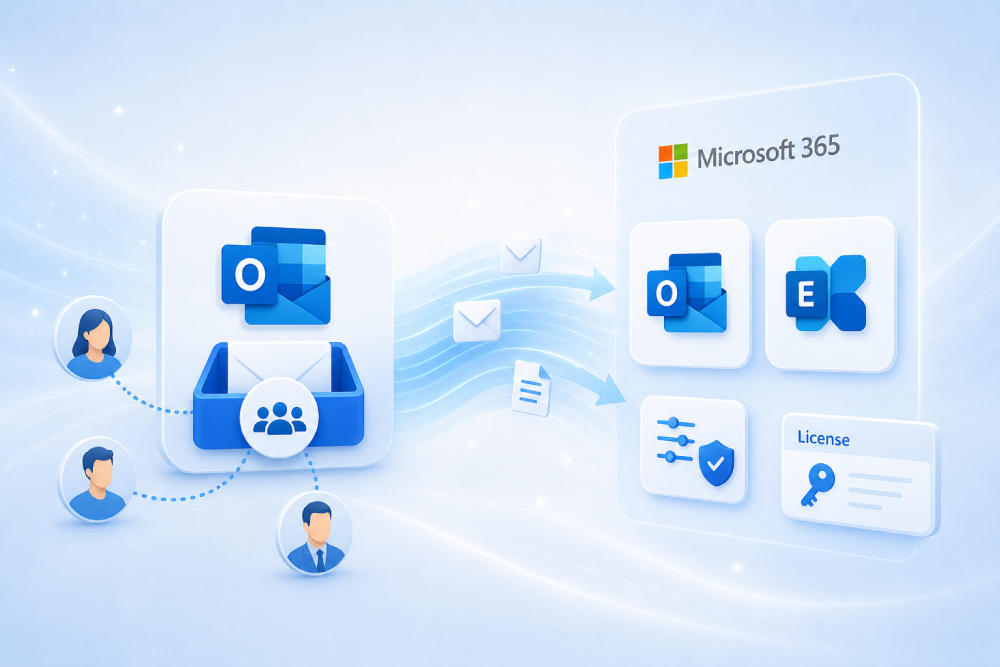
- Email (Exchange Online): shared mailboxes, delegations, connectors, transport rules, gateways, journaling. Because email/calendar drives project perception.
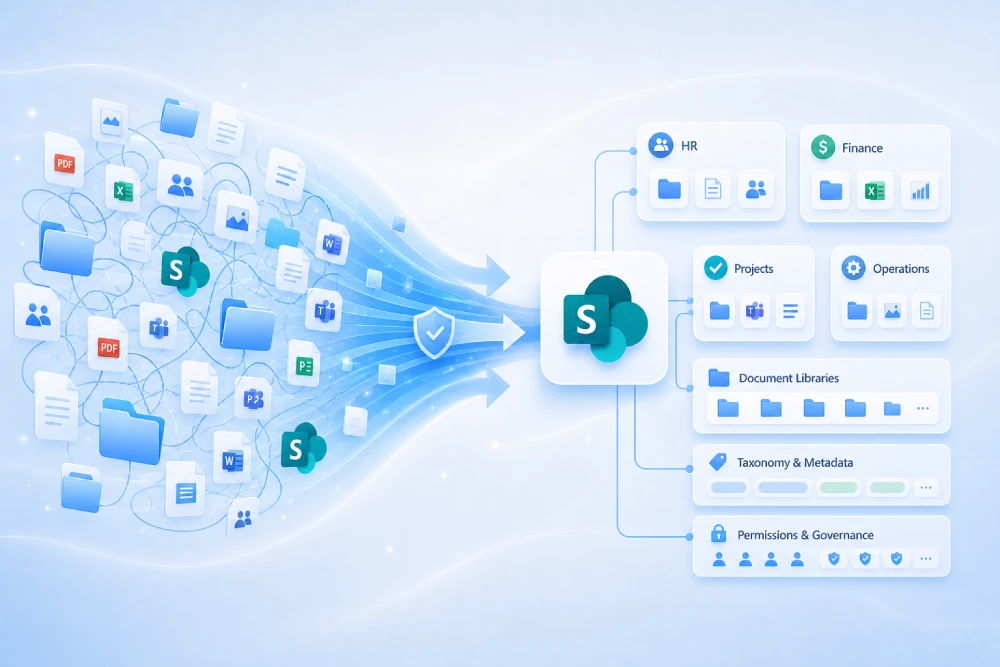
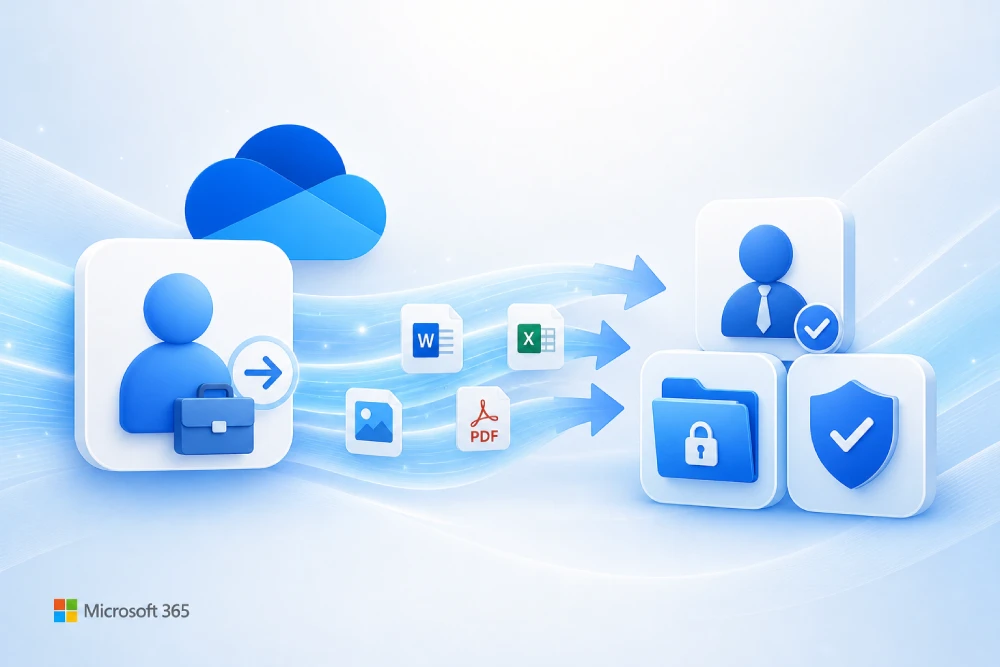
- Collaboration (OneDrive/SharePoint/Teams): volume, broken permissions, external sharing, real owners, critical teams. Because the real risk is access and links, not “copying gigabytes.”
- Power Platform: critical apps/flows, environments, DLP, ERP/CRM/MES connectors, business owners. Because processes break “silently.”
- Devices (Intune/Endpoint): compliance status, BYOD vs corporate, Autopilot, configuration profiles, certificates. Because if endpoints fail, support explodes.
- Compliance (Purview): retention, eDiscovery, sensitivity labels, DLP, auditing, sector requirements. Because in carve-outs, traceability is as important as migration.
3.2 Questions that unlock decisions (and accelerate the plan)
- Which processes cannot degrade even for one hour (manufacturing, logistics, billing, customer service)?
- Which data cannot be transferred for legal/contractual reasons (or requires special handling)?
- Which digital assets lack a clear owner (and who will assume ownership)?
- Which external integrations break if domain/identity changes (ERP, CRM, HRIS, MES, suppliers)?
- Which “times of year” are untouchable (close, audits, campaigns, production peaks)?
3.3 Useful deliverables (what due diligence should produce)
- Site criticality map: plant, factory, office, branch, logistics, stores.
- Dependency catalog: service accounts, connectors, apps, flows, integrations.
- Risk register: impact, probability, mitigation, and owner.
- Wave plan: “what migrates when” based on operational criteria (not aesthetics).
- Runbooks: domain/DNS, workload migration, support, escalation, and rollback.
- “Nobody knows” how many Power Automate flows exist or who maintains them.
- There are “ownerless” shared mailboxes running orders, incidents, or quality operations.
- Mass external sharing in SharePoint/OneDrive exists without clear governance.
- Domain change is planned “for the end” without runbook or testing.
4. Day 1 / Day 30 / Day 100 plan: continuity first, order second
Day 1 does not mean “everything migrated.” It means “the business operates.” The typical mistake is trying to solve continuity, standardization, content cleanup, and perfect governance all at once. That usually ends in delay, support overload, and frustration.
| Milestone | Objective | What must be ready | What NOT to force yet |
|---|---|---|---|
| Day 1 | Minimum viable continuity | Access, email, and critical collaboration operating + support ready | Total reorganization, massive permission cleanup, deep process redesign |
| Day 30 | Stabilization | Waves 2–3 completed, incidents controlled, critical link/permission remediation | Advanced optimization and governance perfectionism |
| Day 100 | Consolidation | Governance, security, and automations stabilized, owners assigned, stable reporting | Parallel projects competing for attention |
| Day 180 | Value capture | End of unnecessary coexistence, lower operating cost, normalized usage | “Leave it as is” with inherited technical debt |
4.1 How to define Day 1 by site (what really matters)
Day 1 is not defined the same way for a plant and an office. The key question is: what does each site need to operate without major friction?
- Plant / factory: access to procedures, quality documents, shift incidents, escalation channels, shared terminals.
- Office: email, calendars, meetings, commercial and legal documents, approvals.
- Logistics: fast coordination (Teams), shipment documentation, operational contacts, agile support.
- Stores: simple onboarding, kiosk-mode devices, fast communication, and support.
4.2 Real hypercare: what makes the difference
Hypercare is not “more people.” It is organization: one channel, clear triage, fast escalation, and user communication in plain language.
- Single channel: Teams “M&A Support” + incident form with simple categories.
- Triage: classify by impact (production/customer > finance > everything else).
- Runbooks: email, access, Teams, critical links, and device checks.
- Communication: “what changes today” + “how to get help” on one page.
5. Target architecture: single tenant, coexistence, or split
There is no one-size-fits-all model. It depends on corporate structure, regulation, deal timeline, internal maturity, and above all, how much “coexistence margin” you can tolerate.
| Model | When it fits | Main advantage | Risk to watch |
|---|---|---|---|
| Single tenant | Full post-acquisition integration | Centralized governance and security + lower medium-term complexity | Higher initial effort (design, waves, adoption) |
| Temporary coexistence | Phased integration, multi-country context, or need for initial speed | Lower immediate disruption | Double operations and cost if no exit date exists |
| Split / carve-out | Business unit sale or divestiture | Clear legal-operational separation | TSA dependency if autonomy is not accelerated |
5.1 Practical criteria to decide (without endless debate)
- Regulation: data, audit, retention, eDiscovery, and industry requirements (health, financial, industrial).
- Brand and domain: whether the domain “must be one” or coexist by brand/subsidiary.
- Operating model: whether processes are integrated or remain autonomous (at least temporarily).
- Risk: how much Day 1 impact is acceptable (and how much support you can provide).
- Deal timeline: closing date, communications, and market commitments.
6. Tenant-to-tenant technical integration by workload
Technical integration should be understood as a set of workloads (identity, email, files, Teams, automation, devices), but executed toward one objective: user experience + operational continuity + traceability. The sensible approach is to design a “backbone” (identity and security) and then migrate in waves.
6.1 Identity (Microsoft Entra ID): the project highway
Identity comes first for a simple reason: if the user cannot sign in, it does not matter that data is migrated. Identity also drives domain, UPN, conditional access, device, and permission decisions.
Decisions to make early
- UPN and domains: what will user identities look like (brand, subsidiary, region)?
- Access model: MFA, conditional access, allowed devices, locations.
- Critical accounts: service accounts (ERP/CRM/MES), privileged accounts, break-glass accounts.
- B2B/collaboration: how teams collaborate during coexistence without overexposure.
Common mistakes
- Creating thousands of destination users without clear naming and “fixing it later.”
- Forgetting service accounts that sustain operations (manufacturing, finance, integrations).
- Allowing “temporary” security exceptions without expiration date.
References: Cross-tenant access overview · Cross-tenant synchronization overview
6.2 Exchange Online (email and calendar): what the business notices first
In post-acquisition integration, email and calendar shape perception. If users can send, receive, and schedule meetings without issues, the organization trusts the program. If they cannot, the whole project is seen as “a disaster,” even if other parts are fine.
What to prepare before wave migration
- Delegations and shared mailboxes: inventory and functional owner.
- Connectors and mail flow: gateways, rules, third-party connectors, signatures, disclaimers.
- Domains: transition plan (especially if primary domain changes).
- Calendars: validate availability/sharing between entities during coexistence.
Reference: Cross-tenant mailbox migration
6.3 OneDrive and SharePoint: the real pain is permissions, links, and ownership
In files and sites, the classic mistake is focusing on volume (“we have 40TB”). The real pain is: who can access what, which links break, which sites have no owner, and which content has retention or confidentiality obligations.
Best practices that save weeks of support
- Classify: critical sites (operations/sales/legal) vs archivable content.
- Define owners: one functional owner per site (not only IT).
- Recertify access: before and after waves (especially in carve-outs).
- Link plan: communication and remediation of critical internal/external links.
References: Cross-tenant OneDrive migration · Cross-tenant SharePoint migration
6.4 Teams: where work lives (and why it needs care)
Teams is not just chat. It is meetings, channels, files, apps, bots, approvals, and in many organizations, the operations coordination hub (shifts, incidents, logistics). Migrating Teams “by department” usually fails. What works is migration by process.
How to prioritize Teams without going crazy
- Critical teams: manufacturing, quality, procurement, logistics, sales, customer service.
- Leadership teams: executive coordination (high impact, sensitive users).
- Project teams: if they sustain deliveries or customers, treat them as critical.
Reference: Migration Orchestrator overview
6.5 Power Platform: the “invisible risk” that breaks processes
Power Platform is often the big blind spot in M&A. When ignored, “ghost incidents” appear: approvals that do not arrive, flows notifying the wrong teams, integrations failing due to credentials. The practical rule is simple: if it automates a business task, it is critical.
Minimum Power Platform checklist for M&A
- Inventory of apps/flows by process (procurement, approvals, quality, incidents, finance).
- Functional owners (who is accountable if it fails).
- Connectors (ERP/CRM/MES) and credentials (how they migrate/re-authenticate).
- DLP policies and environments (avoid “everything in Default”).
- End-to-end tests with real users before cutover.
Reference: Microsoft Learn Power Platform
6.6 Intune and devices: support is won here
Plants/factories rely on shared equipment and shifts; offices require immediate productivity. Branches focus on mobility. The device plan must respect this reality or support will explode.
Best practices by site type
- Factory/plant: shift-based reenrollment, validation of shared stations, kiosk mode if applicable.
- Office: profile-based pilot (executive, finance, sales, general), and clear end-user guides.
- Branch: continuity of mobile access, MFA, critical apps (Teams, Outlook, CRM).
Reference: Microsoft Intune fundamentals · Windows Autopilot
7. Domain movement, DNS, and email authentication
Domain change is the most visible moment. Technically, it is solvable; operationally, it is delicate. If improvised, incidents escalate. If rehearsed with a runbook, it is usually stable.
7.1 “Runbook” approach: the 3 blocks that cannot fail
- Preparation: clean domain references in source and prepare destination.
- Execution: controlled DNS changes (MX/SPF/DKIM/DMARC) with clear owners per block.
- Validation: post-change checklist (internal/external delivery, authentication, clients, devices).
7.2 Email authentication: SPF, DKIM, and DMARC without “leaving it for later”
In M&A, email often passes through third-party gateways, signature systems, marketing tools, or ERPs that send mail. If SPF/DKIM/DMARC is not aligned, impact appears as “email not arriving” or “email going to spam.”
- SPF: who is authorized to send on behalf of the domain.
- DKIM: cryptographic outbound signature (integrity/legitimacy).
- DMARC: policy and reporting (and a very useful way to detect unexpected senders).
References: Remove a domain · Add and verify domain · DNS records for Microsoft 365 · DKIM · DMARC
8. TSA and carve-out in a business sale: how to exit without dependency
In a business divestiture, the TSA (Transitional Services Agreement) is often unavoidable: it allows the business to operate while services are separated. The problem appears when TSA becomes “the normal way of working.” At that point, cost rises, risk rises, and it becomes politically difficult to cut over.
8.1 What a Microsoft 365 TSA must include (and why)
- Service catalog: email, identity, support, security, devices, backup, etc.
- SLA and schedules: especially if factories/operations run 24×7.
- RACI: who does what (seller, buyer, provider).
- Exit milestones: monthly, with acceptance criteria and evidence.
- Cost model: avoid extension surprises.
| Service | During TSA | Exit milestone | Evidence |
|---|---|---|---|
| Identity and access | Controlled access to apps/resources | Autonomous identity in destination tenant | Users can access without dependency on seller tenant |
| Email and calendar | Coexistence / forwarding / transition | Mail flow and domain operating in destination | Send/receive tests + stabilized tickets |
| Support | Shared service desk and escalation | Buyer autonomous support | Runbooks, KPIs, and stable operations |
8.2 Risk signals (if you see them, act)
- No target end date for TSA or no measurable exit criteria.
- No executive business owner (only “IT is handling it”).
- Residual dependency is not measured (so nobody reduces it).
9. Security, compliance, eDiscovery, and audit
Every integration or separation opens an exposure window. The right strategy is not “hope nothing happens,” but to harden from day one with a least privilege approach and coherent controls. In carve-outs, you also need to demonstrate segregation and traceability.
9.1 Absolute minimum in the destination tenant
- MFA + Conditional Access: by risk, location, and device state.
- Privileges: minimum roles, PIM where applicable, controlled break-glass accounts.
- Information protection: sensitivity labels and coherent policies.
- DLP: prevent sensitive data leaks (financial, personal, contracts, intellectual property).
- Retention and eDiscovery: aligned with legal/compliance by design.
- Auditability: logging and investigation capability (especially during transitions).
9.2 Environment-based approach (what changes by site)
- Plants/factories: protect operational procedures, quality, audit records, and role/shift-based access.
- Offices/HQ: protect contracts, customer data, legal and financial documentation.
- Carve-out: ensure segregation and evidence of transferred vs retained assets.
External references: Microsoft Entra Conditional Access · Microsoft Purview Information Protection · DLP policies (Purview) · NIST Cybersecurity Framework · GDPR (EU)
Want to adapt this guide to your real scenario?
MSAdvance can prepare an executive + technical assessment with risks, waves, timeline, and continuity plan for each site type (plant, factory, office, branch, or logistics center).
10. Native vs third-party vs hybrid: how to decide without marrying one tool
The right question is not “which tool is best,” but: which combination reduces the most risk in this specific deal. In M&A, context rules: timeline, volume, permission complexity, reporting needs, and coexistence tolerance.
| Approach | Advantages | Limits | Best fit |
|---|---|---|---|
| Native Microsoft | Official support + platform alignment | Workload conditions, prerequisites, and availability constraints | Standard scenarios, good governance, and wave-level control |
| Third-party | Advanced reporting, automation, and remediation | Extra cost + tool governance overhead | Large-scale, heterogeneous environments or strong reporting requirements |
| Hybrid | High flexibility | Requires disciplined PMO and precise runbooks | Multi-site/multi-country programs and mixed scenarios (integration + carve-out) |
11. Project costs and real variables (what truly drives the budget)
In post-acquisition integration or carve-out, cost does not depend only on user count. Two projects with the same headcount can cost very differently depending on complexity and risk.
11.1 Variables with highest weight
- Permission complexity and lack of real data ownership.
- Number and type of sites: plant, office, branch, logistics, stores.
- Automations and integrations: Power Platform, ERP/CRM/MES, gateways, connectors.
- Regulatory requirements: retention, eDiscovery, audit, segregation.
- Support model: hypercare, 24×7 support, on-site support in plants.
11.2 Typical overruns (and avoidable)
- Lack of real due diligence (critical items discovered too late).
- TSA without exit plan (extra months paid by inertia).
- Late communication and poor guides (more tickets, more hours, more noise).
- Underestimating devices (disordered reenrollment = support fire).
12. KPIs that matter to the Executive Committee and PMO
If you only measure “tickets closed,” you miss what matters. In M&A, you need to measure business continuity, stability, and real progress toward the target (integration or separation).
| Dimension | KPI | Indicative target | Why it matters |
|---|---|---|---|
| Continuity | Critical processes operational on Day 1 | > 95% | Avoids direct customer/production impact |
| Industrial operations | Incidents impacting shifts/production | Near 0 | Protects 24×7 continuity |
| Severe incidents after domain change | Near 0 | Shapes overall project perception | |
| Support | Incidents per user (week 1) | < 0.3 | Controls load and user experience |
| Delivery performance | Users migrated within window | > 98% | Operational discipline and predictability |
| Security | MFA/CA coverage in critical profiles | 100% | Reduces exposure during transition |
| TSA | Exit milestones achieved | 100% | Avoids prolonged dependency and cost |
13. Common risks and mitigations (no fluff)
M&A risks repeat. The good news: most are mitigated with method, not heroics.
| Risk | Impact | How it appears | Practical mitigation |
|---|---|---|---|
| Ambiguous carve-out scope | High | Late debates, “mixed” data, delays | Legal + business + IT validation with RACI and signed evidence |
| Underestimating plants/factories | High | Shift incidents, procedure access failures | Industrial pilot + field support + shift-based windows |
| Power Platform not inventoried | High | Approvals not delivered, inconsistent flows | App/flow map + owners + mandatory E2E testing |
| Domain change without rehearsal | High | Email to spam/not delivered, support chaos | Full runbook + block owners + post-cutover validation |
| TSA without exit | High | Drifts longer by inertia, cost increases | Monthly milestones + KPIs + executive ownership |
| Overly technical communication | Medium | Blocked users, repeated tickets | Role-based messages + 1-page guide + live FAQ |
14. Operational checklists by site type
These checklists are designed as “quality control” before each wave. They are not trying to be perfect: they are trying to be useful.
14.1 Office mergers
- Windows outside month/quarter close and commercial peaks.
- Delegations, shared mailboxes, and permissions validated by owners.
- UAT for finance, legal, sales, and executive leadership.
- User guides: access, Outlook, Teams, OneDrive, “what to do if…”.
- 72h hypercare with one channel and clear escalation.
14.2 Plant/factory integration
- Shift map and critical workstations (what cannot be touched at what time).
- Shared terminals inventoried and tested.
- Access to procedures/quality documentation validated before cutover.
- Shift coordination channels (Teams) and contingency runbooks.
- On-call or on-site support during go-live.
14.3 Logistics centers and branches
- Fast operational coordination channels in Teams.
- Frictionless access to shipment/customer documentation.
- Test contacts, groups, and distribution lists.
- Support coverage during the first 72 hours.
14.4 Business unit carve-out
- Approved and versioned legal-technical scope (no ambiguity).
- Destination tenant hardened before user migration (MFA/CA/roles/baseline DLP).
- TSA plan with monthly milestones and acceptance criteria.
- Transfer/segregation evidence for audit.
- Exit plan: identity > email > collaboration > automations > TSA closure.
15. Extended FAQ
How do you integrate two Microsoft 365 tenants after an acquisition?
Start with real due diligence, define Day 1 by critical processes, design temporary coexistence if needed, and migrate in criticality waves (not by org chart). Secure identity and security from the start and leave “nice” optimization for Day 30/100.
What is the biggest risk in a plant/factory merger?
Underestimating shifts, shared terminals, and critical operations/quality documentation. If this fails, production is directly impacted. Mitigation is usually an industrial pilot + runbooks + go-live field support.
What is the difference between post-acquisition integration and a carve-out?
Integration targets operational consolidation and governance in a target tenant. A carve-out targets legal and technical autonomy of a separated unit, with segregation and transfer evidence.
Can tenant-to-tenant migration be done without stopping the business?
Yes—with well-governed coexistence, criticality-based waves, process-level UAT, and reinforced go-live support (hypercare).
What happens to data and compliance in a business sale?
You must define from day one what is transferred, what is retained, what is blocked, and how traceability/auditability is maintained. This is especially important where retention or eDiscovery requirements apply.
What should never be left for the last week?
Identity model (UPN/domain), domain/DNS cutover, Power Platform ownership, service account inventory, support runbooks, and end-user communication.
16. Official resources and external links
Microsoft documentation (tenant-to-tenant, cross-tenant, and migration)
- Migration Orchestrator overview (tenant-to-tenant)
- Migration Orchestrator: end-user experience
- Cross-tenant mailbox migration
- Cross-tenant OneDrive migration
- Cross-tenant SharePoint migration
Identity and access (Entra)
Domains and DNS
Security and compliance
Recommended internal linking (MSAdvance)
You can internally link to: Microsoft 365 Migration, Modern Workplace, Microsoft Security, and all MSAdvance services.
17. Conclusion and next steps
In an M&A transaction, Microsoft 365 can be either a speed lever or a source of friction. The difference is method: design around business processes, execute by criticality waves, and secure compliance from day one.
If your scenario includes plant mergers, factory acquisitions, office integration, logistics centers, or carve-out through business unit sale, it is worth designing a site- and process-specific plan: this reduces incidents and accelerates value capture.
- Define a representative pilot (without exposing the most critical processes).
- Validate Day 1 with business teams before moving large-scale waves.
- Lock governance, security, and TSA exit plan from kickoff.
Want to turn this guide into an executable plan for your operation?
MSAdvance helps you move from “we need to migrate” to “we have a plan with milestones, controlled risk, and real continuity.”