Reference Guide · Tenant-to-Tenant Migration
Can an entire Microsoft 365 tenant be migrated to another tenant? A large part of the data and services can be moved or rebuilt, but Microsoft 365 does not move as a single unit. Exchange Online, OneDrive, SharePoint, Microsoft Teams, Planner, Power BI, Microsoft Intune, Power Platform, Entra ID and Microsoft Purview all have different mechanisms, APIs and limitations.
This distinction matters. A migration may have successfully copied every email and document and still leave issues with permissions, Teams, Planner, Power BI gateways, Intune devices, enterprise applications, security policies or the corporate domain.
In this guide, we explain workload by workload what can be migrated between Microsoft 365 tenants, what Microsoft provides natively, when specialized migration tools add value, and which elements need to be recreated or redesigned in the target tenant.
Do you need to know exactly what can be migrated from your Microsoft 365 tenant?
At MSAdvance, we analyze the environment before defining the migration. We inventory users, mailboxes, OneDrive, SharePoint, Teams, Planner, Power BI, Power Platform, Intune, applications, groups, security and domains to determine what can be moved, what needs to be recreated and which strategy best fits each workload.
The customer does not have to decide which tool to use for each workload. We design and coordinate the complete project, from assessment through cutover and post-migration validation.
What can be migrated between Microsoft 365 tenants?
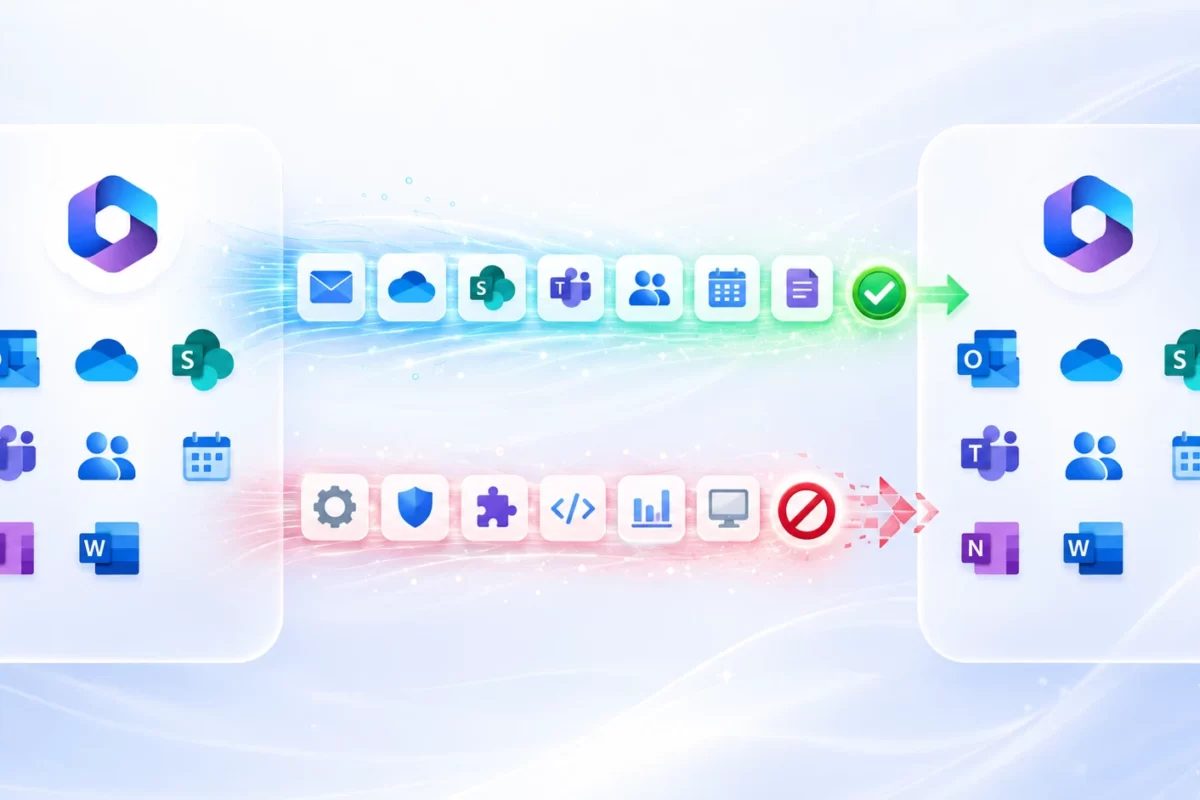
Microsoft provides native migration capabilities for several major workloads between tenants, but there is no single tool that replicates the entire Microsoft 365 environment end to end. Exchange Online has Cross-Tenant Mailbox Migration; OneDrive and SharePoint have dedicated cross-tenant mechanisms; and Microsoft 365 Migration Orchestrator coordinates Exchange, OneDrive, Teams chats and Teams meetings. By contrast, Teams and Channels, Planner, Power BI, Intune, Power Platform, Entra ID, applications, domains and security configurations require separate processes, automation, recreation or adaptation.
A complete tenant-to-tenant migration is therefore not simply a matter of copying data. Content, identities, permissions, applications, devices, domains and policies must all be coordinated so that the new tenant is genuinely operational after cutover.
Quick summary: what can be migrated between Microsoft 365 tenants
| Service | Status | What this means in practice |
|---|---|---|
| Exchange Online | YES — NATIVE | Cross-Tenant Mailbox Migration is available and can be coordinated through Microsoft 365 Migration Orchestrator. |
| Shared Mailboxes | YES — WITH CONDITIONS | Mailbox content can be moved; delegations and dependencies must be validated. |
| OneDrive | YES — NATIVE | Cross-tenant movement with identity mapping, supported permissions and redirects. |
| SharePoint Online | YES — WITH CONDITIONS | Cross-Tenant SharePoint Migration is available and operates separately from Migration Orchestrator. |
| Teams Chats | YES — SPECIFIC SCOPE | Microsoft 365 Migration Orchestrator includes Teams chats within its supported scope. |
| Teams Meetings | YES — SPECIFIC SCOPE | Migration Orchestrator coordinates meetings together with their dependencies. |
| Teams and Channels | SPECIFIC PROCESS | They are not part of the same Migration Orchestrator process used for personal user data. |
| Planner | PARTIAL | Microsoft Graph and specialized tools can be used to rebuild parts of the service. |
| Power BI / Fabric | PARTIAL | Some artifacts can be exported; other components need to be rebuilt. |
| Intune Policies | PARTIAL | Certain policies can be exported or recreated using Microsoft Graph. |
| Intune Devices | RE-ENROLLMENT | Devices must leave the previous management environment and enroll again. |
| Power Platform / Dataverse | YES — WITH CONDITIONS | Microsoft provides tenant-to-tenant processes for certain supported environments. |
| Entra ID | CREATE + MAP | Content is moved, while directory identities must already exist in the target tenant. |
| Corporate Domain | TRANSFER | The domain must be released from the source tenant, added to the target and followed by the DNS cutover. |
| Conditional Access / Purview / Defender | RECREATE / ADAPT | These are tenant-level configurations and must be reviewed separately. |
In one sentence: Microsoft 365 can be moved to another tenant, but the real project combines native migration, identity mapping, specialized tools, Microsoft Graph, PowerShell, recreation and, where appropriate, redesign.
Complete table: what can be migrated between Microsoft 365 tenants
The following table provides an initial reference for assessing a migration. “Can be migrated” does not necessarily mean that the object will be identical in the new tenant. Some services preserve content and metadata; others require the destination container to be created first, identities to be remapped, or part of the configuration to be rebuilt.
| Service | Status | Typical method | What can be preserved | What needs to be reviewed or recreated |
|---|---|---|---|---|
| Exchange User Mailbox | YES — NATIVE | Cross-Tenant Mailbox Migration / Migration Orchestrator | Email, folders, contacts, calendar, tasks and supported content. | Target identity, licenses, domain, applications and certain delegations. |
| Shared Mailbox | YES — WITH CONDITIONS | Cross-Tenant Mailbox Migration | Mailbox content and certain supported permissions. | Delegations, Send on Behalf, aliases and dependent applications. |
| Online Archive | YES — WITH CONDITIONS | Exchange cross-tenant + identity mapping | Archive content in supported scenarios. | ArchiveGuid, licensing, Holds and configuration. |
| OneDrive | YES — NATIVE | Cross-Tenant OneDrive Migration / Orchestrator | Content, correctly mapped permissions and redirects. | Target identities, Holds, Customer Key and cutover planning. |
| SharePoint Online | YES — WITH CONDITIONS | Cross-Tenant SharePoint Migration | Sites, supported content, mapped permissions and redirects. | Associated Teams, automations, apps, workflows and integrations. |
| Teams Chats | YES — SPECIFIC SCOPE | Microsoft 365 Migration Orchestrator | History within the supported scope. | Participants, possible thread differences and out-of-scope elements. |
| Teams Meetings | YES — SPECIFIC SCOPE | Microsoft 365 Migration Orchestrator | Meetings within the supported scope. | Exchange dependencies and the user experience after the move. |
| Complete Team | SPECIFIC PROCESS | Provisioning + SharePoint + Graph + specialized tools | An equivalent experience can be rebuilt. | Team, group, memberships, channels, tabs, apps and dependencies. |
| Standard Channels | YES — WITH A STRATEGY | Provisioning + Graph + SharePoint | Structure, files and supported messages. | Apps, members, tabs and configuration. |
| Private Channels | YES — WITH A STRATEGY | Graph / specialized tool / SharePoint | Supported content depending on the method used. | Memberships and the dedicated SharePoint site. |
| Shared Channels | YES — WITH A STRATEGY | Graph / specialized tool | Supported content. | Cross-tenant relationships, participants and configuration. |
| Channel Conversations | YES — WITH CONDITIONS | Microsoft Graph Teams migration APIs | Supported historical messages, including supported properties. | Target Team and channel, plus elements not supported by the API. |
| Planner Basic | PARTIAL | Graph / specialized tool / recreation | Plans, buckets, tasks and supported properties. | Assignments, attachments, comments and dependencies. |
| Planner Premium | PARTIAL / SPECIFIC | Assessment according to plan type | Depends on the product and scenario. | It should not be treated as Planner Basic. |
| Power BI Reports | PARTIAL | PBIX / definition / APIs | Report or definition in supported scenarios. | Datasources, permissions, connections and references. |
| Semantic Models | PARTIAL | Backup/restore or definition depending on the scenario | Definition and data where the method supports them. | Refresh, credentials, capacity and connections. |
| Power BI Dataflows | PARTIAL | Supported export/import | Definition. | Connections, credentials and post-migration validation. |
| Power BI Workspaces | RECREATE | Power BI Admin API / automation | Inventory and reference configuration. | Workspace, roles and capacity assignment. |
| Power BI Gateways | RECONFIGURE | Target configuration | Inventory. | Gateway, datasources and credentials. |
| Power BI Dashboards | RECREATE | Recreation | Inventory. | Dashboard and tiles. |
| Power BI Apps | RECREATE | Republishing | Migrated underlying content. | App, audiences and publishing. |
| Microsoft Fabric | PARTIAL | Git for supported artifacts / recreation | Definitions of certain supported items. | Data and artifacts without an equivalent export mechanism. |
| Intune Policies | PARTIAL | Microsoft Graph / PowerShell | Certain policies and profiles. | Assignments, references and configurations that cannot be exported. |
| Intune Devices | RE-ENROLLMENT | Unenrollment + new enrollment | The physical device and local data depending on the strategy. | Entra Join, MDM, applications, compliance and certificates. |
| Power Apps | YES — WITH CONDITIONS | Environment move / solutions | Supported applications. | Connections, references and specific dependencies. |
| Power Automate | YES — WITH CONDITIONS | Environment move / solutions | Supported flows. | Connections, credentials, triggers and references. |
| Dataverse | YES — WITH CONDITIONS | Power Platform tenant-to-tenant environment move | Environment and data in supported scenarios. | Security Groups, Application Users and post-move configuration. |
| Microsoft Forms | NOT DIRECTLY | Recreation / specific processes | Content can be rebuilt depending on the scenario. | There is no general T2T migration equivalent to Exchange. |
| Entra Users | CREATE + MAP | Provisioning + Cross-Tenant Identity Mapping | Mapping between identities. | User, licenses, roles, MFA and attributes. |
| Microsoft 365 Groups | RECREATE / MAP | Graph / PowerShell / specialized tool | Properties and membership can be rebuilt. | Object, IDs and dependencies with Teams, SharePoint and Planner. |
| Security Groups | RECREATE | Graph / PowerShell | Configuration and membership. | New Object ID and assignments. |
| Distribution Lists | RECREATE | Exchange Online PowerShell | Membership and properties. | Object and addresses in the new tenant. |
| Enterprise Applications | RECONFIGURE | Entra ID / Microsoft Graph | Inventoried configuration. | Service principal, SSO, assignments, provisioning and consent. |
| App Registrations | RECREATE / REVIEW | Entra ID / Microsoft Graph | Configuration can be used as a reference. | Registration, secrets, certificates, permissions and consent. |
| Custom Domain | TRANSFER | Remove/Add Domain + DNS cutover | The same domain can ultimately be used in the target tenant. | UPNs, aliases, groups, DNS and dependencies. |
| Conditional Access | RECREATE / ADAPT | Microsoft Graph / configuration | Policy logic can be inventoried. | Users, groups, apps, IDs and exclusions. |
| Microsoft Purview | RECREATE / ADAPT | PowerShell / portal / available APIs | Inventory of policies and configuration. | DLP, retention, labels, eDiscovery and dependencies. |
| Microsoft Defender | RECREATE / ADAPT | Depends on the Defender product | Configuration can be used as a reference. | Policies, integrations, onboarding and dependencies. |
Microsoft 365 capabilities, licensing requirements, limits and availability may change. The final strategy should always be verified against current documentation and the actual characteristics of the source and target tenants.
What does it really mean when a workload can be migrated?
The fact that a service can be migrated does not necessarily mean that its entire history, configuration, permissions, identifiers and dependencies will appear identically in the new tenant.
In a Microsoft 365 migration, it is useful to distinguish between five different scenarios:
Native migration
Microsoft provides a dedicated mechanism for moving the workload between tenants. Exchange Online and OneDrive are clear examples.
Partial migration
Part of the service can be moved, while other components need to be rebuilt. Power BI is a good example.
Recreation
The original object does not move. Its configuration is collected and an equivalent is created in the new tenant.
Specialized migration
A migration platform uses Microsoft APIs and automation to coordinate multiple parts of the project.
Redesign
Instead of copying an old architecture, the tenant change is used as an opportunity to build a better target environment.
Practical example: migrating the documents belonging to a Team does not mean that Microsoft Teams has been migrated. Channel files primarily live in SharePoint, while the Team also includes the group, members, channels, conversations, Planner, applications, tabs and other dependencies.
Can Exchange Online be migrated between tenants?
Yes. Microsoft provides Cross-Tenant Mailbox Migration to move Exchange Online mailboxes between tenants. Exchange is also one of the workloads that Microsoft 365 Migration Orchestrator can coordinate as part of a multi-workload migration.
The process moves mailbox content, but it does not move the Microsoft Entra ID identity. Before the migration starts, the corresponding user must exist and be prepared correctly in the target tenant.
What Exchange content can be moved?
Within the supported scope, the content users work with every day can be migrated, including:
- email;
- folder structure;
- contacts;
- calendar;
- tasks;
- notes and other supported items.
The technical details of the migration depend on the scenario, the identities that have been prepared and the configurations present in both tenants.
Can Shared Mailboxes be migrated?
Yes. Shared mailboxes can be included in a cross-tenant strategy, but two concepts should be considered separately: mailbox content and delegations.
A shared mailbox can have Full Access, Send As, Send on Behalf, aliases, rules and relationships with users who may be migrated in different waves. It should therefore not be considered complete simply because its email content already appears in the target tenant.
At MSAdvance, we do not count only user mailboxes. Before finalizing the scope, we also review shared mailboxes, archives, delegations, mail groups, aliases and dependencies. Two companies with the same number of employees can have very different Exchange migration projects.
What happens to Online Archive?
Archive mailboxes must be explicitly included in user preparation and identity mapping. Attributes such as ArchiveGuid, licensing, archive configuration and retention policies can affect the move.
Holds and compliance
Holds can block cross-tenant moves. This check should be carried out before migration waves are created. Discovering an active retention configuration during the cutover window is not a good migration strategy.
Removing a Hold is also not merely a technical decision. Any change must be coordinated with the organization’s compliance stakeholders and legal obligations.
Do aliases, groups and delegations move with the mailbox?
You should not assume that every object associated with a mailbox travels with it. Distribution Lists, Microsoft 365 Groups, mail-enabled security groups, transport rules, aliases and certain delegations require separate handling.
What we review before moving Exchange: target identity, licenses, aliases, shared mailboxes, archives, delegations, Holds, mail-flow rules, SMTP applications, domains and dependencies with Teams Meetings.
Official source: Microsoft Learn — Cross-tenant mailbox migration.
Can OneDrive be migrated between tenants?
Yes. Microsoft provides Cross-Tenant OneDrive Migration, and OneDrive can also be included in batches coordinated by Microsoft 365 Migration Orchestrator.
The migration uses Cross-Tenant Identity Mapping to associate users and groups in the source tenant with their equivalents in the target tenant. This allows permissions belonging to correctly mapped identities to be transformed.
Are permissions and links preserved?
Permissions can be preserved when the identities involved have been correctly prepared and mapped. Microsoft can also create redirects from the previous location to the new one.
This is especially useful when old links still exist in emails, documents or applications.
The major limitation: native OneDrive migration is one-and-done
Cross-Tenant OneDrive Migration does not work like a traditional migration tool with pre-staging and delta passes. Microsoft documents the move as a one-and-done operation.
This has a direct impact on cutover planning. If the chosen strategy requires copying data initially, allowing users to continue working and then running several differential synchronization passes, the native mechanism may not be the most appropriate method for that particular project.
Holds and Customer Key
A OneDrive account subject to certain retention configurations can be blocked from moving. Microsoft also documents restrictions related to Service Encryption and Microsoft Purview Customer Key in the source tenant.
These conditions should form part of the technical assessment performed before migration.
Should the target OneDrive already exist?
The identity and licensing must be prepared correctly, but provisioning of the target site must follow the requirements of the migration mechanism. Creating target structures without first checking how the migration will be performed can make the move more difficult later.
At MSAdvance, we do not assess OneDrive only by the number of gigabytes. We also review file counts, permissions, sharing links, external users, Holds, local synchronization and what users need to do with the OneDrive client after cutover.
If you need a deeper look at this workload, see our Microsoft 365 cross-tenant OneDrive migration guide.
Official source: Microsoft Learn — Cross-tenant OneDrive migration.
What can be migrated from Microsoft Teams between tenants?
Different components of Microsoft Teams can be moved, but Microsoft Teams does not migrate as a single unit. Microsoft 365 Migration Orchestrator includes user chats and meetings within its scope, while Teams, Channels and shared SharePoint sites require separate handling.
The reason is simple: several different Microsoft 365 services sit behind the name “Teams.”
User-scoped data
- Teams Chats;
- Teams Meetings;
- chat files stored in OneDrive.
Shared data
- Teams;
- Channels;
- channel conversations;
- associated SharePoint;
- Planner;
- Lists;
- tabs;
- apps.
Teams Chats
Chats are part of the current Microsoft 365 Migration Orchestrator scope. Even so, the result must be understood within Microsoft’s documented limitations for participants, identities and threads.
A migration should aim to preserve supported history and user continuity rather than promise that every conversation will behave exactly as it did in the previous tenant.
Teams Meetings
Meetings can also form part of the process coordinated by Microsoft 365 Migration Orchestrator and have dependencies on Exchange Online.
For this reason, Exchange and Teams Meetings should not be designed as two completely independent migration projects.
Teams and Channels
The shared Team and its Channels require a dedicated strategy. Creating the target structure, its members, groups, SharePoint sites, applications and other components must be coordinated separately from the simple movement of user chats.
Channel conversations
Microsoft Graph provides migration APIs for importing historical messages into Teams and channels in supported scenarios.
These APIs can preserve historical properties such as the author and timestamp when the scenario and content are supported. However, importing messages does not automatically move the entire Team.
Teams files
Channel files are stored in SharePoint. The Teams strategy must therefore be coordinated with SharePoint. Files shared in private chats also depend on OneDrive.
Planner
A Team may use one or more Planner plans. These plans should not be assumed to have moved simply because an equivalent Team has been created in the target tenant.
OneNote, Lists, tabs and applications
These also need to be inventoried individually. Some tabs are simply references to another resource; others contain applications or configurations that depend on IDs belonging to the previous tenant.
Meeting recordings
Modern meeting recordings are generally stored in OneDrive or SharePoint. The file itself may be included in the migration strategy for those workloads, but its relationship to the original meeting and the subsequent user experience must be validated separately.
At MSAdvance, we do not estimate Teams solely by the number of teams. We review associated SharePoint sites, standard, private and shared channels, conversations, members, guests, Planner, tabs, apps and content volume.
What we review before moving Teams: Team, Group, owners, members, guests, Channels, associated SharePoint, Planner, conversations, tabs, apps, OneNote, Lists, recordings and external dependencies.
For a deeper explanation, see our complete Microsoft Teams tenant-to-tenant migration guide.
Official sources: Microsoft 365 Migration Orchestrator · Microsoft Graph — Teams migration APIs.
Does your tenant include Teams, SharePoint, Planner and other dependencies?
This is where a migration stops being a simple file transfer. MSAdvance analyzes how the workloads relate to one another and defines in advance what will be migrated, what will be recreated and what needs to be validated after cutover.
Can Microsoft Planner be migrated between tenants?
Partially. Microsoft Graph can work with basic plans, buckets and tasks, but Microsoft Planner does not provide a tenant-to-tenant migration equivalent to Cross-Tenant Mailbox Migration or Cross-Tenant OneDrive Migration.
Copy Plan is not Tenant Migration
The plan-copying capability can be useful in certain scenarios, but it should not be confused with a complete migration between organizations.
A real Planner environment can include:
- plans;
- buckets;
- tasks;
- assignments;
- dates and priorities;
- descriptions;
- checklists;
- labels;
- attachments;
- comments;
- relationships with the Microsoft 365 Group or Team.
Microsoft Graph can read and recreate different elements, making it possible to design a programmatic migration. However, the properties that have a genuine equivalent in the target environment must be assessed.
Planner Premium
Premium plans require a separate assessment. A strategy designed for Planner Basic should not automatically be assumed to work for every type of Planner plan.
Planner is one of the workloads most easily overlooked during discovery. If a customer uses Teams extensively, we review which plans depend on each Group or Team before finalizing the scope.
Conclusion: Planner can be included in a complete migration, but it generally requires recreation, Microsoft Graph or specialized capabilities rather than a simple “Move plan” operation.
Official source: Microsoft Graph — Planner.
Can Power BI be migrated between tenants?
Partially. Microsoft documents several patterns for moving Power BI and Fabric artifacts between tenants, but also warns that the process can require significant manual effort.
Power BI needs to be assessed component by component. Counting reports alone usually underestimates the real complexity.
| Component | Typical treatment | What to review |
|---|---|---|
| Reports | PBIX or definition where the scenario supports it. | Semantic model, datasource, URLs and permissions. |
| Semantic Models | Export/import, backup/restore or recreation depending on the scenario. | Data, credentials, refresh and capacity. |
| Dataflows | Supported export/import. | Connections and credentials. |
| Workspaces | Recreate. | Roles, groups, users and capacity. |
| Gateways | Reconfigure in the target tenant. | Datasources, clusters and credentials. |
| Dashboards | Recreate. | Tiles and associated content. |
| Power BI Apps | Recreate and republish. | Audiences and permissions. |
| Fabric | Depends on the artifact; Git can help with supported items. | Definition versus actual data. |
The report is only the visible part
A report may open correctly in the target tenant and still be incomplete because its semantic model does not refresh, credentials are missing or the gateway still belongs to the previous tenant.
A serious inventory should therefore include:
- workspaces;
- reports;
- semantic models;
- dataflows;
- gateways;
- datasources;
- credentials;
- refresh schedules;
- RLS;
- capacities;
- Power BI Apps;
- Fabric artifacts.
For Power BI, we analyze workspaces, semantic models, gateways and connections, not only reports. One hundred reports sharing a single model can be less complex than ten reports connected to multiple gateways and private data sources.
What we review before estimating Power BI: number of workspaces, assigned capacity, semantic models, gateways, datasources, credentials, RLS, refresh, dataflows, Power BI Apps and Fabric.
You can also read our Power BI migration guide for workspaces, reports and semantic models.
Official source: Microsoft Learn — Power BI tenant migration patterns and strategies.
Can Microsoft Intune be migrated between tenants?
Partially. Certain Microsoft Intune policies and configurations can be exported, automated or rebuilt using Microsoft Graph and PowerShell, but devices must be enrolled again in the target tenant.
Policies and Configuration Profiles
Microsoft provides guidance and examples for exporting and importing part of the Intune configuration, but this is not the same as copying the entire endpoint management tenant.
The following should be reviewed separately:
- Configuration Profiles;
- Compliance Policies;
- Endpoint Security;
- applications;
- assignments;
- scripts;
- remediations;
- certificates;
- Wi-Fi;
- VPN;
- BitLocker;
- Windows Autopilot;
- Company Portal;
- Defender;
- Conditional Access.
Devices must be enrolled again
This is the main difference compared with an email or file migration.
The endpoint has a management relationship with the source tenant. To manage it from the target tenant, a new relationship with Microsoft Entra ID and Intune must be established.
The procedure can vary depending on:
- Windows;
- macOS;
- iOS / iPadOS;
- Android;
- device type;
- enrollment method;
- corporate ownership or BYOD.
Autopilot, Entra Join and BitLocker
These components require a dedicated runbook. It must clearly define how the device will move to the new tenant, what happens to Autopilot, which recovery keys need to be retained and when the endpoint will become compliant again.
When a migration includes Intune, we count devices separately from users. One employee may use a corporate laptop, phone and tablet, while another user may not have any managed endpoints.
What we review before migrating Intune: platforms, enrollment types, Entra Join, Autopilot, compliance, profiles, applications, BitLocker, certificates, Wi-Fi, VPN, Defender and the expected user experience during re-enrollment.
Official source: Microsoft Learn — Intune migration guide.
Can Power Apps, Power Automate and Dataverse be migrated between tenants?
Yes, in certain scenarios. Microsoft provides tenant-to-tenant capabilities for moving certain Power Platform environments between organizations, although not every environment type or component is supported.
Production and Sandbox
Microsoft documents movement scenarios for certain Production and Sandbox environments with Dataverse. Other environment types require a different approach.
Dataverse
The environment and its data can be included in the supported process, but directory dependencies and post-migration tasks still exist.
For example, you need to review:
- users;
- Security Groups;
- Application Users;
- connections;
- connection references;
- custom connectors;
- environment variables;
- Managed Environments;
- triggers;
- external integrations.
Power Apps
An application may be present after the move and still require changes because its connection points to an old resource, user or tenant.
Power Automate
Flows require particular validation. Connections, credentials, triggers and connection references are among the components that may need to be reconfigured.
Security Groups and Application Users
These objects belong to the directory and must be prepared or recreated in the target tenant where required by the scenario.
In Power Platform, we do not consider an environment complete simply because it appears in the new tenant. Validation must confirm that apps, flows, connections and service identities still work after the change.
Official source: Microsoft Learn — Move an environment from one tenant to another.
Are Microsoft Entra ID users and groups migrated?
Not in the same way as content. Cross-tenant migrations move data and services, while identities need to exist in the new directory and be mapped to their source-tenant identities.
Users receive a new Object ID
A user may ultimately keep the same name and corporate email address, but the Entra ID object belongs to a different directory and therefore has a different identifier.
This change affects:
- permissions;
- groups;
- Enterprise Applications;
- App Registrations;
- Conditional Access;
- Power Platform;
- Power BI;
- applications that store references to Object IDs.
Cross-Tenant Identity Mapping
Microsoft uses identity mapping to associate source users and groups with the new target objects. This mapping is particularly important for workloads such as Exchange, OneDrive and SharePoint.
Microsoft 365 Groups, Security Groups and Distribution Lists
Groups should be inventoried according to their type:
- Microsoft 365 Groups;
- Security Groups;
- mail-enabled security groups;
- Distribution Lists;
- Dynamic Groups;
- objects synchronized from Active Directory.
They do not all have the same recreation process or the same dependencies.
Hybrid objects and on-premises Active Directory
Where synchronized users exist, the project must determine the future source of authority, how matching will be performed and what the future Microsoft Entra Connect or Cloud Sync configuration will look like.
Enterprise Applications
Enterprise Applications contain tenant-specific service principals. SSO, assignments, provisioning, certificates, claims and consent must all be reviewed.
App Registrations
These also require separate analysis. Client IDs, redirect URIs, secrets, certificates, API permissions and admin consent may require a new configuration in the target tenant.
What we review before finalizing identity scope: cloud-only users, synchronized users, groups, Dynamic Groups, AD Connect, Enterprise Applications, App Registrations, service principals, roles and applications that depend on specific IDs.
Official sources: Cross-Tenant Identity Mapping · Application objects and service principals.
Can you keep the same domain when moving to another tenant?
Yes, but it requires a controlled cutover. The corporate domain must be released from the source tenant before it can be added to the target tenant and used normally again.
Why can’t you simply change DNS?
Because the domain may be used by many internal objects:
- user UPNs;
- ProxyAddresses;
- aliases;
- shared mailboxes;
- Distribution Lists;
- Microsoft 365 Groups;
- mail contacts;
- Teams;
- administrative accounts;
- applications and integrations.
As long as incompatible references remain, Microsoft can prevent the domain from being removed from the previous tenant.
MX, SPF, DKIM, DMARC and Autodiscover
Once the domain has been moved, mail flow and DNS configurations must also be checked:
- MX;
- SPF;
- DKIM;
- DMARC;
- Autodiscover;
- connectors;
- third-party gateways;
- SMTP relays;
- applications that send email.
The domain is not simply a DNS record. It is an identity and messaging dependency. A forgotten alias or group can prevent the domain from being removed from the source tenant during the cutover window.
Before cutover, we perform a dedicated review of domain references. The objective is to minimize the time between releasing the domain from the source and adding it to the target tenant.
Official source: Microsoft Learn — Remove a domain from Microsoft 365.
Are Conditional Access, Purview and Defender migrated?
Not automatically with the content. Security and compliance policies belong to the tenant and must be inventoried, rebuilt and adapted to the new identities, groups, applications and devices.
Conditional Access
Microsoft Graph can be used to retrieve and create Conditional Access policies, making it possible to automate part of the reconstruction.
However, copying a policy literally does not guarantee that it will work in the target tenant because the following may have changed:
- users;
- groups;
- roles;
- applications;
- Object IDs;
- exclusions;
- Intune dependencies.
Microsoft Purview
DLP, retention, sensitivity labels, eDiscovery and other configurations must be assessed as part of the project. Migrating the data does not mean that compliance policies will automatically be configured in the new tenant.
Holds
In addition to their compliance function, Holds have a direct impact on migration: certain Exchange, OneDrive and SharePoint moves can be blocked while an incompatible retention configuration remains in place.
Microsoft Defender
Defender includes multiple products. Defender for Office 365, Defender for Endpoint and other capabilities must be reviewed according to what the organization actually uses.
An opportunity not to copy historical technical debt
A tenant migration is also a good opportunity to review configurations that have accumulated over many years.
It does not always make sense to reproduce:
- old temporary exclusions;
- groups without owners;
- duplicate policies;
- rules created for systems that have already been retired;
- exceptions that nobody can justify.
At MSAdvance, we do not recommend blindly copying security configurations. We use the source environment as a reference, but validate which configurations should be retained and which ones should be redesigned.
Official sources: Microsoft Graph — Conditional Access policy · Microsoft Purview.
What changes for users after a tenant-to-tenant migration?
The goal is to minimize the impact on day-to-day work, but a tenant-to-tenant migration involves new identities, new service endpoints and, in some cases, new authentication prompts. The exact user experience depends on the workloads included and how the cutover has been designed.
The most common changes can affect:
Outlook and email
Users may need to authenticate again, update their profile or allow Outlook to detect the mailbox’s new location.
OneDrive
The sync client needs to connect to the OneDrive account in the target tenant, and local paths or URLs may change.
Microsoft Teams
Users sign in with the new identity and may see differences in chats, meetings, Teams or history depending on the migrated scope.
SharePoint
URLs may change, and some old links will depend on redirects or the strategy used.
MFA and authentication
The identity in the new tenant may require users to register new authentication methods or complete new access processes.
Devices
Where Intune or Entra Join is in use, the endpoint may require re-enrollment or a new association with the tenant.
Can it be done without downtime?
It is not advisable to promise absolute “zero downtime.” The right goal is to minimize disruption through advance preparation, pilots, migration waves, coexistence where possible and a well-designed cutover window.
Can data loss be avoided?
A professional migration should use validation and acceptance criteria to confirm that the expected content is present in the target tenant. It is also important, however, to identify in advance which elements do not have a 1:1 equivalent so that a known limitation is not mistaken for a migration failure.
At MSAdvance, we also prepare the post-cutover user experience. It is not enough for a tool to report “Success”: users must be able to open Outlook, access their documents, sign in to Teams and use the applications they need.
What happens to Forms, Loop, Viva, Bookings, Lists and other services?
They need to be assessed separately. Microsoft 365 includes many more services than Exchange, OneDrive and Teams, and several of them do not provide a 1:1 tenant-to-tenant migration mechanism.
Depending on the organization, the inventory may uncover:
- Microsoft Forms;
- Microsoft Loop;
- OneNote;
- Microsoft Lists;
- Stream on SharePoint;
- Viva Engage;
- Viva Connections;
- Bookings;
- Project;
- Power Pages;
- Copilot Studio;
- Teams Phone;
- SaaS applications integrated through Entra ID.
The fact that a service does not provide a direct move does not necessarily mean it has to be lost. It may be possible to export it, rebuild it, leave it temporarily in the source tenant or design a different solution in the target environment.
The important thing is for that decision to be explicit before cutover.
Why don’t Microsoft’s native tools cover an entire Microsoft 365 migration on their own?
Because Microsoft 365 is not a single application. It is an ecosystem made up of independent services that share identity and interact with one another but use different data models, APIs and management mechanisms.
Microsoft provides several important native capabilities:
- Microsoft 365 Migration Orchestrator to coordinate specific user-scoped workloads;
- Cross-Tenant Mailbox Migration for Exchange Online;
- Cross-Tenant OneDrive Migration;
- Cross-Tenant SharePoint Migration;
- Cross-Tenant Identity Mapping;
- Microsoft Graph for multiple objects and configurations;
- Power Platform tenant-to-tenant environment migration.
However, different approaches are still required for shared Teams, Planner, Power BI, Intune, identity, domains, applications and security.
This is not an unusual deficiency of Microsoft 365. A mailbox, a managed device, a Power BI workspace and an App Registration are fundamentally different types of objects.
The challenge arises when people expect a single “Migrate tenant” button capable of reproducing the entire environment identically.
How does MSAdvance handle a complete Microsoft 365 migration?
MSAdvance acts as the project orchestration layer. The customer does not need to decide which tool to use for each workload or manually coordinate several independent processes.
Our approach starts with the final outcome the organization needs to achieve:
- Assessment: we analyze the source tenant, target tenant and project constraints.
- Inventory: we identify data, objects, workloads and dependencies.
- Architecture: we define how the target tenant should be structured.
- Identity mapping: we prepare the required mappings.
- Method selection: native Microsoft capabilities, specialized migration tools, Graph, PowerShell or a combination.
- Pilot: we test the design using representative users and workloads.
- Migration: we move the elements that support migration.
- Recreation: we rebuild objects without a direct migration path.
- Redesign: we improve components when copying the previous architecture provides no value.
- Validation: we verify content, permissions and functionality.
- Cutover: we coordinate identities, domain, email and access.
- Hypercare: we resolve issues that arise after the transition.
When Microsoft provides an appropriate native migration path, we use it. When native scope is not sufficient, we complement it with specialized tools, Microsoft Graph, PowerShell or controlled recreation processes.
It would not be technically accurate to promise that “absolutely everything can be copied identically.” Some objects do not have a 1:1 migration path.
What matters is something different: we take responsibility for achieving the complete outcome. When an element cannot be moved literally, we define in advance how it should be preserved, rebuilt or redesigned.
The goal is not simply for a migration platform to show every job in green. The goal is for the new tenant to be operational and for users to be able to continue working.
What information do we need to quote a Microsoft 365 tenant-to-tenant migration?
To estimate a migration accurately, we need to understand the environment by workload, not simply the number of users.
The employee count is a useful reference, but it does not by itself reflect the volume of data, dependencies or recreation work involved.
Identity and email
- total users;
- user mailboxes;
- shared mailboxes;
- archive mailboxes;
- groups;
- domains;
- on-premises AD or hybrid identity.
Collaboration
- OneDrive;
- SharePoint Sites;
- Teams associated with SharePoint;
- Teams Chats;
- channels;
- Planner.
Applications and data
- Power BI;
- Fabric;
- Power Apps;
- Power Automate;
- Dataverse;
- Enterprise Applications;
- App Registrations.
Devices and security
- Intune devices;
- Autopilot;
- Conditional Access;
- Purview;
- Defender;
- Holds;
- Customer Key;
- target date.
With this information, it becomes possible to determine which workloads will use a native path, which require a specialized platform and which elements need recreation or automation.
In what order should Microsoft 365 workloads be migrated?
There is no universal order, but identity and architecture should be prepared before content, while the corporate domain is generally reserved for the cutover phase.
A typical sequence for an enterprise environment might be:
- Discovery and inventory.
- Scope definition.
- Target tenant design.
- Licensing and administrative permissions.
- User and group provisioning.
- Identity mapping.
- Application preparation and baseline security.
- Technical pilot.
- Pre-staging where the selected technology supports it.
- SharePoint and collaboration components.
- Teams and channels.
- Planner, Power BI and Power Platform.
- Intune and device preparation.
- Identity, Exchange, domain and DNS cutover.
- Endpoint re-enrollment where applicable.
- Functional validation.
- Hypercare.
- Controlled retirement of the source tenant.
Microsoft 365 Migration Orchestrator already understands certain dependencies between the workloads it coordinates. The rest of the ecosystem still requires overall project planning.
Is it better to use Microsoft’s native tools or a specialized migration tool?
It depends on the workload, data volume and cutover model. A well-designed migration should not begin by selecting a particular tool vendor and then forcing the entire tenant to fit that tool.
| Method | When to use it | Advantages | Limitations |
|---|---|---|---|
| Microsoft native | When a supported cross-tenant path exists and fits the cutover model. | Direct integration and Microsoft-documented processes. | Scope is divided by workload and subject to specific conditions. |
| Quest On Demand Migration or equivalent | Environments with multiple workloads, coexistence, matching, reporting or complex automation. | Orchestration and centralized management. | Still depends on Microsoft APIs and service limits. |
| BitTitan / AvePoint / Cloudiway / similar | When the product’s support matrix matches the required scope. | Automation and specialized workflows. | Support must be reviewed element by element. |
| Microsoft Graph / PowerShell | Objects and configurations requiring custom automation. | High flexibility and control. | Requires development, testing and error handling. |
| Controlled recreation | When no 1:1 migration path exists. | Allows a clean and supported target environment to be built. | Requires more functional work and validation. |
A third-party tool can improve automation, reporting, coexistence, pre-staging or coverage for certain workloads. However, no platform can bypass a fundamental limitation in a Microsoft API or service that does not expose the necessary information.
This is why the best strategy may use one method for Exchange, another for Teams and custom automation for certain configurations.
For a more detailed comparison, see our guide to tools and scripts for Microsoft 365 tenant-to-tenant migration.
What are the most common mistakes in a Microsoft 365 tenant-to-tenant migration?
The most common mistake is treating Microsoft 365 as if it were only email and files. The most expensive problems usually appear in dependencies that were never inventoried.
- Assuming that all of Microsoft 365 can be moved using a single tool.
- Counting Teams without analyzing the associated SharePoint sites.
- Forgetting Teams chats and meetings.
- Forgetting Planner inside Teams.
- Counting Power BI only by the number of reports.
- Leaving Intune until after cutover.
- Failing to detect Holds and retention policies.
- Ignoring Enterprise Applications and Single Sign-On.
- Failing to prepare identity mapping correctly.
- Attempting to release the domain without removing all references to it.
- Assuming that all permissions will automatically be preserved.
- Promising an absolutely identical user experience.
- Failing to perform a representative pilot.
- Starting to use target locations that need to remain unprovisioned for the selected native migration strategy.
- Migrating groups, Teams and sites that have not been used for years.
- Validating only item counts rather than actual functionality.
A good migration is not about copying more things. It is also about understanding what is worth moving and which historical technical debt is better left behind.
Scope checklist for a Microsoft 365 tenant-to-tenant migration
Before finalizing the scope, the following areas should at least be reviewed:
Identity and Exchange
- Total users
- User Mailboxes
- Shared Mailboxes
- Online Archives
- Mailbox Delegations
- Microsoft 365 Groups
- Security Groups
- Distribution Lists
- Dynamic Groups
- Domains
- On-premises Active Directory
Collaboration
- OneDrive
- SharePoint Sites
- Microsoft Teams
- Standard Channels
- Private Channels
- Shared Channels
- Teams Chats
- Teams Meetings
- Planner
- Lists / OneNote / tabs / apps
Data and applications
- Power BI Workspaces
- Reports
- Semantic Models
- Dataflows
- Gateways
- Fabric
- Power Apps
- Power Automate
- Dataverse
- Enterprise Applications
- App Registrations
Security and devices
- Intune Policies
- Intune Devices
- Autopilot
- Conditional Access
- MFA / Authentication Methods
- Defender
- Purview
- DLP
- Retention
- Holds
- Customer Key
If one of these components exists in the source tenant but is not included in the scope, an explicit decision should be made on whether it will be migrated, recreated, archived, left temporarily in the source tenant or retired.
Frequently asked questions about what can be migrated between Microsoft 365 tenants
These are some of the most common questions organizations ask when they start planning a tenant-to-tenant migration.
What can be migrated between Microsoft 365 tenants?
Microsoft provides native migration capabilities for major workloads such as Exchange Online, OneDrive and SharePoint. Microsoft 365 Migration Orchestrator coordinates Exchange, OneDrive, Teams chats and Teams meetings. Other components such as shared Teams workloads, Planner, Power BI, Intune, Power Platform, Entra ID, domains and security require different processes, recreation or post-migration configuration.
Can you migrate an entire Microsoft 365 environment to another tenant?
Not through a single operation. A large part of the data can be moved and the required environment can be rebuilt, but some services generate new objects, IDs or relationships. A complete migration combines data movement, identity mapping, automation, recreation and post-migration configuration.
Can Microsoft 365 mailboxes be migrated between tenants?
Yes. Microsoft provides Cross-Tenant Mailbox Migration for Exchange Online. The user must be prepared in the target tenant, and Holds, archives, delegations, aliases, groups and the domain must be reviewed. The process moves mailbox content, not the Entra ID identity.
Can Shared Mailboxes be migrated?
Yes. Shared mailboxes can be included in a cross-tenant migration. However, delegations should be assessed and validated separately because not all permissions and relationships behave in the same way.
Can OneDrive be migrated between tenants?
Yes. Cross-Tenant OneDrive Migration can move content and preserve permissions for correctly mapped identities. It can also create redirects to the new location. Its main limitation is that the native move is one-and-done and does not work like a tool that supports successive delta passes.
Can SharePoint be migrated between tenants?
Yes. Microsoft provides Cross-Tenant SharePoint Migration. It can move supported sites and apply identity mapping, but there are requirements concerning the target, licensing and site characteristics. In addition, moving a SharePoint site associated with Teams does not automatically migrate the complete Team.
Can Microsoft Teams be migrated between tenants?
An equivalent experience can be rebuilt, but a complete Team is not transferred through a single Microsoft 365 Migration Orchestrator operation. Teams, Channels, SharePoint, Planner, conversations, applications and memberships must be handled through a coordinated strategy.
Can Teams chats be migrated?
Yes. Teams Chats are part of the current Microsoft 365 Migration Orchestrator capabilities within its supported scope. They should be distinguished from channel conversations, which are part of Teams shared collaboration data and require a different approach.
Can Teams channels and conversations be migrated?
Channels require a dedicated strategy. Microsoft Graph provides migration APIs for importing certain historical messages in supported scenarios. This alone does not rebuild the complete Team, its files, Planner, applications, members and other dependencies.
Can Microsoft Planner be migrated between tenants?
Partially. Microsoft Graph can work with basic plans, buckets and tasks, but there is no complete tenant-to-tenant migration equivalent to Exchange or OneDrive. In many projects, Planner is rebuilt using APIs, automation or specialized tools.
Can Power BI be migrated between tenants?
Partially. Some reports, semantic models and dataflows can be exported or rebuilt, but Microsoft documents that significant manual work may be required. Workspaces, gateways, dashboards, Power BI Apps, connections, permissions and refresh processes require specific handling.
Can Microsoft Intune be migrated between tenants?
Policies can be moved partially using Microsoft Graph, PowerShell or specialized tools. Devices do not automatically change tenants: they need to leave the previous management environment and enroll again in the target tenant.
Are Intune devices migrated automatically?
No. The endpoint needs to establish a new relationship with Microsoft Entra ID and Intune in the target tenant. Different steps may be required depending on the platform and enrollment method. Autopilot, BitLocker, certificates, Wi-Fi, VPN and applications should all be included in the plan.
Can Power Apps, Power Automate and Dataverse be migrated?
Yes, in certain scenarios. Microsoft provides tenant-to-tenant processes for supported Power Platform environments. After the move, users, Security Groups, Application Users, connections, connection references, flows, credentials and integrations must be reviewed.
Are Entra ID users migrated?
Not as part of the content movement. Users must exist or be provisioned in the target tenant and then mapped to their source-tenant identities. The new user will have a different Object ID.
Can the same domain be retained when moving to another tenant?
Yes. The corporate domain can ultimately be used in the target tenant, but it must first be released from the source tenant. References in users, aliases, mailboxes and groups need to be removed, followed by the MX, SPF, DKIM, DMARC and other related system cutover.
Which elements are normally not migrated directly?
Conditional Access, various Purview and Defender configurations, Enterprise Applications, App Registrations, groups and certain Planner, Power BI and Intune components generally require recreation, adaptation or dedicated processes. This does not necessarily mean they are lost: a functional equivalent can usually be built.
What is the best tool for a tenant-to-tenant migration?
There is no universally best tool. Microsoft’s native capabilities are appropriate for certain workloads; platforms such as Quest, BitTitan, AvePoint or Cloudiway can provide additional automation; and Microsoft Graph and PowerShell can address specific requirements. Complex projects generally use a combination of methods.
Do you need a third-party migration tool?
Not always. Microsoft provides powerful native capabilities for several workloads. A specialized tool can add pre-staging, reporting, coexistence, automation or additional coverage. The decision should be based on the project scope rather than solely on the migration tool vendor.
How much does a Microsoft 365 tenant-to-tenant migration cost?
The cost depends on the number of mailboxes, shared mailboxes, OneDrive accounts, SharePoint sites, Teams, chats, groups, Planner plans, Power BI, Power Platform, Intune devices, applications, domains, data volume, required tools and cutover complexity. The number of users alone is not enough to calculate a reliable project cost.
How long does a tenant-to-tenant migration take?
It depends on data volume, number of users, workloads, throttling, coexistence requirements, dependencies and the number of migration waves. The timeline should be estimated after the assessment and, for significant projects, after a pilot. The total project duration should also not be confused with the cutover window itself.
Can MSAdvance handle the entire migration?
Yes. MSAdvance can take responsibility for the complete project by combining Microsoft native capabilities, specialized migration platforms, Microsoft Graph, PowerShell, recreation and redesign. When an element does not have a 1:1 migration path, we define in advance how it should be preserved, rebuilt or replaced.
Official sources for verifying Microsoft 365 migration capabilities
Microsoft 365 evolves continuously. Before carrying out a migration, the applicable official documentation should always be reviewed against the current state of the platform at the time of the project.
- Microsoft 365 Migration documentation — Microsoft’s general documentation for migrations.
- Microsoft 365 Migration Orchestrator — coordination of user-scoped workloads.
- Cross-Tenant Mailbox Migration.
- Cross-Tenant Identity Mapping.
- Cross-Tenant OneDrive Migration.
- Cross-Tenant SharePoint Migration.
- Microsoft Graph — Teams migration APIs.
- Microsoft Graph — Planner.
- Power BI tenant migration patterns and strategies.
- Microsoft Intune migration guide.
- Power Platform tenant-to-tenant environment migration.
Related MSAdvance guides
Conclusion: what can be migrated between Microsoft 365 tenants?
A very large part of Microsoft 365 can be migrated, but there is no single path that moves an entire tenant from end to end. Exchange Online, OneDrive and SharePoint have dedicated cross-tenant mechanisms. Microsoft 365 Migration Orchestrator coordinates specific Exchange, OneDrive and Teams user data. Shared Teams workloads, Planner, Power BI, Intune, Power Platform, Entra ID, applications, domains and security require additional handling.
The complexity is rarely in moving a single mailbox. It lies in making sure that all dependencies still make sense after the change: permissions, groups, Teams, documents, applications, devices, gateways, automations and the corporate domain.
MSAdvance coordinates the complete migration so that the customer does not have to manage a different tool for every service. When Microsoft provides an appropriate native migration path, we use it. When the scope requires more, we incorporate specialized tools, Microsoft Graph, PowerShell or controlled recreation processes.
And when an element does not have a 1:1 migration path, we define before execution how it should be preserved, rebuilt or redesigned.
Want to migrate Microsoft 365 to another tenant without having to coordinate all these tools yourself?
Tell us what you currently have in Exchange, OneDrive, SharePoint, Teams and the rest of your environment. We will review what can be migrated directly, what needs a specific process and how the cutover should be designed.