Microsoft 365 Audit (2025): how to evaluate a production environment and improve security, compliance, and ROI
A Microsoft 365 audit in a live environment identifies real gaps, quantifies risk, and prioritizes improvement actions that impact security, compliance, and licensing costs. This article describes a complete, practical framework: scope, methodology, evidence sources (Secure Score, Entra ID, Intune, Defender, Purview, Power Platform), example findings with severity, printable checklists, a risk matrix, a 30/60/90 remediation plan, KPIs, and “technical write-up” templates for reports and bids.
Need a Microsoft 365 audit without disrupting the business?
MSAdvance conducts audits with objective evidence, traceability, and a prioritized remediation plan for production environments—aligning cybersecurity, compliance, and cost.
Executive summary and audit objectives
The purpose of auditing a production tenant is to obtain an accurate, actionable snapshot of the current state. It’s not about “turning everything on,” but about measuring, prioritizing, and improving with minimal operational impact.
- Validate configuration against best practices and customer requirements.
- Quantify risk and opportunity cost (licenses and external tools).
- Define a remediation plan by impact, effort, and dependencies.
- Align with data protection laws and security frameworks as applicable.
- Measure progress with KPIs and a dashboard.
Scope of the audit in a production environment
Scope must be clear and traceable to avoid ambiguity and ensure reproducibility. This defines what is reviewed, at what depth, and what is out of scope.
- Identity and access: Entra ID, MFA, Conditional Access, roles, and break-glass accounts.
- Collaboration and email: Exchange Online, SharePoint, OneDrive, Teams, and external federation.
- Devices: Intune (Windows, macOS, iOS/Android), compliance, and Zero Trust at the endpoint.
- Data and compliance: Purview (DLP, retention, eDiscovery, sensitivity labels).
- Protection: Defender for Office 365 and Endpoint (EDR, ASR, Safe Links/Attachments).
- Power Platform: governance, connector DLP, ALM, and telemetry.
- Licensing and cost: SKU fit, real usage, and third-party duplication.
Typical out of scope: production changes (addressed in remediation), custom development, and code audits.
Methodology, evidence, and audit principles
An effective audit relies on verifiable evidence and known criteria. The report should be reproducible using the same sources and time windows.
- Principles: independence, traceability, minimal intrusion, reproducibility.
- Sampling: by criticality (VIP, Finance, IT), by region/site, and by device type.
- Sources: Microsoft Secure Score; Entra ID (sign-ins/logs); Microsoft 365 Admin (usage); Intune (devices/compliance); Defender (incidents); Purview (DLP/retention); Power Platform (CoE); Exchange/Teams/SharePoint (config and usage).
- Testing: design (policy exists), effectiveness (policy enforced), and substantive (records and real cases).
- Time window: define log and usage periods (e.g., last 90 days) to avoid bias.
Licensing and cost: consumption audit and duplication
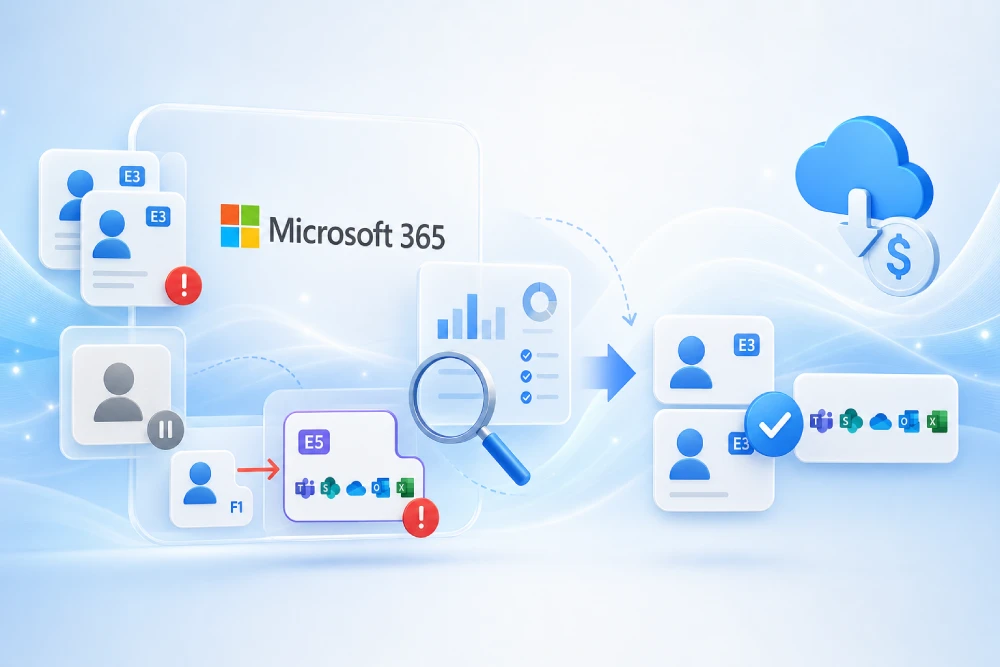
The licensing audit compares what is contracted vs. what is used to uncover opportunities for savings and simplification.
| Audience | Current SKU | Real usage | Opportunity | Recommendation |
|---|---|---|---|---|
| Back office | E3 | Basic Office/Teams | Paying for external DLP | Consolidate DLP with Purview and retire third-party |
| Frontline | Mix of E1/F3 | Mobile/Teams usage | Heterogeneity | Standardize on F3 and add Phone System if applicable |
| Leadership | E3 + add-ons | Advanced security | External tools | Evaluate selective E5 to retire third-party |
Good practices: co-terminate contracts, set a grace period when changing SKUs, and perform quarterly reviews with telemetry.
Identity and access: Entra ID, MFA, and Conditional Access
Identity is the new perimeter. The audit validates that authentication, authorization, and exceptions are justified and controlled.
- MFA: coverage ≥ 98% and modern mechanisms (avoid SMS where possible).
- Conditional Access: policies by risk/location/device; documented, time-bound exclusions.
- Roles: least privilege, PIM for elevations, monitored break-glass accounts.
- Guests/B2B: automatic expiration and periodic access reviews.
- SSPR enabled and legacy auth blocked.
Email and collaboration: Exchange Online, Teams, SharePoint, and OneDrive
Secure collaboration requires email, files, and workspaces to be protected and governed without hindering productivity.
- Exchange Online: DKIM/DMARC, connectors, external forwarding, transport rules, and anti-phishing.
- SharePoint/OneDrive: external sharing by sensitivity, broken inheritance, and permissions with clear ownership.
- Teams: lifecycle (naming, expiration, templates), apps and connectors, external invitations.
- Retention: record-series policies and eDiscovery readiness.
Managed endpoint: Intune, compliance, and EDR
The endpoint is the last mile. The audit verifies coverage, compliance, and threat response.
- Intune: % of managed devices, role-based profiles, updates, and encryption (BitLocker/FileVault).
- Compliance: platform-specific policies and automatic remediation.
- EDR (Defender for Endpoint): coverage, alerts, attack surface reduction (ASR), and vulnerabilities.
- BYOD: app protection policies to separate corporate and personal data.
Data and compliance: Purview, DLP, retention, and eDiscovery
Compliance is not just regulation—it protects the business, reduces penalties, and standardizes the data lifecycle.
- Classification and sensitivity labels applied by location with automation.
- DLP across Exchange, SharePoint, OneDrive, and Teams—with controlled exceptions.
- Retention by series (legal, tax, HR) and defensible disposition.
- eDiscovery, advanced auditing, and activity logs.
- Alignment with data protection regulations (e.g., GDPR where applicable) and relevant security frameworks (e.g., ISO/IEC 27001, NIST CSF).
Power Platform: governance, DLP, and ALM
Uncontrolled automation creates risk. The Power Platform audit ensures innovation happens with guardrails.
- Connector DLP by environment (Dev/Test/Prod) with restrictions for sensitive data.
- ALM with solutions, pipelines, and version control.
- Telemetry and an app/flow catalog with owners and purpose.
- Premium connectors and data exposure reviewed.
Threat protection: Defender for Microsoft 365 and Endpoint
Assess prevention, detection, and response to reduce exposure window and mean time to resolve.
- Defender for Office 365: Safe Links/Attachments, anti-phishing, spoof intelligence.
- Defender for Endpoint: EDR coverage, ASR, application control, and vulnerabilities.
- Process: triage, playbooks, and incident learnings.
Example findings with severity and recommendation
Below are samples of typical findings. Each includes criteria, evidence, impact, and recommendation, plus the suggested priority.
| Severity | Finding | Criteria | Evidence | Impact | Recommendation |
|---|---|---|---|---|---|
| Critical | 12% of accounts without MFA | Universal MFA policy | Entra ID: users without MFA method | High risk of compromise | Enable MFA, avoid SMS where possible, time-boxed exceptions |
| High | Open external sharing in SPO | Minimum exposure policy | Sites with Anyone links | Accidental information leakage | Limit by sensitivity, quarterly review, and expire links |
| High | DKIM disabled and DMARC permanently set to none | Email best practices | Exchange Online: no DKIM signatures | Impersonation and deliverability issues | Enable DKIM and tighten DMARC to quarantine/reject with telemetry |
| Medium | Devices without encryption | Mandatory encryption policy | Intune: BitLocker status | Data exposure | Apply baseline with automatic remediation |
| Low | Teams sprawl | Defined lifecycle | Teams inactive > 180 days | Cost and confusion | Expiration, archiving, and naming convention |
Risk matrix and prioritization
The matrix crosses likelihood and impact to order remediation. Group into Quick Wins, Risk Control, and Structural Improvements.
| Risk | Likelihood | Impact | Priority | Type |
|---|---|---|---|---|
| Accounts without MFA | High | High | P1 | Risk Control |
| Incomplete DKIM/DMARC | Medium | High | P1 | Quick Win |
| Open external SPO | Medium | High | P1 | Risk Control |
| Teams sprawl | High | Medium | P2 | Structural Improvement |
30/60/90 remediation plan: actions and deliverables
The plan turns findings into measurable improvements. It prioritizes baseline security and quick wins without slowing the business.
| Period | Objectives | Critical actions | Deliverables |
|---|---|---|---|
| Days 0–30 | Close critical gaps | Universal MFA, DKIM, baseline Conditional Access, minimum DLP | MFA runbooks, CA policy, initial DLP |
| Days 31–60 | Governance and endpoint | Teams/SPO governance, Intune encryption and baselines, ASR | Teams templates, Intune profiles, ASR applied |
| Days 61–90 | Maturity and automation | Purview retention, eDiscovery, advanced DLP, Power Platform ALM | Retention map, eDiscovery processes, Power Platform CoE |
Post-audit KPIs and dashboard
KPIs link actions to outcomes. They demonstrate continuous improvement to the leadership team.
| KPI | Definition | Target | Formula |
|---|---|---|---|
| MFA coverage | % of users with MFA | ≥ 98% | Users with MFA / Total |
| Secure Score | Security posture score | ↑ sustained | Monthly Δ |
| EDR coverage | % of endpoints with EDR | ≥ 95% | EDR endpoints / Total |
| DLP events | Critical incidents per month | ↓ | Count |
| License savings | Cost reduction | −12–28% | (Baseline − Current) / Baseline |
Printable checklists (before, during, after)
Verification lists to run the audit without gaps and with minimal intrusion.
| Phase | Item | Status |
|---|---|---|
| Before | Define scope, time window, and sources | □ |
| Before | Minimum read-only credentials and NDA | □ |
| During | Export evidence (CSV/PDF) with timestamp | □ |
| During | Short interviews by key role | □ |
| After | Report with severities and 30/60/90 plan | □ |
| After | Closeout session and action acceptance | □ |
“Technical write-up” templates for reports and bids
Ready-to-adapt models for proposals, internal audits, or third-party requirements (customers, authorities, certifications).
Audit write-up — suggested index
- Objective and scope of the audit.
- Criteria and standards of reference (best practices, data protection laws, security frameworks as applicable).
- Methodology: sources, sampling, time window, limitations.
- Findings classified by severity, with evidence and recommendation.
- Risk matrix and 30/60/90 plan.
- KPIs and dashboard.
- Appendices: exports, screenshots, logs, references.
Security and compliance write-up (example)
- Identity: MFA, Conditional Access, PIM, break-glass.
- Data: labels, DLP, retention, eDiscovery, auditing.
- Devices: encryption, baselines, EDR, updates.
- External sharing: policy, expiration, quarterly review.
Financial write-up (example)
- Current cost (licenses and third-party).
- Target scenario (consolidation/elimination of duplicates).
- Expected ROI from direct savings and incident reduction.
Frequently asked questions
Common questions when auditing a Microsoft 365 production environment.
Does the audit disrupt the service?
No. It is performed with read-only permissions and controlled exports. Changes are addressed during remediation.
What is required from the customer?
Read-only access, a clear log time window, a technical point of contact, and acceptance of the scope.
Are concrete recommendations included?
Yes. Each finding includes a prioritized recommendation, dependencies, and a high-level effort estimate.
How is improvement measured?
Through agreed KPIs (MFA, Secure Score, EDR, DLP, license savings) and periodic reviews.
Official and reference links
Official documentation and international standards bodies to strengthen authority and go deeper.
Conclusion and next steps
Auditing a production environment is not the end—it’s the starting point of measurable, sustainable improvement.
With an evidence-based Microsoft 365 audit, the customer gains an effective roadmap to close critical gaps, govern collaboration, optimize licenses, and elevate security and compliance posture without slowing the business. The next step is to agree on scope, sources, and time window, and execute the 30/60/90 plan with a dashboard that demonstrates progress.
Want an audit report with prioritized actions?
Deliverables include a findings report, risk matrix, and 30/60/90 plan—plus write-up templates and ready-to-use checklists.