'/%3E%3Cpath%20fill='%23b2b2b2'%20d='M241%20382q0%2016%2017%2026%2017%2011%2042%2011t42-11q16-11%2017-26V269H241'/%3E%3Cpath%20fill='%239f7e00'%20d='M241%20379q0%2014%208%2023%209%209%2021%209%2014%200%2021-9%209-9%209-23V269h-59'/%3E%3Cpath%20d='M241%20339v-70h59v110q0%2014-9%2023l-6%205v-68h-15v72q-8%200-14-4v-68zm59%2040c0%2022%2015%2032%2029%2032%2021%200%2030-18%2030-32v-40h-59'/%3E%3Cpath%20fill='%239f7e00'%20d='M266%20277v5h2v12h-3v-5h2v-5h-9v5h2v5h-4v9h3v18h-5v10h34v-10h-5v-18h3v-9h-4v-5h2v-5h-9v5h2v5h-3v-12h2v-5zm42%20101q0%2010%206%2017%206%206%2015%207%2010-1%2016-7%206-7%206-17v-29h-43'/%3E%3Ccircle%20fill='%230044ad'%20cx='329.5'%20cy='372'%20r='6'/%3E%3Cellipse%20fill='%230044ad'%20cx='300'%20cy='340'%20rx='16'%20ry='21'/%3E%3C/svg%3E)


Microsoft 365 Consulting (2025): optimize investment, licensing, and productivity with security and governance
Microsoft 365 consulting turns the platform into a measurable business operating system. This article details license optimization, security and compliance (Microsoft Entra ID, Intune, Defender, Purview), productivity (Teams, SharePoint, Loop, and Copilot for Microsoft 365), and automation with Power Platform. It includes KPIs, a 30/60/90 plan, examples of “technical write-ups” for proposals, and SEO recommendations—connecting strategy, execution, and results end to end.
Want to maximize Microsoft 365 without overpaying? Expert assessment
An expert assessment aligns licensing, security, and productivity with business objectives. The focus is on cost reduction, improving security posture, and accelerating real use cases.
Executive summary — key benefits
This summary introduces the levers that translate Microsoft 365 into tangible value: license optimization, hardened security, productivity, and governance. It’s the core value proposition of any Microsoft 365 consulting service with a ROI focus.
- Immediate savings on licenses: right-sizing by actual use, SKU consolidation, and retiring redundant add-ons.
- Security strengthened with Entra ID, MFA, Conditional Access, Defender, Intune, and data governance with Purview.
- Measurable productivity with Teams/SharePoint/Loop, Copilot, and automation (Power Platform).
- Governance and compliance: data protection regulations, Teams/SPO lifecycle, sensitivity labels, and external sharing control.
- KPIs and ROI via a unified dashboard and periodic reviews.
Scope of Microsoft 365 consulting
Clear scope avoids fuzzy expectations and accelerates outcomes. The service spans from assessment through supervised execution, with deliverables that fit into a technical write-up or internal audit.
- Assessment of licensing, security, compliance, and productivity.
- Target architecture (identity, data, devices, collaboration, apps, and Copilot).
- Governance (policies, roles, RACI, joiners/movers/leavers, auditing).
- 30/60/90 plan with milestones, risks, and KPIs.
- Hyper-care and knowledge transfer.
Licensing: savings and usage rights
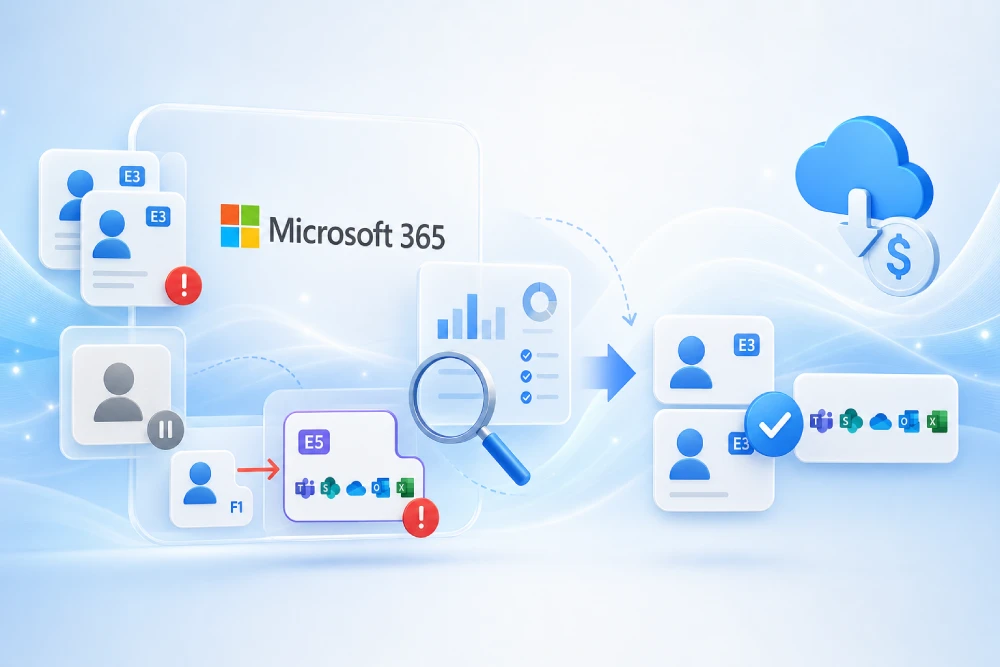
Licensing is the fastest path to savings. A Microsoft 365 licensing consulting engagement analyzes real consumption, rights included in each SKU, and overlaps with third-party tools to pay only for what adds value.
- SKU and usage inventory (by unit, role, and cost center).
- Decision map by audience (office, frontline, leadership, shop floor).
- Remove duplicates (e.g., external AV or DLP already covered by the suite).
- Co-termination and grace periods to avoid double payment during SKU changes.
- Quarterly review with telemetry and inactivity alerts.
| Audience | Before | After | Estimated impact |
|---|---|---|---|
| Office staff | E3 + external AV + external DLP | E3 + Defender + Purview DLP | −12–18% cost |
| Frontline | E1/mixed | Uniform F3 | −10–15% and simpler management |
| Leadership | E3 + add-ons | Selective E5 | ↓ third-party, improved auditing |
Tip: when enabling Copilot for Microsoft 365, verify technical prerequisites, data governance, and permissions to avoid overexposure.
Architecture and security: Entra ID, MFA, and Conditional Access
Identity is the new perimeter. Microsoft 365 security design should prioritize strong authentication, risk-based segmentation, and data governance, balancing security with user experience.
- Entra ID: default MFA, SSPR, and controlled/audited break-glass accounts.
- Conditional Access: policies by risk/location/device, segmented by profile.
- Microsoft Defender for email, identity, and endpoint (Safe Links/Attachments, EDR, attack surface reduction).
- Purview: sensitivity labels, DLP by location (Exchange/SharePoint/OneDrive/Teams), and retention by record series.
- Guests/B2B: external access rules, expiration, and periodic review.
| Policy | Scope | Control | Exceptions |
|---|---|---|---|
| Universal MFA | All users | Require MFA | Break-glass |
| Location | Access from untrusted regions | Block or additional MFA | Authorized partners/vendors |
| Device state | Microsoft 365 apps | Require device compliance | Temporary IT support |
Compliance: data protection and security frameworks
Regulatory compliance shapes architecture, policies, and processes. Microsoft 365 compliance consulting defines clear rules for retention, classification, and traceability without slowing down the business.
- Data protection (e.g., GDPR where applicable): data minimization, retention, eDiscovery, auditing, and data subject rights.
- Security frameworks (e.g., ISO/IEC 27001, NIST CSF): strong identities, classification/labeling, logging, continuity, and traceability.
- Document governance: taxonomy, retention by series, disposition, and destruction evidence.
- External sharing: approval and expiration, minimum sensitivity, and quarterly reviews.
Modern productivity: Teams, SharePoint, Loop, and Copilot
Productivity depends less on how many tools are deployed and more on how they integrate with processes and content. These practices increase real use of Teams, SharePoint, Loop, and Copilot.
- Teams as the work hub: process-based channels, telephony/calling, effective meetings, embedded apps (Planner, Approvals, Power BI).
- SharePoint: intranet and ECM with hubs, clear navigation, search, and templates.
- Loop: real-time shareable components for co-authoring.
- Copilot for Microsoft 365: drafting, summarization, and analysis with enterprise data; success tied to permissions and data quality.
| Area | Improvement | Metric |
|---|---|---|
| Meetings | Less time, more clarity | −15–25% average duration |
| Documents | Assisted creation and synthesis | −20–30% authoring time |
| Support | Living knowledge base | −10–20% L1 tickets |
Managed endpoint: Intune, EDR, and vulnerabilities
The workstation is the last mile of security and productivity. With Intune and Defender for Endpoint you ensure compliance, patching, and visibility—reducing incidents and support time.
- Intune: compliance, inventory, role-based profiles, Autopilot, and zero-touch deployments.
- Security: encryption (BitLocker/FileVault), baselines, application control, and continuous updates.
- Defender for Endpoint: EDR, vulnerability management, and attack surface reduction.
- BYOD with app protection policies to separate personal and corporate data.
Automation with Power Platform and governance
Automation frees hours and standardizes processes. The right Power Platform governance framework avoids data risks and ensures quality across the solution lifecycle.
- Power Automate: approvals, integrations, and back-office bots.
- Power Apps: internal apps (visits, work orders, warehouse, quality).
- Power BI: semantic models and dashboards.
- ALM by environment (Dev/Test/Prod), connector DLP, telemetry, and a solutions catalog.
Adoption, change management, and training
No adoption, no return. Change management must accompany the technical track with role-based messaging, training, and follow-up, turning new capabilities into habits.
- Role-based messages (“what changes and why”).
- Champions network and biweekly sessions.
- Resources: quick guides, micro-videos, and knowledge base.
- Measurement of usage, satisfaction, and success stories.
KPIs and ROI — examples with formulas
KPIs connect investment to outcomes. The proposed dashboard measures savings, security, adoption, and support to demonstrate Microsoft 365 ROI and prioritize actions.
| KPI | Definition | Typical target | Formula |
|---|---|---|---|
| License savings | Monthly reduction vs. baseline | −12–28% | (Baseline cost − Current cost) / Baseline cost |
| MFA coverage | % of users with MFA | ≥ 98% | Users with MFA / Total users |
| Teams usage | % monthly active users | ≥ 85% | Teams MAU / Users with Teams |
| Automations | Flows in production | ≥ 5 per area | Count of active flows |
| EDR coverage | Protected devices | ≥ 95% | Endpoints with EDR / Total endpoints |
Extension: add Microsoft Secure Score, Adoption Score, and NPS/CSAT surveys, plus time saved through automation.
30/60/90 roadmap (deliverables)
A pragmatic roadmap accelerates results without losing control. The following 30/60/90 plan balances quick wins with mid-term pillars.
| Period | Objectives | Deliverables |
|---|---|---|
| 0–30 days | Diagnostics and quick wins | License inventory, consolidation proposal, MFA and baseline policies, Teams/SPO governance plan |
| 31–60 days | Architecture and productivity | Intune baseline, minimum viable intranet, 2–3 Power Automate flows |
| 61–90 days | Scale and adoption | Intune rollout, EDR coverage, Copilot activation (if applicable), dashboard and training |
Examples of “technical write-ups” and deliverables
Write-ups help formalize proposals, justify investments, and pass audits. Below are templates that can be adapted for bids or internal committees.
Technical write-up — Microsoft 365 consulting (example)
- Objective: optimize licensing, security, and productivity.
- Scope: assessment, target architecture, governance, 30/60/90 plan, and guidance.
- Methodology: interviews, telemetry analysis, proofs of concept, and pilots.
- Deliverables: licensing report, RACI matrix, security policies, sites/Teams catalog, dashboard.
- KPIs: savings, MFA/EDR coverage, Teams adoption, flows in production, tickets per user.
- Risks and mitigations: Teams sprawl, excessive permissions, unmanaged BYOD, lack of adoption.
Security and compliance write-up (example)
- Identity: universal MFA, Conditional Access, least-privilege roles, emergency accounts.
- Data: classification, location-based DLP, retention by series, eDiscovery, and auditing.
- Devices: role-based Intune, encryption, updates, EDR, and mobile MDM.
- External sharing: guest expiration, approvals, and periodic reviews.
Financial write-up (example)
- Cost baseline: licenses, external tools, and support.
- Target scenario: SKU consolidation, third-party retirement, automation.
- ROI: direct savings + hours freed + fewer incidents and risks.
Suggested appendices
- Governance checklist (naming, templates, expiration, and owners).
- Automation catalog with priority/benefit.
- Communication and training plan by audience.
- Support runbook and SLAs.
Common mistakes and how to avoid them
Anticipating mistakes saves time and money. These are the most frequent pitfalls when implementing or expanding Microsoft 365—and how consulting prevents them.
- Over-sizing licenses without measuring real usage.
- Turning on Copilot without data governance or AI literacy.
- Teams without governance: too many teams, confusing permissions, and loss of control.
- Intune without profiles: endpoint incidents and user pushback.
- Insufficient training: low adoption despite technical investment.
Use cases and typical scenarios
The following scenarios illustrate how consulting translates into operational and financial improvements across common sectors.
- Manufacturing SMB: Business Premium + Intune + approval flows → reduced time and paper.
- Professional services: E3 → selective E5 + Purview + Copilot → data control and productivity in proposals.
- Retail: Frontline F3 + Teams Shifts + internal communications → coordinated operations and fewer stockouts.
- Public sector: reinforced governance, compliance controls, and external sharing management.
SEO: keywords, search intent, and linking
Organic performance requires covering search intent, relevant semantics, and internal/external linking. Below is a keyword cluster and practical recommendations.
| Cluster | Target keywords | Intent |
|---|---|---|
| Main | microsoft 365 consulting, optimize microsoft 365 licensing | Transactional/Informational |
| Security | Microsoft Entra ID, MFA, Conditional Access, Defender for Office 365, Purview DLP | Informational |
| Productivity | Teams, SharePoint, Loop, Copilot for Microsoft 365, SharePoint intranet | Informational |
| Management | Intune, EDR, Autopilot, MDM, BYOD | Informational |
| Automation/BI | Power Automate, Power Apps, Power BI, Power Platform ALM | Informational |
Internal linking: “Microsoft 365 services”, “Migration to Microsoft 365”, “Cybersecurity”, “Power Platform”. External links (official documentation) in the resources section for EEAT.
Suggested meta description: “Advanced guide to maximize Microsoft 365 ROI: license optimization; security with Entra/Intune/Defender/Purview; productivity with Teams/SharePoint/Loop and Copilot—featuring KPIs, a 30/60/90 plan, write-ups, and practical examples.”
Frequently asked questions
These questions gather common doubts in Microsoft 365 consulting projects, useful to enrich search results (FAQ rich results).
What savings are typical when optimizing licenses?
Double-digit percentage savings are common in over-sized environments after consolidating SKUs and removing duplicates.
Does Copilot for Microsoft 365 require prior changes?
It’s advisable to review data governance, permissions, and technical prerequisites to ensure results and avoid overexposure.
Is Intune essential?
It’s not the only path, but Intune simplifies compliance, deployment, and support, integrating with Defender and Purview.
How do we measure return?
With a dashboard reflecting direct savings, time freed by automation, security coverage, and user satisfaction.
Official and reference links
Official sources to go deeper and strengthen authority via external linking.
Conclusion and next steps
Consulting turns Microsoft 365 into a governed and cost-effective platform. Success lies in activating what adds value, governing it, and measuring it continuously.
With a well-structured consulting approach, Microsoft 365 stops being a set of tools and becomes a lever for controlled costs, reinforced security, and measurable productivity. The next step is an initial assessment that prioritizes savings and risks, with a 30/60/90 plan and business-aligned KPIs.
Looking for a ROI-focused assessment?
A 30/60/90 plan is proposed with savings, security, and enabled productivity—plus write-ups and deliverables ready for audit.