Microsoft Intune (2025): real-world use cases, industry examples and why they matter
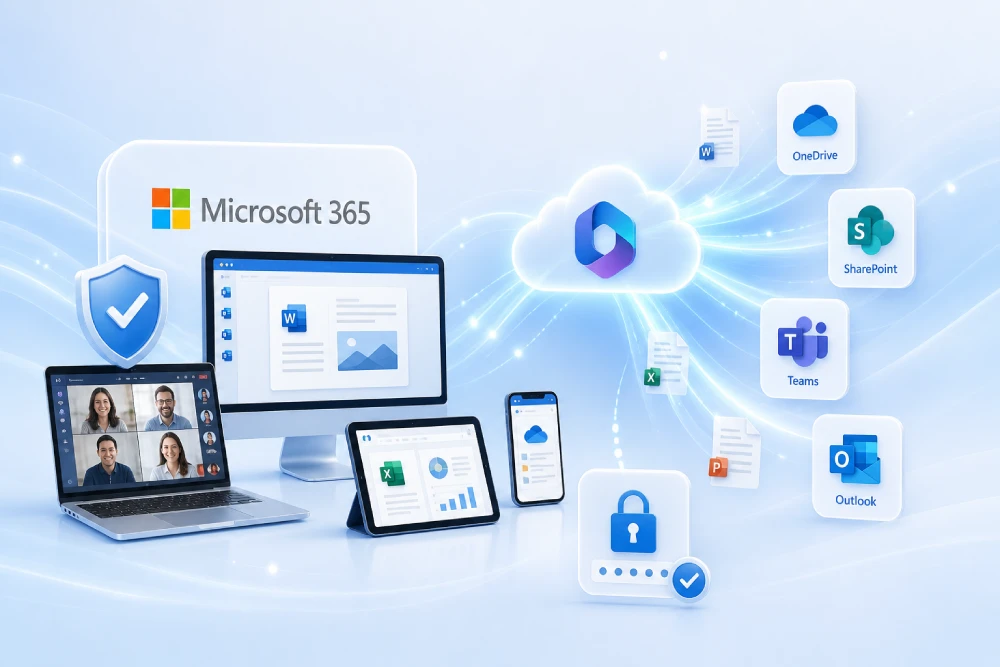
Microsoft Intune is Microsoft’s Unified Endpoint Management (UEM) platform for managing devices and applications across Windows, Android, iOS/iPadOS, macOS and selected Linux desktops. It centralises device enrollment, configuration and security, application delivery, compliance enforcement and update orchestration with consolidated reporting and telemetry. This document brings together the most common Intune use cases, clearly explaining why they are worth tackling, what happens when they are not implemented and how to prioritise them with a practical approach that reduces risk and operational friction.
Want to roll out Intune with clear use cases, metrics and evidence from day one?
Adoption is designed in waves (pilot → production) covering secure identity, enrollment, applications, security and updates; KPIs and evidence are documented for audit.
Intune implementation plan based on use cases Intune and UEM services
Fundamentals: where Intune fits and what problems it solves
Intune acts as a control centre for the modern workplace. It brings together, in a single platform, processes that would otherwise end up scattered: device onboarding, configuration, protection, software distribution, compliance and updates. By integrating with Microsoft Entra ID (identity) and Microsoft Defender, it aligns operations with a Zero Trust model based on measurable signals.
- One single plane for Windows, Android, iOS/iPadOS, macOS and certain Linux distributions, avoiding management islands.
- Repeatable, measurable policies: versioned configuration and security, with centralised reporting and audit trail.
- Tied to access: access to data is conditioned on the real state of the device (healthy and compliant).
When this layer is not implemented, familiar symptoms appear: manual, inconsistent configurations; lack of visibility over encryption and antivirus; outdated patches and, in audits, the absence of consolidated evidence that forces teams to manually collect information in a time-consuming and unreliable way.
Base case — Identity and device-centric Conditional Access
Intune compliance policies issue a verdict (compliant/non-compliant) based on requirements such as encryption, Secure Boot, minimum OS version or active antivirus. Entra ID consumes that verdict in Conditional Access to allow or block access. When Microsoft Defender for Endpoint is integrated, the device risk signal is added: a device with high risk is blocked until it has been remediated.
Tools: compliance policies, integration with Defender for Endpoint, Conditional Access, dynamic groups for assignments.
Reason: the criterion stops being “being on the right network” and becomes “identity with MFA and a healthy device”. It is objective, repeatable and auditable.
Risk if not applied: unpatched devices accessing email and documents; stolen credentials enabling access from compromised endpoints; increased attack surface.
BYOD with app protection (MAM) and Tunnel for MAM
In BYOD, the goal is to protect information without “managing” the personal phone. App Protection (MAM) enforces PIN/biometrics, separates corporate data, blocks copy/paste and enables selective wipe. When intranet access is required, Microsoft Tunnel for MAM provides per-app VPN without enrolling the full device.
Tools: MAM policies, corporate apps (Outlook, Teams, Edge, Office), Tunnel server, client app on mobile devices.
Reason: protection is applied where the data is (the app) while respecting the personal device, which improves adoption and reduces support load.
Risk if not applied: corporate data mixed with personal apps, leaks via copy/paste and no way to wipe corporate data without affecting personal content.
Corporate Android estate: COBO, COPE and Dedicated/Kiosk
Android Enterprise provides modes tailored to each scenario: COBO (Fully Managed), COPE (corporate work profile) and Dedicated/Kiosk. Bulk enrollment is accelerated with Zero-Touch and the app catalogue is controlled via Managed Google Play.
Tools: link with Managed Google Play, tokens/QR, Zero-Touch, restriction profiles, catalogues by group.
Reason: scenarios are separated, unknown sources are blocked and the experience is standardised; fewer incidents and greater security.
Risk if not applied: heterogeneous devices, unauthorised APKs, malware and no traceability of versions; reactive, firefighting support.
Corporate and education iOS/iPadOS: ADE, supervision and PPPC
With Apple Automated Device Enrollment (ADE), iPhones/iPads are enrolled with supervision, applying profiles from the setup assistant and hiding unnecessary steps. PPPC (Privacy Preferences Policy Control) manages permissions and Apple Business Manager (VPP) simplifies licensing.
Tools: APNs certificate, Apple Business Manager, ADE, configuration profiles, PPPC, VPP.
Reason: consistent experience, fewer incidents due to permissions and silent rollout of apps and settings.
Risk if not applied: denied permissions blocking processes, outdated iOS versions and support overload due to manual reconfigurations.
Corporate Windows: Autopilot, ESP and Autopatch (updates)
Windows Autopilot reduces provisioning time to a minimum and ESP ensures VPN, EDR and Office are ready before the first desktop. Windows Autopatch automates patching with rings and telemetry, reducing maintenance windows and manual errors.
Tools: Autopilot profiles (User-Driven/Pre-provisioning), ESP with blocking apps, Windows Update for Business (WUfB) rings, Feature updates and Autopatch.
Reason: less downtime, predictable device delivery and an up-to-date estate without intensive manual operations.
Risk if not applied: weeks to deliver devices, critical apps installed by hand, devices going months without patches and higher exposure to incidents.
Managed macOS: FileVault, profiles and line-of-business apps
On macOS, profiles (Wi-Fi, certificates, browser, restrictions) are applied, FileVault is enabled and apps are distributed (including signed line-of-business apps). ADE adds supervision and guided deployment.
Reason: active encryption with key escrow, controlled permissions (PPPC) and a curated app catalogue.
Risk if not applied: laptops with unencrypted data, apps installed outside the catalogue, permissions denied at critical moments.
Selective Linux desktops: enrollment and basic compliance
For Linux desktops, a basic compliance signal is obtained (password policies, encryption, OS version) and access to corporate SaaS can be conditioned. This is particularly useful for technical profiles without giving up basic security.
Risk if not applied: devices outside central control with access to email/repositories, no patch or encryption traceability.
Shared and Frontline devices (retail, warehouse, healthcare)
Shared devices with fast sessions, a minimal app catalogue and clear usage policies. Android Dedicated and Windows Shared Devices reduce handover time between shifts and avoid session “inheritance”.
Reason: stable shift start, fewer incidents from cross-profiles and protection against leaks between employees.
Risk if not applied: open sessions with third-party data, recurring reconfigurations and lost productivity at shift change.
Kiosks/Dedicated devices: Android and Windows
Kiosk mode pins one or several apps, disables settings and schedules restarts. It is suitable for counters, reception, classrooms, signage or manufacturing.
Risk if not applied: users leave to unwanted menus, change settings or open browsers, impacting business and support.
Application management: Win32, Microsoft Store (WinGet) and Enterprise App Management
Intune distributes packaged Win32 apps (.intunewin), apps from the new Microsoft Store backed by WinGet and, in Intune Suite, Enterprise App Management (EAM) for a curated catalogue with detection rules and assisted updates. The goal is to keep the estate up to date with reasonable effort and full traceability.
Reason: reduce vulnerabilities from obsolete software, avoid fragile, home-grown scripts and standardise versions.
Risk if not applied: version drift across devices, failures from inconsistent installers and incidents due to unpatched software.
Endpoint security: Defender, ASR, Firewall and LAPS
With Microsoft Defender for Endpoint, enforcement can be based on risk, including AV/EDR, ASR rules and Firewall settings. Windows LAPS rotates the local administrator password and avoids shared, static credentials.
Reason: stop common techniques (macros, LOLBins, lateral movement), remove backdoors via local accounts and cut access based on real-time risk.
Risk if not applied: recurring malware, data exfiltration via macros, shared or exposed local credentials and internal privilege escalation.
Certificates and access: Cloud PKI and per-app VPN (Tunnel)
Cloud PKI (Intune Suite) issues and renews certificates (Wi-Fi/VPN, SCEP/PKCS) without maintaining on-prem PKI servers. Microsoft Tunnel enables per-app access to internal resources, useful even in BYOD scenarios.
Reason: avoid outages due to expired certificates, speed up onboarding and allow granular control of internal access.
Risk if not applied: Wi-Fi/VPN interruptions from expirations, mass “cannot connect” tickets and broad port openings with the associated risk.
Operations and support: Remote Help, diagnostics and reporting
Remote Help enables secure remote support with RBAC and session logging. Device diagnostics pull logs without travelling onsite. Compliance and configuration reports plus Endpoint analytics surface bottlenecks and trends.
Reason: shorten resolution times, prioritise remediations based on data and support audits with objective evidence.
Risk if not applied: blind support over the phone, unnecessary site visits and slow devices with no clear diagnosis.
Quick guides by industry: concrete examples
Manufacturing
- Plant tablets in Android Dedicated mode with MES apps, scanner and nightly reboot; USB ports and camera blocked if not needed.
- Industrial Windows devices with Defender, ASR and deferred update rings; SCADA access with per-app Tunnel.
Without these controls: outages due to improvised updates, infections via USB and misalignment between shifts.
Retail
- Windows POS in kiosk mode; Autopatch to apply patches outside peak hours.
- Managers’ BYOD with MAM for CRM and reporting without enrolling personal phones.
Without these controls: “unlocked” kiosks, checkout errors and leaks via personal apps.
Healthcare
- iPads with ADE, PPPC, approved clinical apps and Wi-Fi using Cloud PKI certificates.
- High-risk devices blocked through MDE and Conditional Access to protect sensitive data.
Without these controls: unencrypted devices holding medical records, apps with incorrect permissions and complex audits.
Professional services
- Autopilot for consultant onboarding; EPM for controlled elevations without permanent admin rights.
- macOS with FileVault, PPPC and a curated toolset.
Without these controls: slow onboarding, leaks due to excessive privileges and outdated apps with vulnerabilities.
Public sector/financial services
- Strict compliance policies; Conditional Access requiring compliant devices and restrictive MAM for BYOD.
- Cloud PKI for Wi-Fi/VPN with automatic renewal and evidence custodianship.
Without these controls: regulatory non-compliance and operational disruptions during inspections.
Recommended 90-day roadmap (waves)
- Days 0–30: fundamentals (RBAC, groups, filters), base case (compliance + Conditional Access), Autopilot and MAM pilots.
- Days 31–60: security (Defender, ASR, LAPS), core applications (Store/WinGet/EAM) and BYOD with per-app Tunnel.
- Days 61–90: Autopatch, reporting/analytics, documentation and evidence; extension to macOS/Android Dedicated.
This approach limits production clashes, delivers verifiable value in waves and leaves evidence ready for audit.
Frequently asked questions about Intune
Clear answers to common questions in security, modern workplace and operations committees.
What exactly does Microsoft Intune cover in the modern workplace?
Device enrollment and configuration, application distribution, endpoint compliance and security, plus update orchestration. It integrates with Entra ID (identity), Defender (security) and update and reporting tools.
When does it make sense to enable Windows Autopatch instead of managing Windows Update for Business manually?
When the objective is to reduce operational load, accelerate patching and obtain consolidated telemetry. Autopatch creates rings and coordinates Windows, Microsoft 365 Apps, Edge and Teams with fewer manual tasks.
How is BYOD managed without intruding on personal devices?
With MAM policies (app-level protection) and, if intranet access is required, Microsoft Tunnel for MAM (per-app VPN). The full device is not enrolled; only corporate apps are protected.
Can access be blocked if a device is compromised or at high risk?
Yes. By integrating Defender for Endpoint with Intune, the device is marked “non-compliant” based on risk and Conditional Access cuts access until remediation.
What is Endpoint Privilege Management (EPM) for and how does it reduce risk?
It allows specific tasks or applications to be elevated for a limited time instead of granting permanent admin rights. This reduces attack surface and configuration errors.
How is the problem of shared local passwords in Windows solved?
With Windows LAPS managed by Intune: it automatically rotates the local administrator password, stores it in Entra/AD and controls who can read it and when.
Which Android modes does Intune support in corporate environments?
COBO (Fully Managed), COPE (corporate work profile), Dedicated/Kiosk and, for BYOD, Work Profile. Enrollment can be via Zero-Touch, tokens/QR or NFC depending on the scenario.
What is the recommended path for iPhone/iPad when full corporate control is required?
Apple Automated Device Enrollment (ADE) in supervised mode with modern authentication. It enables consistent configuration, controlled permissions and a better user experience.
Official links
Conclusion
Intune brings order where there used to be patches and workarounds: enrollment stops being artisanal, applications stay up to date, access is conditioned on healthy devices and evidence is ready for audit. Not addressing these use cases perpetuates improvisation, security gaps and hidden support costs. With strong identity, well-tuned profiles and automation, organisations gain predictability, fewer incidents and a posture aligned with Zero Trust.
Ready to prioritise use cases and go to production with confidence?
- Maturity assessment and “quick wins” by platform.
- Policy templates and application catalogue for your industry.
- Operational KPIs and evidence dossier for audit.