Need to migrate from GoDaddy to Google Workspace without business downtime?
At MSAdvance, we support the full lifecycle: discovery, batch strategy, Google Workspace preparation, controlled DNS/MX cutover, security hardening, and stabilization.
- GoDaddy Professional Email (IMAP) → Gmail for business.
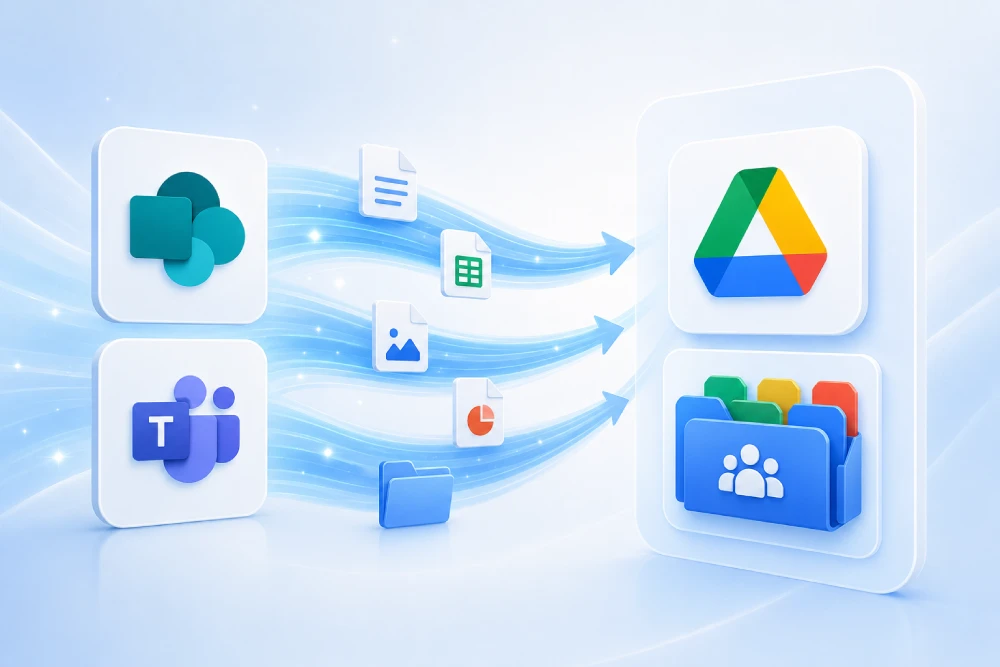
- Microsoft 365 on GoDaddy → Google Workspace (Exchange Online route).
- Transition by critical areas: leadership, finance, sales, support, and operations.
Talk to a specialist View Google Workspace migration service
A GoDaddy to Google Workspace migration succeeds when managed in 3 layers: preparation (actual source, domain, users, security), batch migration (operational priority), and DNS/MX cutover with deliverability validation. The most expensive mistake is improvising MX/SPF/DKIM/DMARC on cutover day.
Executive summary: 14 decisions that separate a stable migration from a week of incidents
- Identify the real source: GoDaddy Professional Email (IMAP) or Microsoft 365 (Exchange Online).
- Choose the correct technical route: IMAP or Exchange Online from Data Migration Service.
- Define scope: email only, or also calendars/contacts/tasks depending on source.
- Design the identity model: users, groups, aliases, shared mailboxes.
- Verify domain before cutover: avoid a fragile go-live.
- Prepare the DNS runbook: owners, checklist, validation, and rollback.
- Execute by criticality batches: not by “nice-looking” org charts.
- Secure email authentication: SPF + DKIM + DMARC in the same plan.
- Define a smart change window: outside financial close/campaign peaks.
- Communicate by role: what changes, when, and what to do.
- 48–72h hypercare: single channel, impact-based triage, and escalation.
- Business KPIs: continuity, deliverability, and productivity (not just ticket count).
- Close post-go-live technical debt: external senders, forwarding rules, cleanup.
- Consolidate governance: sustainable security, auditability, and administration.
Introduction: why migrate from GoDaddy to Google Workspace
Many companies start with GoDaddy for speed. As they grow, new needs emerge: better administration, stronger security, collaboration in Google Meet/Drive/Docs, and a more mature access policy.
The right objective is not to “move mailboxes,” but to maintain operational continuity: sales keeps selling, finance closes without blockers, and customer support does not lose messages.
- Business: continuity and response speed.
- IT: account design, DNS, batch migration, support.
- Security: stronger authentication and reduced spoofing/phishing.
1. Real-world exit scenarios from GoDaddy
1.1 GoDaddy Professional Email (IMAP)
A common SMB scenario. Usual route: IMAP migration to business Gmail with batches and controlled DNS cutover.
1.2 Microsoft 365 purchased via GoDaddy (Exchange Online source)
Here, the technical source is often Exchange Online, so the recommended path is migrating from Exchange Online in Google Workspace.
1.3 Multi-domain / multi-brand
If you have multiple domains, avoid a single big-bang: migrate by domain or by business-critical batches to reduce risk.
1.4 Critical external senders
ERP, CRM, ecommerce, ticketing, and marketing platforms send emails on behalf of your domain. If they are not included in SPF/DKIM/DMARC, deliverability drops right after cutover.
2. SEO keywords and architecture to capture real intent
To rank and convert, combine transactional + operational + problem-oriented keywords:
Main cluster (high intent)
- migrate from GoDaddy to Google Workspace
- GoDaddy email migration to Gmail for business
- change MX GoDaddy Google Workspace
- GoDaddy Professional Email to Google Workspace
- migrate Microsoft 365 on GoDaddy to Google Workspace
Technical cluster (answers specific questions)
- SPF DKIM DMARC GoDaddy Google Workspace
- GoDaddy Google Workspace DNS cutover
- IMAP migration GoDaddy Gmail
- Exchange Online to Google Workspace migration
On-page architecture recommendation
- H1 with primary keyword + operational benefit.
- H2 sections by real problem (MX, IMAP, deliverability, support).
- FAQ with implementation questions (not theory only).
- HowTo schema with executable steps.
3. Technical-operational discovery: what you must know before moving anything
A 3–7 day discovery usually saves weeks of rework.
3.1 Essential technical inventory
- Users, aliases, distribution groups, and shared mailboxes.
- Domains/subdomains and current DNS records (MX, SPF, DKIM, DMARC).
- Actual source by user (IMAP or Exchange Online).
- External senders using your domain.
- Legacy forwarding and rules in the source system.
3.2 Minimum operational inventory
- Critical teams: leadership, finance, sales, support.
- Untouchable dates: closes, campaigns, audits.
- Sites/areas with higher interruption risk.
3.3 Useful deliverables
- Criticality-based batch map.
- DNS/MX cutover runbook with owners.
- Role-based communication plan.
- Hypercare plan with triage model.
4. Decision tree: IMAP vs Exchange Online
Choosing the wrong technical route early is one of the most common causes of delay.
| Question | If the answer is Yes | Recommended route | What you migrate best |
|---|---|---|---|
| Is your email hosted in GoDaddy Professional Email? | Yes | IMAP migration (Data Migration Service) | Email and basic folder/label structure |
| Is your GoDaddy email actually Microsoft 365 (Exchange Online)? | Yes | Migration from Exchange Online | Email, contacts, calendar, tasks, and secondary data |
| Do you have > 1,000 users and multiple sources? | Yes | Evaluate Google Workspace Migrate | Broader enterprise migration program |
5. Phased plan: D-30 / D-7 / Day D / D+7 / D+30
| Phase | Objective | Key actions | Expected outcome |
|---|---|---|---|
| D-30 | Preparation | Discovery, batches, domain verification, account design, baseline security | Validated plan with no critical blind spots |
| D-7 | Rehearsal | Technical/functional pilot, DNS runbook, user communication | Go/no-go with complete checklist |
| Day D | Cutover | Initial batch migration + MX change + send/receive testing | Continuous operations with controlled impact |
| D+7 | Stabilization | Sender adjustments, DMARC tuning, top incident resolution | Drop in repetitive tickets |
| D+30 | Consolidation | Final hardening, technical cleanup, stable governance | Normalized and measurable operations |
6. Prepare Google Workspace before the first wave
6.1 Domain verification
Complete domain verification in Google Workspace before touching MX records. Without this, cutover becomes fragile.
6.2 Users, groups, and aliases
- Consistent naming and alias convention.
- Critical functional groups ready (sales, support, billing, legal).
- Shared mailboxes and service accounts identified.
6.3 Baseline security
- Enable 2-Step Verification for critical profiles from the first wave.
- Minimum administrative roles and separation of duties.
- Active auditing from Day D.
6.4 Minimum viable governance
You do not need absolute perfection before migrating, but you do need a solid baseline: clear administration, robust authentication, and support runbooks.
7. DNS/MX in GoDaddy: clean and controlled cutover
DNS/MX change is the most visible moment in the project. You win it with preparation, not improvisation.
7.1 Recommended cutover runbook
- Freeze non-critical email changes during the maintenance window.
- Back up current DNS configuration (screenshots + record inventory).
- Apply Google Workspace MX records.
- Validate internal and external send/receive (including strategic domains).
- Monitor for 24–48h with a prioritized incident checklist.
7.2 Minimum record review table
| Record | Objective | Post-cutover validation |
|---|---|---|
| MX | Inbound email to business Gmail | Inbound from external domains + replies |
| SPF (TXT) | Authorize legitimate senders | No softfail/fail for valid sending |
| DKIM (TXT) | Cryptographic outbound signing | Messages signed correctly |
| DMARC (TXT) | Anti-spoofing policy and reporting | Reports with increasing compliance |
8. Batch migration: method, validations, and acceptance criteria
8.1 Batch design
- Batch 0 (pilot): representative, not ultra-critical.
- Batch 1 (critical): leadership, finance, sales, support.
- Batch 2+: remaining users by area/location.
8.2 Batch acceptance criteria (UAT)
- Historical messages visible where applicable.
- Correct send/receive with key clients and vendors.
- Operational aliases and functional groups.
- User validates “I can work normally” in real workflows.
8.3 What to avoid
- Moving to the next batch without formal closure of the previous one.
- Concentrating 100% of critical profiles in the first wave.
- Using only “technical tests” without operational validation.
9. Security and deliverability (SPF, DKIM, DMARC + 2SV)
A migration can “work” and still lose deliverability. SPF, DKIM, and DMARC must be part of the cutover plan.
9.1 Recommended sequence
- Sender inventory (Google + legitimate third parties).
- Correct and unique SPF.
- DKIM enabled and validated.
- DMARC with monitoring and progressive hardening.
9.2 Practical phased DMARC model
| Phase | DMARC policy | Objective |
|---|---|---|
| Week 1 | p=none | Observe reports and detect non-inventoried senders |
| Week 2–4 | p=quarantine | Reduce spoofing with controlled impact |
| Steady state | p=reject (if applicable) | Full hardening |
9.3 Access controls
- 2-Step Verification for critical profiles and administrators.
- Privileged role review.
- Active alerts and auditing during transition.
Want to turn this guide into an executable plan for your company?
We help you with a technical-operational assessment: real inventory, migration route, DNS cutover, security checklist, and support plan for a stable change.
10. Communication, training, and 72h hypercare
10.1 Role-based communication
- Leadership: impact, window, and priority support channel.
- Finance/legal: critical tests and protected schedule.
- Sales/support: concrete Day D actions + contingency.
10.2 72h hypercare
- Single intake channel (Teams/Service Desk).
- Business-impact triage.
- Living FAQ with top incidents and immediate solutions.
- Status communication every 2–4h to key stakeholders.
10.3 Stabilization signals
- Clear drop in repetitive tickets within 48h.
- No severe send/receive incidents.
- Critical users operating normally.
11. Costs, timelines, and variables that truly move the budget
- Source complexity: IMAP vs Exchange Online.
- Number of domains: one vs multiple.
- External senders: few controlled vs broad ecosystem.
- DNS/authentication maturity: clean baseline vs inherited debt.
- Support model: basic vs real hypercare.
12. KPIs for Leadership, IT, and PMO
| Dimension | KPI | Indicative target | Interpretation |
|---|---|---|---|
| Continuity | Critical users operational on Day D | > 95% | Real business impact |
| Deliverability | Severe send/receive incidents | Close to 0 | DNS + authentication health |
| Support | Tickets per user (week 1) | < 0.3 | Transition and communication quality |
| Execution | Users migrated within the planned window | > 98% | Operational discipline |
| Security | SPF/DKIM/DMARC + 2SV on critical profiles | 100% | Post-change risk reduction |
13. Common risks and practical mitigations
| Risk | Impact | How it appears | Mitigation |
|---|---|---|---|
| Wrong source identification (IMAP/Exchange) | High | Rework and delays | Technical discovery + early pilot |
| MX cutover without runbook | High | Incident spikes | Controlled window + checklist + owners by block |
| External senders not inventoried | High | Emails go to spam or are rejected | Inventory + phased SPF/DKIM/DMARC |
| Technical/non-actionable communication | Medium | Repetitive tickets | Role-based messages + living FAQ |
| No functional validation per batch | High | “IT says okay, business says not okay” | Business owner + formal UAT closure |
14. Execution-ready operational checklists
14.1 D-7 checklist (pre-cutover)
- Domain verified in Google Workspace.
- Users, aliases, and groups created/validated.
- Batches and functional owners confirmed.
- DNS/MX runbook approved (including rollback).
- Hypercare channel and on-call coverage assigned.
14.2 Day D checklist
- Initial batch migrated and validated.
- MX updated in GoDaddy according to plan.
- Internal/external tests completed.
- Critical user validation closed.
- Status communication sent to leadership and key areas.
14.3 D+7 checklist
- SPF/DKIM/DMARC tuned according to reports.
- Critical external senders validated.
- Top incidents closed and FAQ updated.
- Remaining batch plan optimized with real lessons learned.
15. Extended FAQ
How do you migrate from GoDaddy to Google Workspace without losing emails?
Use technical discovery, a pilot, criticality-based batches, controlled DNS cutover, and business functional validation per batch.
What is the difference between IMAP and Exchange Online in this migration?
IMAP typically focuses on email. From Exchange Online, you can migrate more data types (email, calendar, contacts, tasks).
How long does propagation take after changing MX?
Propagation can be gradual; plan sustained monitoring and validation after cutover.
Are SPF, DKIM, and DMARC optional?
They should not be treated as optional if you want to protect deliverability and brand reputation.
Can you migrate without business downtime?
Yes: criticality-based batches, role-based communication, and 48–72h hypercare clearly reduce operational risk.
What usually breaks most after cutover?
Non-inventoried external senders, poorly mapped aliases, and poorly communicated user expectations.
16. Official resources and external links
Google Workspace (migration and setup)
- Set up data migration (Google Workspace Admin)
- Migrate users’ email from IMAP servers to Google Workspace
- What data and migration sources are supported
- Verify your domain for Google Workspace
- Set up MX records for Google Workspace
Email security and authentication
GoDaddy DNS
Recommended internal linking (MSAdvance)
17. Conclusion and next steps
Migrating from GoDaddy to Google Workspace is an opportunity to improve email, security, and operations. The difference between a stable migration and a week of fire-fighting is method: real discovery, criticality-based batches, rehearsed DNS/MX cutover, and well-executed email authentication.
- Confirm technical source (IMAP vs Exchange Online).
- Design a phased plan with functional owners.
- Include SPF + DKIM + DMARC + 2SV in the Day D roadmap.
Want to tailor this guide to your real case?
At MSAdvance, we help you move from “we need to migrate” to “we have a plan with milestones, controlled risk, and real continuity.”