
Copilot for Microsoft 365 with control — HR, Sales and Finance: prompts, data limits, Purview DLP and security checklist (2025)
Copilot for Microsoft 365 accelerates work in Human Resources, Sales, and Finance by using the tenant’s real context (Microsoft Graph) while honoring permissions. To achieve productivity with no surprises, the rollout must be role-based, with SharePoint/OneDrive governance, Copilot-specific Microsoft Purview DLP, active auditing, and a clear plan for adoption and security. Below is the functional architecture, data limits, ready-to-use prompts per department, Purview and SharePoint configurations, audit evidence, KPIs, and a continuous operations plan.
Copilot for Microsoft 365 “with control”: role-based rollout with DLP and governance
Department-by-department plan (HR, Sales, Finance) with model prompts, access limits, Purview policies, SharePoint/OneDrive governance, and audit evidence from day one.
Adapt Microsoft 365 and Azure for the safe use of Copilot Copilot governance, DLP and adoption
How Copilot for Microsoft 365 works: architecture, grounding and Microsoft Graph
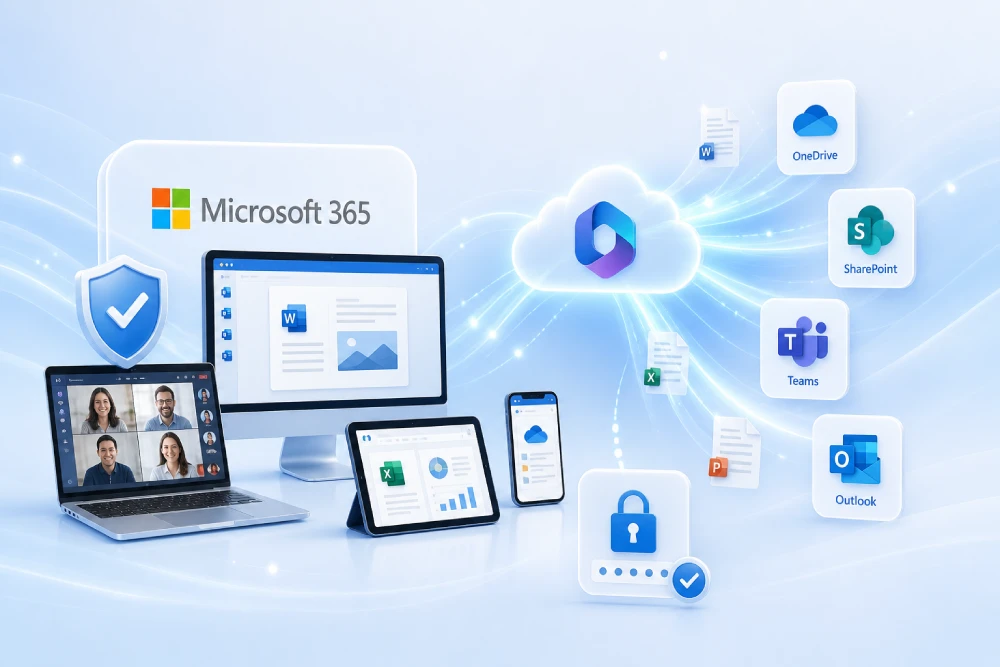
Copilot for Microsoft 365 connects large language models with Microsoft Graph. Each request is “anchored” (grounding) to the user’s context: effective permissions, documents in OneDrive/SharePoint, Exchange Online mail and calendar, Teams chats and channels, and other Graph objects. Copilot generates responses inside Word, Excel, PowerPoint, Outlook and Teams, including citations to documents when the experience supports it.
Grounding is essential to limit the scope to data the user can already access. If connectors exist (for example, external repositories, CRM or file systems), Copilot’s search scope expands following the configured permissions and connections. The service inherits encryption in transit and at rest, tenant isolation, and the tenant’s compliance policies.
- Input: user prompt + Graph signals (permissions, relevant objects).
- Orchestration: context preparation (search, content selection, system instructions).
- Output: drafts, summaries, tables, notes or suggested actions, with iterative rewriting.
Licensing, prerequisites and tenant design for Copilot
Before rollout, verify licenses and governance/security components:
- Licenses: Copilot for Microsoft 365 assigned to target users. Review coexistence with Microsoft 365 plans (E3/E5, Business) and with Purview.
- Purview Audit enabled and retaining user and admin events.
- Microsoft Purview Information Protection (MIP): sensitivity labels, auto-labeling where applicable, and DLP enabled by location.
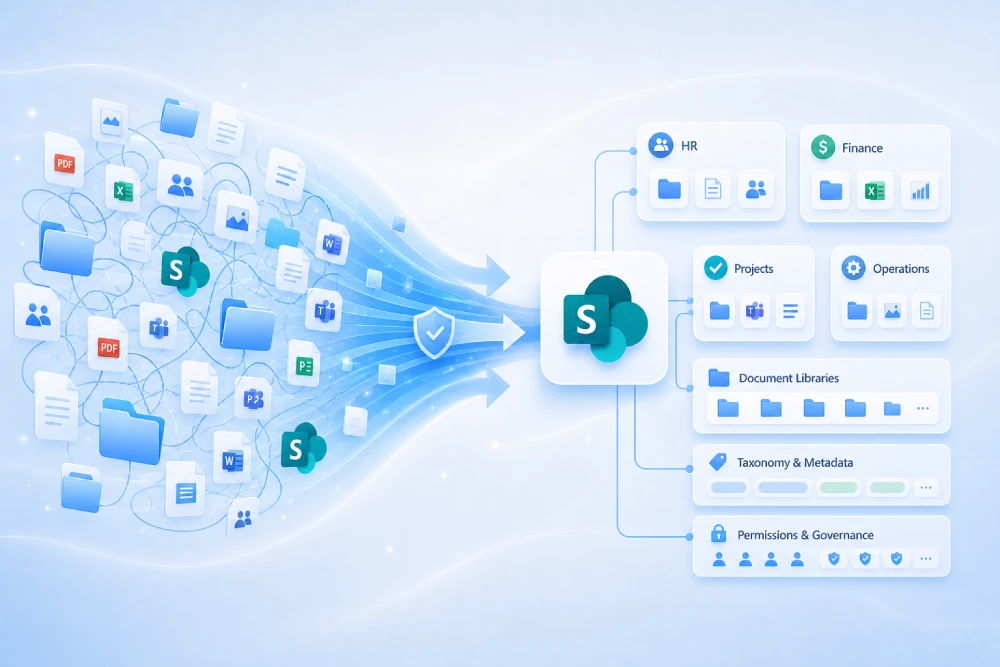
- SharePoint/OneDrive: sharing policies defined; catalog of sites by unit and process (sales, contracts, personnel, finance).
- Identity: MFA and Conditional Access active; group-based segmentation to phase the rollout.
For design, map which content will be the “canonical source” per department and who owns its update. Teams governance (naming, expiration, ownership) reduces noise in Copilot searches.
Data limits, privacy and residency: security and scope of Copilot for Microsoft 365
Copilot strictly respects tenant permissions and boundaries. It does not grant extra access or “open up” documents; it operates with what each user can already see in Microsoft 365 and authorized connectors.
- Permissions: inherits current permissions; the user only gets results within effective scope.
- Privacy: customer data is used to generate responses and does not train foundation models.
- Residency: subject to Microsoft 365 regional configuration and service commitments.
- Discoverability control: Restricted SharePoint Search limits Copilot/Enterprise Search to a curated set of sites while permissions are corrected and stale content is cleaned up.
- DLP for Copilot: exclude items by sensitivity label from the summary of the response (citations may remain according to policy).
Role-based rollout plan: methodology for HR, Sales and Finance
Enabling Copilot by role aligns use cases, eases training and reduces unnecessary exposure. Suggested phases:
- Discovery: inventory sites, permissions, labels and critical data. Identify “canonical sources”.
- Controlled pilot: representative groups, Restricted Search active, labels and DLP applied.
- Prompt guides and sessions: templates by process (onboarding, proposal, month-end, follow-up).
- Wave-based enablement: expand coverage by department and risk, with adoption and security KPIs.
- Quarterly review: adjust policies, prompts, sources and training based on metrics.
Copilot in Human Resources (HR): prompts, use cases, risks and controls
HR gains speed in internal communications, documentation, onboarding, surveys and training materials. Personal data protection requires labels, retention and tuned DLP rules.
Ready-to-use HR prompts
- Plain-language policy: “Summarize the latest remote work policy in 8–10 bullets, highlighting changes from the previous version, effective dates, and a link to the policy. Draft an email for managers.”
- Onboarding: “Create a welcome checklist for a Data Analyst with day-by-day tasks (Day 1–7), links to manuals and mandatory courses, and reminder messages for the manager.”
- Surveys: “Synthesize 5 recurring findings from the Q3 engagement survey and suggest high-impact/low-effort actions by area.”
- Recruiting: “Compare the ‘Support Engineer’ opening with this week’s resumes and prioritize 5 candidates with rationale, risks and interview questions.”
- Mandatory training: “Draft a notice about the annual security training for new hires with deadlines, owners and consequences for non-compliance.”
Recommended controls for HR
- Labels with encryption for personnel files, performance reviews and payroll.
- Copilot DLP to prevent these documents from feeding summaries where not appropriate.
- Restricted Search limited to validated HR sites until legacy permissions are cleaned up.
- Active retention and auditing in line with legal obligations.
Copilot in Sales: effective prompts, meeting prep, proposals and information control
Sales uses Copilot to prepare meetings, create opportunity summaries, accelerate proposals, compare contracts and draft follow-ups. Governance of commercial repositories is critical to avoid leakage and noise.
Ready-to-use Sales prompts
- Meeting brief: “Create a one-page summary for the meeting with Client X: objectives, risks, prior commitments, 5 discovery questions, and references to similar industry cases.”
- Proposal outline: “Generate a detailed outline for project Y’s proposal (scope, deliverables, assumptions, exclusions, timeline, technical and commercial annex).”
- Follow-up: “Draft a follow-up email with decisions, dates, owners and a next-steps table with due dates.”
- Contract comparison: “Compare Client Z’s version 2 contract with version 1 and list clause-by-clause changes with commercial and legal impact.”
- Objection handling: “Summarize frequent objections from sector A customers and propose concise responses with references to internal documentation.”
Recommended controls for Sales
- Sensitivity labels for proposals, pricing and contracts; Copilot DLP rules specific to “Confidential – Customer”.
- Disable “anyone with the link” in critical commercial libraries.
- “Canonical” template library approved by Marketing/Legal with versioning.
- Interaction auditing and evidence preservation for disputes.
Copilot in Finance: analytical prompts, month-end close, management notes and safeguards
Finance benefits in descriptive analysis, close notes, budget comparisons and internal reports. Copilot does not replace accounting controls or official reporting; it acts as an accelerator for preparation and communication.
Ready-to-use Finance prompts
- Monthly P&L: “Summarize relevant P&L variances for October vs. September by business line (revenue, OPEX, EBITDA) and identify seasonality vs. one-off.”
- Cash flow: “Prepare a brief on 30/60-day liquidity risks and mitigation measures based on purchasing commitments and collections forecast.”
- Budget: “Compare the 2026 budget with 2024–2025 and extract 6 key changes per unit, with likely causes and dependencies.”
- Memo to Management: “Draft a memo on OPEX variance and approved corrective actions with owners and deadlines.”
- Vendors: “List invoices with overrun risk and suggest renegotiation lines with arguments based on history.”
Recommended controls for Finance
- Labels with encryption for financial statements and close workbooks; Copilot DLP to exclude summaries where appropriate.
- Restricted Search across validated finance sites while legacy permissions are organized.
- Retention and auditing aligned to applicable internal/external frameworks.
Microsoft Purview DLP for Copilot: configuration, sensitivity labels and retention policies
Copilot-specific DLP lets organizations prevent sensitive content from feeding the response summary. Combined with sensitivity labels (MIP), auto-labeling where applicable, and retention, it delivers end-to-end control.
Copilot DLP checklist
- Define a label taxonomy (Public/Internal/Confidential/Secret) and apply encryption where needed.
- Create policies with the “Microsoft 365 Copilot” location and label-based conditions to exclude sensitive items from the response summary.
- Reinforcements by channel: email, SharePoint/OneDrive, Teams and endpoint; start in audit mode and move to blocking in waves.
- Policy tips in Outlook/Word to guide users and reduce false positives.
- Retention by document type (contracts, HR, tax) with regulatory justification and defined periods.
- Review temporary exceptions (reason, scope, end date) and enforce automatic expiry.
Optional add-ons that increase control
- Auto-labeling in SharePoint/OneDrive for sensitive patterns (IBAN, national IDs, health data) and trainable classifiers where they fit.
- Endpoint DLP if there are workstation risks (local copies, USB, printing).
- Exact Data Match for sensitive lists (for example, VIP customers) that must not appear in summaries.
Audit, eDiscovery and SIEM: evidence and traceability for Copilot
For audit, maintain:
- Monthly exports from Purview Audit with interactions and administrative changes.
- Change history of DLP policies (including Copilot location) with signatures and justifications.
- List of restricted sites and the evolution of search scope.
- Queries/dashboards in the SIEM (for example, Sentinel) for identity and access activities.
- Training evidence (attendance, materials, FAQs) and adoption evidence (usage by role).
Copilot adoption and security KPIs in Microsoft 365
| Objective | Metric | Frequency | Source |
|---|---|---|---|
| Adoption by role | % of active users/week and # of saved prompts | Weekly | M365 telemetry + surveys |
| Content quality | % of responses citing canonical sources | Biweekly | Sampling review |
| Security | DLP incidents per 1,000 prompts | Monthly | Purview DLP |
| Governance | Reduction in sites with public links | Monthly | SharePoint reports |
| Hygiene | % of labeled content in critical libraries | Monthly | Purview/MIP |
| Audit | Exports generated and retained | Monthly | Purview Audit |
| Productivity | Estimated hours saved per process (onboarding, proposal, close) | Quarterly | Surveys + baseline times |
Ongoing operations for Copilot: risks, training, organizational change and improvement
Operating Copilot is a cycle: content, permissions, training and measurement. Common risks are reduced with repository hygiene and a steady review cadence.
- Role-based training: prompt guides, example library, recurring Q&A sessions, and a repository of “good questions”.
- Change management: change calendar for DLP, permissions, connectors and canonical sources (lightweight CAB-style approvals).
- Risks: obsolete content, excessive permissions, unlabeled data, dependency on external connectors without governance.
- Continuous improvement: feed lessons learned into templates/prompting; review metrics and adjust policies.
Frequently asked questions about Copilot for Microsoft 365
Does Copilot access all organizational content?
No. Copilot respects the user’s effective permissions and uses Microsoft Graph grounding; it does not grant additional access.
Do customer data train the model?
No. Tenant data are used to generate responses within the customer’s environment and do not train foundation models.
Can sensitive content be prevented from appearing in summaries?
Yes. With Purview DLP for the “Microsoft 365 Copilot” location, items can be excluded from the response summary by sensitivity label; citations may be shown according to policy.
How can search be limited while permissions are cleaned up?
With Restricted SharePoint Search, Copilot/Enterprise Search is restricted to a curated set of sites until cleanup is complete.
What evidence should be preserved?
Audit exports, DLP policies and their history, list of restricted sites, security dashboards, and role-based adoption records with timestamp.
Official links (reference documentation)
Conclusion and next steps: Copilot with governance, DLP and evidence
Copilot for Microsoft 365 delivers returns when aligned with processes and activated with controls: role-based rollout, Copilot-specific DLP, Restricted Search, auditing and canonical libraries. With this, the organization gains productivity without compromising security or compliance and has audit evidence at every stage.
Department-by-department rollout with guardrails and measurable outcomes
- Role-based prompt guides (HR, Sales, Finance) and continuous training.
- Purview/DLP policies, SharePoint/OneDrive governance and Restricted Search.
- Adoption and security KPIs, audit exports and quarterly reviews.
Enable Copilot with clear guardrails and evidence Copilot governance and adoption