'/%3E%3Cpath%20fill='%23b2b2b2'%20d='M241%20382q0%2016%2017%2026%2017%2011%2042%2011t42-11q16-11%2017-26V269H241'/%3E%3Cpath%20fill='%239f7e00'%20d='M241%20379q0%2014%208%2023%209%209%2021%209%2014%200%2021-9%209-9%209-23V269h-59'/%3E%3Cpath%20d='M241%20339v-70h59v110q0%2014-9%2023l-6%205v-68h-15v72q-8%200-14-4v-68zm59%2040c0%2022%2015%2032%2029%2032%2021%200%2030-18%2030-32v-40h-59'/%3E%3Cpath%20fill='%239f7e00'%20d='M266%20277v5h2v12h-3v-5h2v-5h-9v5h2v5h-4v9h3v18h-5v10h34v-10h-5v-18h3v-9h-4v-5h2v-5h-9v5h2v5h-3v-12h2v-5zm42%20101q0%2010%206%2017%206%206%2015%207%2010-1%2016-7%206-7%206-17v-29h-43'/%3E%3Ccircle%20fill='%230044ad'%20cx='329.5'%20cy='372'%20r='6'/%3E%3Cellipse%20fill='%230044ad'%20cx='300'%20cy='340'%20rx='16'%20ry='21'/%3E%3C/svg%3E)


What is Copilot? (2025) — complete guide to Microsoft Copilot, Copilot for Microsoft 365, Copilot Chat and Copilot Studio
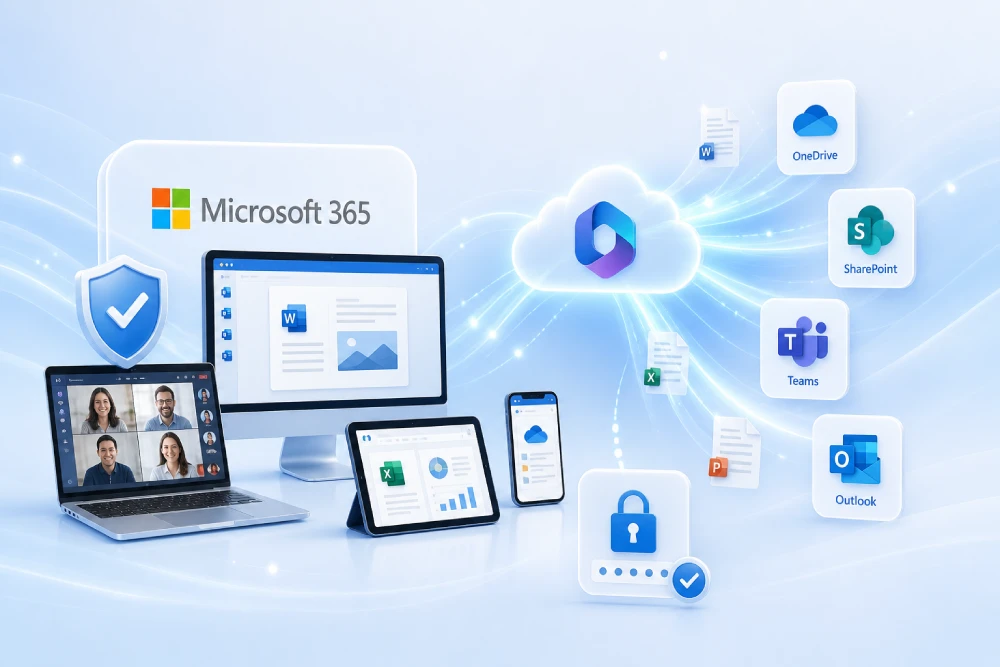
Copilot is Microsoft’s family of assistants built on generative AI. Under a single brand, you will find different experiences: Copilot for Microsoft 365 (integrated into Word, Excel, PowerPoint, Outlook and Teams), Copilot Chat (a secure chat with enterprise-grade data protection) and Copilot Studio (a platform to build custom agents and extend Copilot with your own data and actions). This article explains, rigorously and in very practical terms, what each one is, how they work, what data they use, which licenses they require, how they are governed with Microsoft Purview, and how to get started successfully in an organization.
Do you want to enable Copilot with security, cost control and audit-ready evidence?
The tenant is prepared, the scope is defined by roles, Purview/DLP policies are enabled, and governance, metrics and adoption are left ready for production.
Deploy Copilot in your organization Governance and compliance for AI in Microsoft 365
What Copilot is (product family) and what it brings
Copilot is the AI assistance layer that Microsoft is adding across its ecosystem. In day-to-day work, it helps draft, summarize, analyze data, create presentations or reply to messages using the user’s context and the apps they are working with. Depending on the product, Copilot can take into account organizational content (files, emails, chats) that the user already has access to, or restrict itself to web information if used in general chat mode. Microsoft’s own official documentation positions Copilot for Microsoft 365 as “real-time AI” embedded in Microsoft 365 apps, with access to Microsoft Graph, and Copilot Chat as a secure, web-based chat experience with enterprise data protection.
Copilot for Microsoft 365 vs. Copilot Chat vs. Copilot Studio
- Copilot for Microsoft 365: a side pane inside Word, Excel, PowerPoint, Outlook or Teams. It uses grounding in Microsoft Graph to return results under the same permission model that already exists in Microsoft 365 (it does not “bypass” permissions).
- Copilot Chat: an AI chat for work and education, by default web-based, with Enterprise Data Protection. It does not automatically access your Microsoft 365 content during a conversation (unless extended via agents/extensions).
- Copilot Studio: a platform to build your own agents, connect data sources (SharePoint, web, files) and actions (APIs/Power Automate). It lets you extend Copilot and publish it on the web, in Teams and other channels.
How Copilot works: architecture, grounding in Microsoft Graph and LLM
At a high level, Copilot pre-processes the prompt, looks for relevant context in the tenant’s Microsoft Graph (emails, files, meetings, chats the user has access to), adds that context to the prompt (grounding) and sends it to a large language model (LLM) hosted in Azure. The result is post-processed (formatting, citations, responsible AI controls) and returned in the app. This chain respects the user’s permission boundary; content the user has no access to is not used in grounding and will not appear in responses.
Privacy, security and Enterprise Data Protection (EDP)
Microsoft explains that prompts, retrieved content and Copilot for Microsoft 365 responses remain within the Microsoft 365 service boundary, with Microsoft acting as data processor under the DPA and Product Terms. They are not used to train the foundation models, and processing is performed via Azure OpenAI (not the public OpenAI service). In addition, Copilot Chat includes EDP at no additional cost and introduces logging of prompts and responses with the same retention policies as Microsoft 365.
Copilot licensing and consumption model with budgets
Copilot can be licensed per user (Copilot for Microsoft 365) or by consumption in a pay-as-you-go (PAYG) model when enabling access to Copilot Chat/Agents with usage-based billing. Since July 2025, Microsoft has introduced budgets for Copilot in PAYG mode: they allow you to define, monitor and enforce spending caps per department or group, with centralized visibility and control.
Technical requirements and network connectivity for Copilot in Microsoft 365
Copilot for Microsoft 365 shares practically the same app and network requirements as Microsoft 365 Apps. Before a pilot, review client versions, policies in the Microsoft 365 admin center and the corporate connectivity endpoints allowed by your proxy/firewall. As a reference, Microsoft maintains the list of Microsoft 365 URLs and IPs and a dedicated article covering Copilot requirements.
Governance and compliance with Microsoft Purview (AI, DLP and retention)
To reduce risk, it is advisable to govern AI usage with Microsoft Purview: DLP policies that cover new surfaces (Copilot responses), sensitivity classification/labeling and Data Security Posture Management for AI (formerly “AI Hub”), which provides visibility and organizational-level controls over generative apps. Microsoft publishes guidance on aligning Purview with Copilot and managing the data lifecycle in AI scenarios.
Copilot use cases by department
Productivity and communication
Draft and summarize emails in Outlook, generate first versions of documents in Word, outline PowerPoint presentations with structure and speaker notes, and turn meeting notes in Teams into actionable tasks.
Sales and customer service
With Copilot for Sales, sellers get opportunity summaries, meeting preparation and access to the CRM (Dynamics 365 Sales or Salesforce) from Teams and Outlook, boosting productivity with current pipeline data.
Operations and finance
Explore spreadsheets in Excel using natural language queries, propose trend analyses and generate draft monthly reports for the team to validate afterwards.
Extending Copilot with Copilot Studio: agents, data and actions
When you need to go beyond productivity content, Copilot Studio lets you build agents with controlled knowledge (SharePoint/OneDrive/URLs/files) and equip them with actions to query internal APIs, open tickets or trigger Power Automate flows. The Copilot Studio documentation includes best practices for designing topics, trigger phrases and data collection, along with new capabilities such as model selection, lifecycle and connectivity.
- Define the agent’s scope (what it solves and what it does not) and its tone.
- Prepare canonical data (clean sources, metadata, versions) and connect them.
- Model actions with clear input/output contracts and least-privilege access (OAuth2, secrets in Key Vault).
- Test with a set of real questions and edge cases.
- Publish to Teams/Web or additional channels and measure adoption and quality.
5-phase Copilot deployment plan
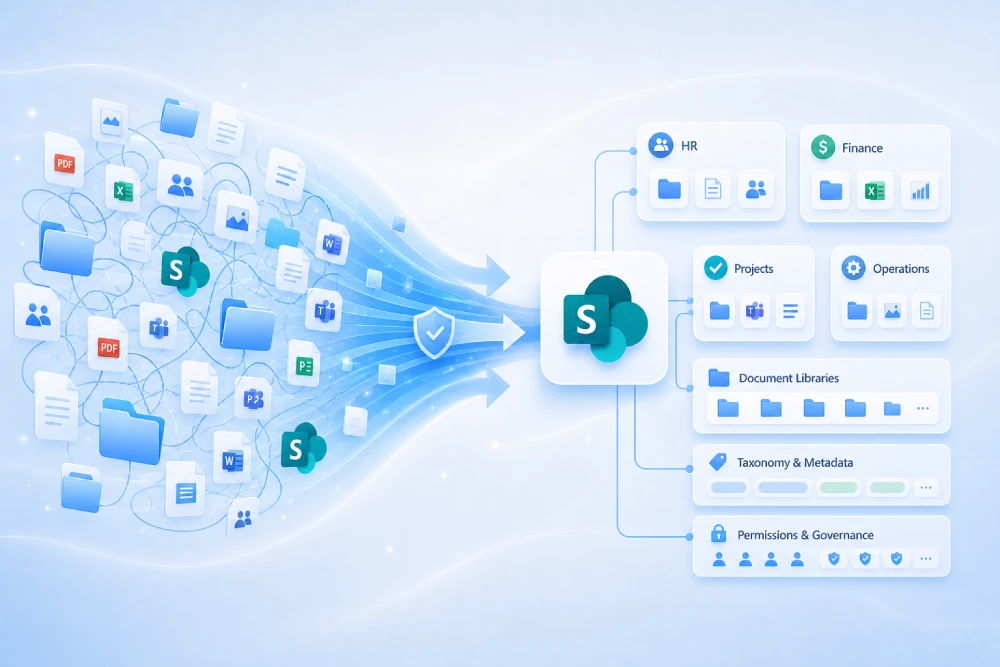
- Preparation: permission cleanup in SharePoint/OneDrive/Teams, audit activation and network endpoint review.
- Pilot: small groups by role (authors, support, sales) with objectives and usefulness surveys.
- Minimum governance: DLP for responses, prompt retention, exclusion of high-risk locations.
- Scale-up: add departments, enable PAYG budgets if applicable and roll out metric dashboards.
- Continuous improvement: refresh canonical content, training, and quarterly policy reviews.
Recommended prompts for Copilot in Microsoft 365
- Word: “Create an 800-word draft with this outline and these three attached sources; add a comparison table.”
- Excel: “Analyze this regional sales table and detect anomalies; suggest 3 charts with explanations.”
- PowerPoint: “Generate 10 slides from this document, with speaker notes and a risks slide.”
- Outlook: “Summarize this email thread and propose a professional reply with three tone options.”
- Teams: “Turn the points from this meeting into a 5-step plan with owners and dates.”
Limitations, best practices and common mistakes
- Hallucinations: although reduced with grounding, always validate critical content before sending.
- Inherited permissions: if there are sites left open by mistake, Copilot might surface content a user should not see; review permissions before the pilot.
- Late governance: enabling Purview afterwards multiplies incidents; configure it from the start.
- Uncontrolled costs: if you use PAYG, enable budgets and alerts.
Frequently asked questions about Copilot
Short answers to common questions in project committees and from end users.
What exactly is Copilot for Microsoft 365?
It is the integration of Copilot into Word, Excel, PowerPoint, Outlook and Teams, with access to your content through Microsoft Graph and respecting the existing permission model.
How is Copilot Chat different from Copilot for Microsoft 365?
Copilot Chat is an AI chat for work and education, by default web-based, with Enterprise Data Protection. It does not automatically access your Microsoft 365 content during the conversation (unless extended via agents/extensions).
Does Copilot use my data to train AI models?
No. Microsoft states that prompts, retrieved content and responses stay within the service and are not used to train the base models.
What privacy and security protections does it offer?
Enterprise Data Protection (EDP) covers prompts and responses under the DPA and Product Terms, with logging and retention options.
What technical requirements must I meet?
Largely the same as Microsoft 365 Apps, plus allowing connectivity to Microsoft 365 endpoints.
How do I control costs if I use consumption (PAYG)?
Enable Copilot budgets in consumption mode and set limits and alerts per department or group.
Can I extend it with my own data and actions?
Yes. With Copilot Studio you can build agents, connect authorized sources and expose actions to internal systems with governance.
Official links
- What is Microsoft 365 Copilot?
- Architecture and workings of Copilot for Microsoft 365
- Copilot Chat: overview and differences
- Privacy and security in Copilot for Microsoft 365
- Enterprise Data Protection in Copilot
- App and network requirements for Copilot
- Microsoft 365 URLs and IP address ranges
- Copilot Studio documentation
- What’s new in Copilot Studio (2025 wave 1)
- Copilot PAYG budgets (TechCommunity)
- Purview for AI and Copilot
- Data Security Posture Management for AI — considerations
Conclusion and next steps
Copilot delivers real value when it relies on clean permissions, trusted sources and governance that balances privacy, security and adoption. Clearly distinguish which experience you need (Copilot for Microsoft 365, Copilot Chat or Copilot Studio), start with a well-measured pilot and strengthen the quality of your internal content. With Purview, EDP and consumption budgets enabled, the move to production becomes more predictable and auditable.
Do you want to accelerate adoption with the right safeguards?
- Tenant architecture and preparation (permissions, connectivity, auditing).
- Guided pilot with metrics and a minimum viable governance layer (Purview/DLP/retention).
- Extension with Copilot Studio (agents, data and actions) and an evidence dossier.
Design and implement Copilot AI governance and security in Microsoft