'/%3E%3Cpath%20fill='%23b2b2b2'%20d='M241%20382q0%2016%2017%2026%2017%2011%2042%2011t42-11q16-11%2017-26V269H241'/%3E%3Cpath%20fill='%239f7e00'%20d='M241%20379q0%2014%208%2023%209%209%2021%209%2014%200%2021-9%209-9%209-23V269h-59'/%3E%3Cpath%20d='M241%20339v-70h59v110q0%2014-9%2023l-6%205v-68h-15v72q-8%200-14-4v-68zm59%2040c0%2022%2015%2032%2029%2032%2021%200%2030-18%2030-32v-40h-59'/%3E%3Cpath%20fill='%239f7e00'%20d='M266%20277v5h2v12h-3v-5h2v-5h-9v5h2v5h-4v9h3v18h-5v10h34v-10h-5v-18h3v-9h-4v-5h2v-5h-9v5h2v5h-3v-12h2v-5zm42%20101q0%2010%206%2017%206%206%2015%207%2010-1%2016-7%206-7%206-17v-29h-43'/%3E%3Ccircle%20fill='%230044ad'%20cx='329.5'%20cy='372'%20r='6'/%3E%3Cellipse%20fill='%230044ad'%20cx='300'%20cy='340'%20rx='16'%20ry='21'/%3E%3C/svg%3E)

Reference Guide · Google Workspace → Microsoft 365
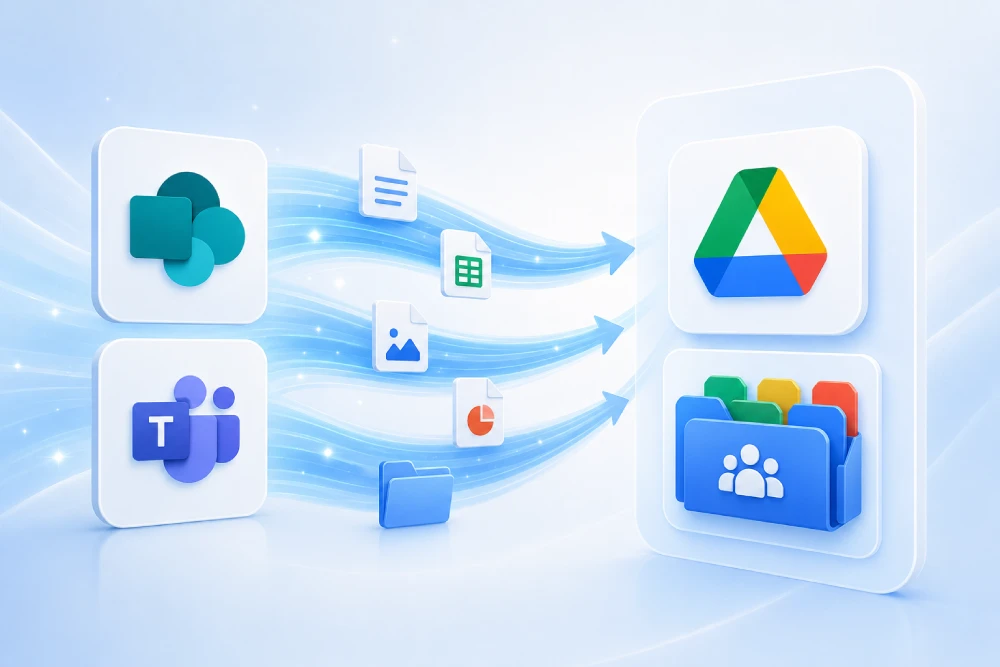
What can be migrated from Google Workspace to Microsoft 365? Microsoft currently provides native tools for moving a large part of a Google environment: Gmail can be migrated to Exchange Online; Google Calendar and Contacts can be moved to Outlook; My Drive can be migrated to OneDrive; Shared Drives to SharePoint or Teams; and Google Docs, Sheets and Slides can be converted to Microsoft Office formats.
However, a complete Google Workspace to Microsoft 365 migration goes much further. Google Groups, Google Forms, Google Sites, Google Chat, Meet, Vault, tasks, rooms, external permissions, identities and security policies all have different migration paths and limitations. Some elements can be moved natively, others are converted, and others must be recreated or redesigned.
In this guide, we explain what can and cannot be migrated from Google Workspace to Microsoft 365, what Microsoft preserves, what changes during conversion, and what needs to be considered so that the organization can work correctly after the cutover.
Do you need to know exactly what can be migrated from your Google Workspace environment?
At MSAdvance, we analyze Google Workspace before finalizing the migration scope. We inventory Gmail, Calendar, Contacts, My Drives, Shared Drives, Google Groups, Forms, Sites, permissions, users, domains and applications to determine what can be migrated natively, what requires a specialized migration tool, and what must be rebuilt in Microsoft 365.
The customer does not need to decide whether to use Exchange Admin Center, Migration Manager, Microsoft Graph or a specialized platform. We design the complete migration strategy and coordinate every workload through cutover.
What can be migrated from Google Workspace to Microsoft 365?
Microsoft can migrate a large part of Google Workspace to Microsoft 365 using several different tools. Gmail, Calendar, Contacts, rules, delegations and certain tasks can be moved to Exchange Online; Google Drive can be migrated with Migration Manager to OneDrive, SharePoint or Teams; Shared Drives can be converted into SharePoint collaboration spaces; and Google Docs, Sheets and Slides are converted into Word, Excel and PowerPoint files. Migration Manager also supports Google Forms and can preserve file versions and internal permissions when identities are correctly mapped.
However, Google Sites and Google Maps are not migrated by Migration Manager; shortcuts and orphaned files may be excluded; external collaborators and external sharing links require review; Google Vault is not transferred as a compliance archive; and Google Chat, Meet, security settings and certain applications require a separate strategy.
Quick summary: Google Workspace to Microsoft 365
| Google Workspace | Typical destination | Status | What it means |
|---|---|---|---|
| Gmail | Exchange Online / Outlook | YES — NATIVE | Email, labels, calendar, contacts and rules within Microsoft’s supported migration scope. |
| Google Calendar | Exchange Online / Outlook Calendar | YES — WITH LIMITATIONS | Primary calendars and events can migrate; shared calendars and certain attributes require additional attention. |
| Google Contacts | Outlook / Exchange Contacts | YES — WITH LIMITATIONS | Contacts can be transferred, but not every Google property has an equivalent in Microsoft 365. |
| Gmail Rules / Filters | Outlook Rules | YES — REVIEW | Rules can be migrated, but Microsoft recommends reviewing them before enabling them. |
| Delegates | Exchange Permissions | YES — CONDITIONAL | Microsoft provides processes for mapping supported delegates and permissions. |
| Google Tasks | Exchange Tasks / Outlook | PARTIAL | Tasks can be migrated through a specific process, but several limitations apply. |
| My Drive | OneDrive | YES — NATIVE | Migration Manager copies compatible files, versions, metadata and permissions. |
| Shared Drives | SharePoint / Teams | YES — NATIVE | Shared Drives can be migrated to Microsoft 365 collaboration spaces. |
| Google Docs | Microsoft Word | YES — CONVERSION | Converted to .docx. |
| Google Sheets | Microsoft Excel | YES — CONVERSION | Converted to .xlsx. |
| Google Slides | Microsoft PowerPoint | YES — CONVERSION | Converted to .pptx. |
| Google Drawings | PNG | CONVERSION | Migration Manager converts them to PNG by default. |
| Google Forms | Microsoft 365 Forms destination | YES — CONDITIONAL | Migration Manager supports Forms and requires a destination Microsoft 365 user to be specified. |
| Google Groups | Microsoft 365 Groups | YES — WITH LIMITATIONS | Google Identity Sync can synchronize groups in supported tenants; this does not mean the full conversation history is migrated. |
| Google Users | Microsoft Entra ID | CREATE / SYNC | Identities are provisioned in Microsoft 365; they are not transferred as the same identity objects. |
| Google Sites | SharePoint / another solution | NOT NATIVE | Migration Manager does not migrate Google Sites. They must be recreated or redesigned. |
| Google Maps | Depends on scenario | NOT NATIVE | Migration Manager does not export Google Maps. |
| Google Chat | Microsoft Teams | SPECIFIC PROCESS | Not part of the main native Mail/Drive migration workflow. |
| Google Meet | Microsoft Teams Meetings | RECREATE / ADAPT | Future meetings must be reviewed and their meeting links adapted where necessary. |
| Google Vault | Microsoft Purview | NOT DIRECTLY | Retention policies and archived data require a dedicated compliance strategy. |
| 2SV / Security Policies | Entra / Conditional Access / Defender | RECREATE | Google policies are not transferred as equivalent Microsoft configurations. |
The key point: a large part of Google Workspace can be moved to Microsoft 365, but there is no 1:1 conversion for every service. Some data is copied, some is converted, and some must be rebuilt.
Complete table: what can be migrated from Google Workspace to Microsoft 365?
This table summarizes the main migration mappings. It is important to interpret the statuses correctly: the fact that a service can be migrated does not mean that every feature has an exact equivalent in Microsoft 365.
| Google source | Microsoft destination | Status | Method | Main consideration |
|---|---|---|---|---|
| Gmail Email | Exchange Online | YES — NATIVE | Exchange Google Workspace Migration | Message size limits, encrypted items and archive policies should be reviewed. |
| Gmail Labels | Exchange folders | YES — CONVERSION | Exchange migration | Gmail and Exchange use different organizational models. |
| Gmail Rules / Filters | Outlook / Exchange Rules | YES — REVIEW | Exchange migration | Migrated rules should be reviewed before they are enabled. |
| Gmail Signatures | Outlook signatures | RECREATE | Manual / administration | They are not part of the standard Gmail migration scope. |
| Vacation / Auto Reply | Automatic Replies | RECREATE | Manual | They are not migrated through the standard process. |
| Google Calendar | Exchange Calendar | YES — WITH LIMITATIONS | Exchange migration | Shared calendars, colors and Google-specific links should be reviewed. |
| Google Contacts | Exchange Contacts | YES — WITH LIMITATIONS | Exchange migration | Microsoft documents limitations for certain contact properties. |
| Delegates | Exchange Delegation | YES — CONDITIONAL | Exchange migration / cmdlets | Destination objects must exist and be correctly mapped. |
| Rooms / Resources | Exchange Resource Mailboxes | SPECIFIC PROCESS | Microsoft first-party workflow | Not all Google behavior has an exact Microsoft equivalent. |
| Google Tasks | Exchange Tasks | PARTIAL | Exchange migration with MigrateTasks | No subsequent delta; hierarchy, recurrence and attachments have limitations. |
| My Drive | OneDrive | YES — NATIVE | Migration Manager | Requires correct user and destination mapping. |
| Shared Drives | SharePoint / Teams | YES — NATIVE | Migration Manager | The target architecture should ideally be designed before migration. |
| Google Docs | Word | YES — CONVERSION | Google Export API / Migration Manager | Converted to .docx; document fidelity should be validated. |
| Google Sheets | Excel | YES — CONVERSION | Google Export API / Migration Manager | Converted to .xlsx; complex formulas and integrations require testing. |
| Google Slides | PowerPoint | YES — CONVERSION | Google Export API / Migration Manager | Converted to .pptx; layouts and special fonts should be reviewed. |
| Google Drawings | PNG | CONVERSION | Migration Manager | Converted to PNG by default. |
| Google Forms | Forms destination | YES — CONDITIONAL | Migration Manager | A Microsoft 365 user must be defined as the Forms destination. |
| File Versions | SharePoint / OneDrive versions | YES | Migration Manager | The current tool supports version history. |
| Internal Permissions | Microsoft 365 permissions | YES — MAPPING | Migration Manager | Users and groups must be correctly mapped. |
| External Collaborators | Guests / sharing | NOT AUTOMATIC | Manual review | Migration Manager does not automatically reshare content with external users. |
| External Sharing Links | SharePoint / OneDrive links | RECREATE | Manual / automation | External links are not automatically recreated. |
| Shortcuts | — | SKIPPED | Migration Manager | Shortcut files are skipped. |
| Orphaned Files | — | NOT MIGRATED | Migration Manager | They are not scanned and do not appear in reports. |
| Google Sites | SharePoint | NOT NATIVE | Recreation / redesign | Migration Manager does not export Google Sites. |
| Google Maps | Depends on scenario | NOT NATIVE | Recreation / alternative | They are not migrated from Google Drive through Migration Manager. |
| Google Groups — identity | Microsoft 365 Groups | YES — LIMITED | Google Identity Sync | Currently available for tenants with fewer than 300 licensed users. |
| Google Groups — history | Depends on design | NOT DIRECTLY | Specific process | Synchronizing the group does not mean its historical conversations are migrated. |
| Google Users | Microsoft Entra ID | SYNC / CREATE | Google Identity Sync / provisioning | Users are new identity objects in Microsoft Entra ID. |
| Google Chat | Microsoft Teams | SPECIFIC PROCESS | Depends on scope/tool | Not part of the standard native Mail and Drive migration workflow. |
| Google Meet | Teams Meetings | RECREATE / ADAPT | Post-migration configuration | Meet links and future meetings should be reviewed. |
| Google Vault | Microsoft Purview | NOT DIRECTLY | Export / compliance design | The Vault archive does not automatically move with Gmail. |
| Google Security Policies | Entra / Intune / Defender / Purview | RECREATE / REDESIGN | Microsoft 365 configuration | There is no automatic 1:1 equivalent. |
This table reflects Microsoft’s current migration capabilities and common project patterns. Actual compatibility should always be validated against the features, licenses, data volume and configuration of each Google Workspace environment.
What does migrating from Google Workspace to Microsoft 365 really mean?
Migrating Google Workspace does not mean copying a Google account and making it appear identically inside Microsoft 365. The two platforms use different concepts and, in many cases, content must be transformed to fit the Microsoft model.
Migration
Content can be copied directly from source to destination, as is the case with much of the email stored in Gmail.
Conversion
The content changes format. A Google Doc, for example, is converted into a Microsoft Word file.
Mapping
Google users and groups must be mapped to Microsoft 365 identities to preserve permissions.
Recreation
Certain settings cannot be transferred and must be created again in Microsoft 365.
Redesign
A Google service may not have a 1:1 equivalent and may require a different architecture.
Example: a Shared Drive should not necessarily become simply “a SharePoint folder.” Before moving it, you should decide whether it should become a separate SharePoint site, a library in an existing site, or the storage associated with a Microsoft Team.
Can Gmail be migrated to Microsoft 365?
Yes. Microsoft provides a dedicated Google Workspace migration process to Exchange Online that can migrate email, calendar, contacts and other supported properties. For business environments, relying solely on an IMAP migration is generally not advisable when calendars, contacts and other Google Workspace functionality must also be preserved.
What can be migrated from Gmail?
Microsoft’s current migration scope includes, depending on the method used:
- email messages;
- supported attachments;
- labels;
- rules;
- contacts;
- calendar;
- delegates;
- certain tasks;
- cloud attachments within the supported scope.
What happens to Gmail labels?
Gmail and Exchange use different organizational models. Gmail allows several labels to be applied to the same message, while Outlook is organized primarily around folders and categories.
For this reason, migrating Gmail labels requires adapting them to the Exchange model. Before approving the migration, it is advisable to check how representative users’ mailboxes are organized after migration.
Are Gmail filters and rules migrated?
Microsoft can migrate Gmail rules to Exchange. Microsoft’s own documentation recommends that users review the resulting rules in Outlook before enabling them.
This makes sense because not every Google action and condition necessarily behaves exactly the same way in Exchange Online.
What is NOT migrated automatically?
Documented limitations of the standard process include:
- vacation settings;
- automatic replies;
- Gmail signatures;
- certain encrypted or protected messages;
- items that exceed the applicable limits;
- historical archive data stored exclusively in Google Vault.
Maximum message size
The supported size depends on the Exchange Online transport configuration. Microsoft documents an initial 35 MB limit in the migration process, which can be configured up to the corresponding supported maximum.
Can the migration be performed in phases?
Yes. Microsoft allows users to be organized into migration batches so the transition can be performed in waves.
The preparation includes routing subdomains between Google Workspace and Microsoft 365, making it possible to design temporary coexistence while different groups of users move between platforms.
At MSAdvance, we do not simply count Gmail accounts. We review mailbox size, labels, rules, delegates, resources, calendars, mail-sending applications, aliases, groups and any system that uses Google for SMTP or identity.
Official sources: Microsoft Learn — Perform a Google Workspace migration · Automated Google Workspace migration.
Can Google Calendar be migrated to Outlook?
Yes, with limitations. Microsoft’s Google Workspace migration process can move calendar events to Exchange Online, but not every Google Calendar feature has an exact equivalent in Outlook.
What limitations does Microsoft document?
The standard process includes limitations for elements such as:
- shared calendars;
- event colors;
- certain links or Google-specific meeting features;
- room bookings in the standard process.
What happens to future meetings?
This is one of the areas that should be tested most carefully. A historical calendar event and a recurring meeting that will continue to be used for months do not have the same business importance.
During the pilot, we pay particular attention to:
- organizer;
- attendees;
- recurrence;
- time zones;
- rooms;
- resources;
- Google Meet links;
- critical future meetings.
We do not validate Calendar by simply counting events. We test recurring meetings, internal and external attendees, rooms and future meetings to understand what users will actually see after cutover.
Official source: Microsoft Learn — Google Workspace migration limitations.
Can Google Contacts be migrated to Microsoft 365?
Yes. Google Contacts can be migrated together with Gmail and Calendar to Exchange Online, although Microsoft documents differences in certain contact properties.
Current limitations include a maximum of three email addresses migrated per contact and the absence of certain properties such as URLs, custom tags and other Google-specific metadata.
For organizations that use Google Contacts as a small commercial database or rely heavily on custom fields, it is therefore advisable to review a representative sample before running the entire migration.
Official source: Microsoft Learn — Google Workspace automated migration.
Can delegates, rooms, resources and Google Tasks be migrated?
Yes, but they require more specific handling than conventional email. Microsoft provides first-party processes for transferring certain permissions, delegates, rooms, resources and tasks from Google Workspace to Exchange Online.
Delegates and permissions
Microsoft can map different Google concepts to Exchange permissions, including:
- delegates;
- Send As;
- calendar permissions;
- event access levels.
For the migration to work correctly, the related users or groups must exist in Microsoft 365.
A delegate that does not exist in the target environment can affect the migration of all permissions for the corresponding object. Provisioning and mapping should therefore be resolved before migrating delegations.
Rooms and resources
Microsoft currently provides a procedure for mapping Google resources to Exchange Online resource mailboxes.
Properties such as:
- name;
- resource type;
- capacity;
- floor;
- building;
- address;
- location;
can be used to prepare the equivalent resource in Exchange.
However, the resource models are not identical, and Microsoft documents limitations around coexistence and bookings. These should be tested before the general cutover.
Google Tasks
Microsoft allows Google Tasks to be included using the specific MigrateTasks parameter.
However, there are important limitations:
- tasks are migrated once;
- there is no subsequent incremental sync for an already migrated task;
- not all parent/child hierarchies are preserved correctly;
- attachments are not migrated;
- instances of recurring tasks are not migrated;
- deleted or hidden tasks are not migrated.
Official source: Microsoft Learn — Permissions, delegates, rooms, resources and tasks.
Can Google Drive be migrated to OneDrive?
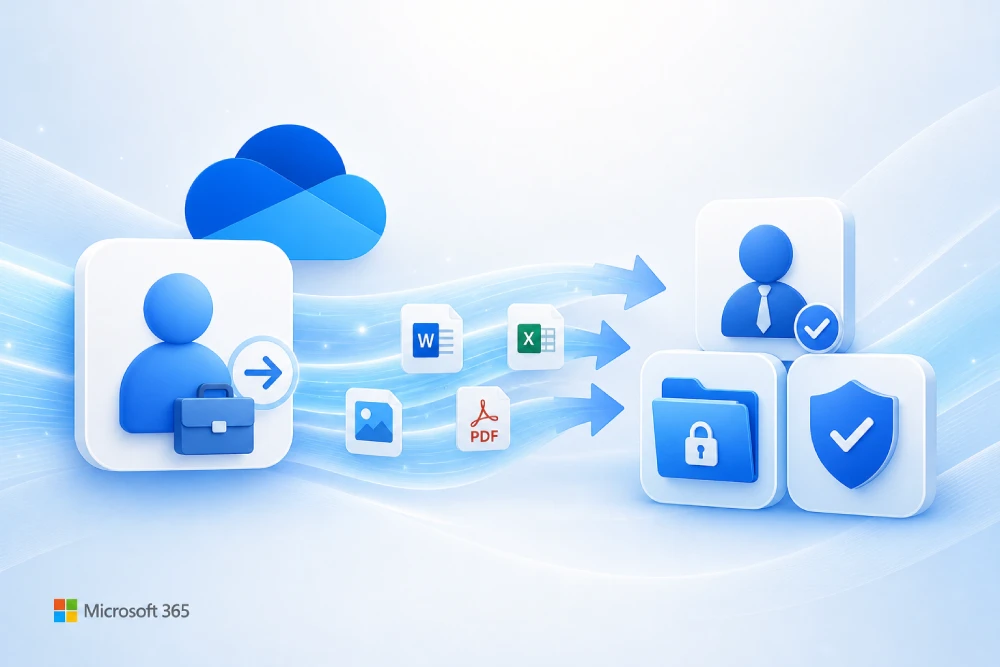
Yes. Microsoft Migration Manager can copy files from Google My Drive to OneDrive and migrate compatible metadata, versions and permissions.
The standard Migration Manager workflow includes:
- connect Google Workspace;
- scan the Drives;
- analyze errors or incompatibilities;
- define destinations;
- map users, groups and domains;
- migrate;
- monitor results.
Migration Manager copies data; it does not delete Google Drive
The tool copies content to Microsoft 365. The original files remain in Google, allowing the source environment to be retained during the validation period before it is decommissioned.
Can delta migration passes be performed?
Yes. This is an important difference compared with some other native Microsoft migration tools.
After a Migration Manager task for Google has completed for the first time, running Migrate again starts an incremental or delta synchronization.
This makes it possible to:
- perform an initial pre-stage;
- continue working temporarily in Google;
- run additional migration passes;
- reduce the remaining data volume during cutover.
Are file versions migrated?
Yes. The current version of Migration Manager supports migrating version history together with supported files.
What is the maximum file size?
Microsoft currently documents a maximum file size of 250 GB per file for Google-to-Microsoft 365 migrations using Migration Manager.
Which files may be excluded?
Among others:
- restricted files;
- files exceeding the supported limit;
- destination paths that exceed supported limits;
- shortcuts;
- orphaned or unorganized files;
- Google Sites;
- Google Maps.
At MSAdvance, the Migration Manager scan is part of the assessment. We do not rely solely on the storage figure shown in Google Admin, because that figure may not match the items that actually belong to each Drive and can be migrated.
Official sources: Migration Manager — Google overview · Migration Manager Google FAQ.
What happens to Google Docs, Sheets and Slides when migrating to Microsoft 365?
Migration Manager automatically converts the main native Google file formats into Microsoft Office formats. The conversion uses Google’s export capabilities.
| Microsoft | Final format | |
|---|---|---|
| Google Docs | Microsoft Word | .docx |
| Google Sheets | Microsoft Excel | .xlsx |
| Google Slides | Microsoft PowerPoint | .pptx |
| Google Drawings | Image | .png by default |
Is the conversion always perfect?
You should not assume that two different applications represent every function in exactly the same way.
For example, particular attention should be paid to:
- Google Sheets with complex formulas;
- macros or Apps Script;
- special charts;
- related forms or data sources;
- Docs containing advanced elements;
- Slides using specific fonts or complex layouts.
The migration tool may complete the conversion successfully while functional validation of business-critical documents is still advisable.
A correctly executed migration should not be limited to counting files. For business-critical documents, we also verify that the converted file remains usable, particularly for complex Google Sheets.
Official source: Microsoft Learn — Unsupported files and Google format conversion.
Can Google Forms be migrated to Microsoft 365?
Yes. Migration Manager currently supports Google Forms. This capability is relatively recent and requires a Forms destination to be defined for migration tasks containing forms.
When configuring the destination, Microsoft requires the email address of the Microsoft 365 user who should receive the corresponding Forms files.
For organizations that use forms extensively, it is also advisable to review:
- owner;
- responses;
- related spreadsheets;
- automations;
- public links;
- website integrations;
- Apps Script;
- processes that consume form responses.
Official sources: Migration Manager Google FAQ · Google migration destination paths.
Are Google Drive permissions preserved when migrating to Microsoft 365?
Internal permissions can be preserved when users and groups are correctly mapped, but external sharing requires special handling.
Internal users and groups
Migration Manager can map:
- domains;
- users;
- Google Groups;
- Microsoft 365 identities.
With correct identity mapping, content can be automatically reshared with the corresponding internal identities.
External collaborators
Migration Manager does not automatically reshare content with external collaborators. Microsoft applies this restriction to prevent corporate information from being automatically shared with guests after migration.
External access therefore needs to be inventoried and decided again in Microsoft 365.
External sharing links
Existing external links are not automatically recreated. New OneDrive or SharePoint links use different URLs and permission models.
This can affect:
- customers;
- suppliers;
- partners;
- portals;
- public documentation;
- links included in old emails;
- links stored in applications.
Before cutover, we review critical external shares. There is little value in migrating a file correctly only to discover afterwards that the supplier who accesses it every morning can no longer open it.
Official source: Microsoft Learn — Migration Manager Google FAQ.
Can Google Groups be migrated to Microsoft 365?
Microsoft currently provides Google Identity Sync to synchronize certain Google Groups to Microsoft 365 Groups, although important limitations apply. Synchronizing the identity and membership of a group is not the same as migrating all Google Groups behavior or conversation history.
Google Identity Sync
Google Identity Sync performs a one-way synchronization from Google Workspace to Microsoft 365.
It can currently:
- discover Google Groups;
- create a corresponding Microsoft 365 Group when one does not exist;
- synchronize supported owners and members;
- resynchronize subsequent changes.
What type of group is created?
Microsoft documents that the source Google Group is mapped to a private, mail-enabled Microsoft 365 Unified Group.
This is important because a Google Group used purely as a distribution list or security control may require a different design in Microsoft 365.
Current limitations
Google Identity Sync is currently documented for tenants with fewer than 300 licensed users. Microsoft states that support for larger organizations will be available in a future release.
In addition:
- external users are not synchronized as members;
- members with custom permissions are not synchronized;
- archived Google users are not included;
- if a group is deleted in Google, the corresponding Microsoft 365 Group is not automatically deleted;
- if a member is removed from Google after synchronization, Microsoft may not necessarily remove that member from the destination group during resynchronization.
Is the Google Group conversation history migrated?
Group synchronization should not be confused with historical content migration. A Google Group used as a Collaborative Inbox may contain conversations and workflows that require a separate strategy.
At MSAdvance, we classify Google Groups before migrating them. We do not treat a mailing list, a group used for Drive permissions, a security group and a Collaborative Inbox with years of conversations in the same way.
Official source: Microsoft Learn — Google Identity Sync.
Are Google Workspace users migrated to Microsoft Entra ID?
Users must be provisioned as Microsoft Entra ID identities. Microsoft currently provides Google Identity Sync to automate this preparation for supported tenants, but a Google identity does not become the same identity object inside Microsoft.
Which attributes can Google Identity Sync synchronize?
Microsoft documents mappings for attributes such as:
- primaryEmail → User Principal Name;
- full name;
- first name;
- last name;
- work phone;
- department;
- job title;
- active or suspended status.
Suspended users can be created as disabled users in Entra ID.
Archived users in Google Workspace are not included in Google Identity Sync.
What happens if the user already exists in Microsoft 365?
If an Entra ID user already exists with the corresponding matching alias, synchronization does not create a new user or automatically overwrite that existing object.
Licenses must then be assigned
Once the identities have been provisioned and verified, the required licenses must be assigned before starting the corresponding Gmail and Google Drive migrations.
Identity before data. The better user and group mapping is resolved before moving Drive content, the more reliable permission preservation will be in OneDrive and SharePoint.
Official source: Microsoft Learn — Google Identity Sync.
Can Google Sites be migrated to SharePoint?
Not directly through Microsoft Migration Manager. Microsoft explicitly documents Google Sites among the items that Migration Manager cannot export from Google Drive.
A Google Sites migration therefore requires a different strategy.
Depending on each site, the options may include:
- recreating the information as modern SharePoint pages;
- migrating linked documents separately;
- redesigning navigation;
- replacing Google widgets with Microsoft 365 web parts;
- documenting integrations that do not have an equivalent;
- temporarily retaining an old Google Site when there is a justified business requirement.
It is not accurate to promise that Google Sites can simply be “migrated to SharePoint” as though each site were a file. Related documents can be moved, but the site as an application must be recreated or redesigned.
At MSAdvance, we classify Google Sites first. A site with two informational pages does not require the same strategy as an internal intranet containing links, forms, calendars and embedded content.
Official source: Microsoft Learn — What isn’t migrated from Google Drive.
Can Google Chat and Google Meet be migrated to Microsoft Teams?
They are not part of the same native workflow Microsoft uses to migrate Gmail and Google Drive. Google Chat, Spaces, conversation history and Google Meet require a specific assessment to determine what should be retained and what can be rebuilt in Microsoft Teams.
Google Chat
Organizations can use Google Chat in many different ways:
- direct messages;
- group chats;
- Spaces;
- bots;
- integrations;
- shared files;
- conversations associated with internal business processes.
You should not assume that all of this history can be automatically reproduced in Microsoft Teams.
Google Meet
Google Meet is particularly important for future meetings. An existing Meet link does not magically become a Microsoft Teams meeting.
During the transition, it is advisable to identify:
- recurring meetings;
- important future events;
- rooms;
- customer meetings;
- Meet links published on intranets or applications.
Where necessary, future meetings may need to be recreated as Microsoft Teams Meetings.
Related reference: Microsoft Learn — Switch from Google Workspace to Microsoft 365.
Can Google Vault be migrated to Microsoft Purview?
Not as a direct 1:1 migration. Content stored exclusively in Google Vault and Google’s retention policies are not automatically transferred to Microsoft Purview when Gmail is migrated.
Google Vault and Microsoft Purview use different architectures and compliance models.
The project should distinguish between:
- active Gmail data;
- content retained exclusively by Google Vault;
- retention rules;
- Holds;
- eDiscovery;
- legal requirements;
- retention periods;
- data that must be exported before Google Workspace is decommissioned.
Do not decommission Google Vault too early
Once Gmail is working in Microsoft 365, there may be a temptation to immediately cancel all Google licenses.
If Google Vault contains information that no longer exists in active mailboxes, doing so without an archive strategy could result in loss of access to data the organization is still required to retain.
Before decommissioning Google Workspace, we review whether Google Vault forms part of the organization’s compliance requirements. Source decommissioning should be a project phase in its own right, not an automatic consequence of changing the MX record.
Official reference: Microsoft FastTrack — Data Migration scope.
Can you keep the same domain when migrating from Google Workspace to Microsoft 365?
Yes. The corporate domain can remain exactly the same after the migration. What changes is where email and identity services are provided and which DNS records point to Microsoft 365.
Unlike a migration between two Microsoft 365 tenants, there is no need to “transfer” domain ownership away from Google as though Google were necessarily the domain registrar.
Microsoft recommends verifying the domain in Microsoft 365 during preparation and subsequently switching the mail services during cutover.
What changes during cutover?
The following normally need to be reviewed:
- MX;
- SPF;
- DKIM;
- DMARC;
- Autodiscover;
- SMTP applications;
- relays;
- antispam gateways;
- services that validate SPF;
- aliases and primary addresses.
The domain registrar can remain the same
Migrating Google Workspace does not require transferring the domain to another registrar. If DNS is hosted by Google, Cloudflare or another external provider, it can remain there while the relevant records are updated for Microsoft 365.
Changing the MX record is one of the final actions, not the first. The Microsoft 365 tenant must be prepared, users provisioned, data pre-staged and mail routing validated before the primary mail flow is switched.
Official source: Microsoft Learn — Switch from Google Workspace.
Are Google Workspace security policies migrated?
Not automatically. Google Workspace and Microsoft 365 use different identity, security, endpoint management and compliance models. Policies must be designed and configured in Microsoft Entra ID, Intune, Defender and Purview according to the target environment.
The following should not be assumed to migrate automatically:
- 2-Step Verification;
- Context-Aware Access;
- Google Workspace admin roles;
- device management;
- OAuth application controls;
- sharing policies;
- DLP;
- Vault retention;
- Google security groups;
- security alerts and rules.
What is configured in Microsoft 365?
Depending on licensing and requirements:
- Microsoft Entra ID;
- Multi-Factor Authentication;
- Conditional Access;
- Microsoft Intune;
- Microsoft Defender;
- Microsoft Purview;
- DLP;
- retention;
- sensitivity labels;
- sharing policies in SharePoint and OneDrive.
We do not try to convert every Google policy into “the equivalent Microsoft policy.” We review the security objective and implement it using Microsoft 365’s native security controls.
What changes for users when moving from Google Workspace to Microsoft 365?
The email address can remain the same, but the way users work changes. Users move from Gmail, Drive and Calendar to Outlook, OneDrive, SharePoint and Teams, so a successful migration should also address the user experience rather than focusing only on data.
Gmail → Outlook
Users need to understand folders, categories, rules, search and the new calendar experience.
My Drive → OneDrive
Personal files move to OneDrive and users need to configure the synchronization client.
Shared Drives → SharePoint
Corporate content is organized into sites, libraries or Teams and may use a different navigation structure.
Google Meet → Teams
New meetings use Teams, and certain existing future meetings may need to be updated.
Google Chat → Teams
Teams uses a different model for chats, channels and collaboration.
2SV → Microsoft MFA
Users may need to register new authentication methods in Microsoft Entra ID.
Do applications need to be installed again?
User devices normally need to be prepared with the required Microsoft 365 applications:
- Outlook;
- Teams;
- OneDrive;
- Word;
- Excel;
- PowerPoint.
If the organization will also manage endpoints through Microsoft Intune, the transition may include new device policies and configuration.
Can the migration be completed with minimal disruption?
Yes, when the project is properly prepared. Gmail migrations can be organized into batches and Migration Manager supports delta synchronization for Drive, making it possible to pre-stage a large portion of the data before cutover.
It is not advisable to promise absolute “zero downtime.” The objective should be to minimize disruption and clearly prepare users for what they need to do during the transition.
Why doesn’t Microsoft have a single tool for migrating all of Google Workspace?
Because Google Workspace is not a single service either. Gmail, Drive, Calendar, Groups, Sites, Chat, Vault and identity use different models and APIs.
Microsoft currently provides several components:
- Exchange Online Migration for Gmail, Calendar and Contacts;
- Migration Manager for My Drive and Shared Drives;
- Google Identity Sync for certain users and groups;
- Microsoft Graph and PowerShell for automation and preparation;
- Microsoft Entra ID for identity;
- SharePoint and Teams as collaboration destinations;
- Purview, Defender and Intune for governance and security.
This is where specialized tools such as Quest, BitTitan, AvePoint, Cloudiway or other platforms can provide additional automation, reporting or workload coverage depending on the project.
However, no migration tool can create an equivalent feature when the Google or Microsoft APIs do not support one.
How does MSAdvance approach a Google Workspace to Microsoft 365 migration?
MSAdvance designs the migration project end to end and selects the appropriate method for each workload. We do not force Gmail, Drive, Groups, Sites and security into a single migration tool.
- Discovery: inventory of the Google Workspace environment.
- Assessment: sizes, users, Drives, permissions, Groups and exceptions.
- Architecture: definition of the target Microsoft 365 tenant.
- Identity mapping: mapping of users, domains and groups.
- Preparation: licenses, Exchange, OneDrive, SharePoint and Teams.
- Pilot: representative users and workloads.
- Pre-stage: mail and data when supported by the migration tool.
- Delta: additional migration passes to reduce differences before cutover.
- Conversion: Docs, Sheets, Slides and other supported formats.
- Recreation: services without a 1:1 equivalent.
- Cutover: domain, DNS, email and users.
- Validation: data, permissions, email and user experience.
- Hypercare: post-go-live support.
- Source decommissioning: only after data and retention obligations have been validated.
When Microsoft provides an appropriate native capability, we use it. When the scope requires greater flexibility, we add specialized tools, Microsoft Graph, PowerShell or controlled recreation processes.
We do not promise that a Google Site, an external link or an Apps Script automation will magically appear in Microsoft 365.
Before the project begins, we define what can be transferred, what will be converted, what needs to be recreated and what the expected outcome will be.
What information do we need to quote a Google Workspace to Microsoft 365 migration?
To prepare a reliable estimate, we need to understand the environment by workload, not just the number of Google Workspace licenses.
Gmail and Calendar
- total number of users;
- mailboxes to migrate;
- email data volume;
- delegated mailboxes;
- Google Calendar;
- rooms and resources;
- Google Tasks;
- aliases.
Google Drive
- users with My Drive;
- total data volume;
- approximate number of files;
- Shared Drives;
- data volume per Shared Drive;
- external permissions;
- Google Forms;
- Google Sites.
Identity and collaboration
- Google Groups;
- Collaborative Inboxes;
- suspended users;
- archived users;
- Google Chat;
- Meet;
- SSO/OAuth applications.
Security and cutover
- Google Vault;
- retention;
- domains;
- DNS;
- SMTP applications;
- device management;
- target date;
- available cutover window.
With this information, we can identify which parts can use Microsoft’s native capabilities, which may require a specialized migration platform, and which need to be recreated.
In what order should Google Workspace be migrated to Microsoft 365?
The exact order depends on the project, but Microsoft 365 must be prepared and identities must exist before email, Drive data and permissions are migrated.
A typical sequence is:
- Inventory Google Workspace.
- Define what will be migrated and what will be retired.
- Prepare the Microsoft 365 tenant.
- Verify domains.
- Provision users and groups.
- Assign licenses.
- Design OneDrive, SharePoint and Teams.
- Configure migration tools.
- Scan My Drives and Shared Drives.
- Review incompatibilities.
- Perform the pilot.
- Pre-stage Gmail and Drive.
- Run delta synchronizations.
- Recreate services outside the native migration scope.
- Prepare users.
- Perform the DNS and mail cutover.
- Run final delta passes.
- Validate email, permissions and files.
- Apply final security and governance settings.
- Hypercare.
- Decommission Google Workspace in a controlled manner.
What are the most common mistakes when migrating Google Workspace to Microsoft 365?
The most common mistake is thinking Google Workspace consists only of Gmail and Google Drive. Complications often arise from permissions, Groups, Shared Drives, calendars, Sites, Vault and integrations that were not included in the original inventory.
- Using IMAP when Calendar and Contacts also need to be migrated.
- Counting users but not Shared Drives.
- Migrating Shared Drives without designing SharePoint first.
- Assuming every Google Group is a distribution list.
- Failing to review Collaborative Inboxes.
- Assuming external permissions will be preserved automatically.
- Failing to inventory public and shared links.
- Failing to review Google Sites.
- Failing to identify orphaned files.
- Ignoring shortcuts.
- Failing to test complex Google Sheets after converting them to Excel.
- Forgetting Forms and related automations.
- Canceling Google Vault too early.
- Failing to review applications that use Google as an SSO provider.
- Changing the MX record before Microsoft 365 is ready.
- Skipping the pilot.
- Failing to run delta migrations before cutover.
- Failing to prepare users for Outlook, OneDrive and Teams.
- Validating only the number of files.
- Decommissioning Google Workspace before completing validation and compliance work.
Google Workspace to Microsoft 365 migration checklist
Email and calendar
- Gmail Users
- Email Data Volume
- Labels
- Rules / Filters
- Delegates
- Google Calendar
- Shared Calendars
- Rooms / Resources
- Google Tasks
- Aliases
Drive and collaboration
- My Drives
- Shared Drives
- Google Docs
- Google Sheets
- Google Slides
- Google Forms
- Google Sites
- Shortcuts
- Orphaned Files
- External Sharing
Identity and applications
- Google Users
- Google Groups
- Collaborative Inboxes
- Suspended Users
- Archived Users
- OAuth Apps
- SSO Applications
- Google Chat
- Google Meet
Security and cutover
- Google Vault
- Retention
- Google 2SV
- Device Management
- Domain
- MX
- SPF
- DKIM
- DMARC
- SMTP / Relays
Frequently asked questions about migrating Google Workspace to Microsoft 365
Direct answers to the most common questions organizations ask before moving from Google Workspace to Microsoft 365.
What can be migrated from Google Workspace to Microsoft 365?
Microsoft can migrate Gmail, Calendar, Contacts, My Drive, Shared Drives, Google Docs, Sheets, Slides and currently Google Forms using different migration tools. There are also capabilities for delegates, resources, tasks and synchronization of certain users and Google Groups. Google Sites, some external sharing, Vault, Chat, Meet and security policies require specific migration or recreation strategies.
Can Gmail be migrated to Outlook?
Yes. Microsoft provides a dedicated Google Workspace to Exchange Online migration process that can transfer email, calendar, contacts, labels, rules and other supported properties. For business environments, this is more comprehensive than an IMAP migration, which is essentially limited to email.
Are Gmail labels migrated?
Yes, within the supported migration process. However, Gmail and Exchange use different organizational models, so it is advisable to test how labels are represented in Outlook and validate the result with representative users.
Are Gmail filters and rules migrated?
Microsoft can transfer rules as part of the Google Workspace migration process. The official recommendation is to review them in Outlook before enabling them because not every Gmail condition or action necessarily behaves identically in Exchange Online.
Can Google Calendar be migrated?
Yes. Calendar events can be migrated to Exchange Online. However, Microsoft documents limitations relating to shared calendars, event colors and certain Google-specific elements. Future meetings, resources and critical recurring events should be tested during the pilot.
Can Google Contacts be migrated?
Yes. Contacts are included in the Google Workspace to Exchange Online migration, although not every contact property has an equivalent. Microsoft documents, for example, a maximum of three email addresses migrated per contact and limitations involving URLs and custom tags.
Can Google Drive be migrated to OneDrive?
Yes. Microsoft Migration Manager can copy My Drive to OneDrive while preserving supported files, metadata, versions and internal permissions. It also allows a completed migration task to be run again to perform an incremental or delta synchronization before cutover.
Can Shared Drives be migrated to SharePoint?
Yes. Shared Drives can be migrated with Migration Manager to SharePoint or destinations associated with Microsoft Teams. The destination architecture should ideally be designed beforehand to determine which Shared Drives will become independent sites, document libraries or Teams collaboration spaces.
Are Google Drive permissions preserved?
Internal permissions can be reapplied when users and groups are correctly mapped. However, Microsoft does not automatically reshare information with external collaborators, and existing external Google Drive links are not automatically recreated in OneDrive or SharePoint.
Does Migration Manager support delta synchronization?
Yes. After a Google Drive migration task has completed for the first time, running the migration again starts an incremental synchronization. This allows organizations to perform pre-staging and reduce the amount of outstanding change before the final cutover window.
Are file versions migrated?
Yes. The current version of Migration Manager can migrate version histories together with supported files from Google Drive to Microsoft 365.
What happens to Google Docs during migration?
Google Docs are converted to Microsoft Word .docx files using the Google export capabilities used by Migration Manager. Business-critical documents should be validated after conversion because the two products do not provide exactly the same functionality.
What happens to Google Sheets?
Google Sheets are converted to Microsoft Excel .xlsx files. For complex spreadsheets, formulas, charts, scripts, integrations and any Google Sheets-specific functionality that may not have a direct equivalent in Excel should be reviewed.
What happens to Google Slides?
Google Slides are converted to Microsoft PowerPoint .pptx files. The conversion should be validated particularly when presentations use special fonts, layouts or advanced elements.
Can Google Forms be migrated?
Yes. Microsoft Migration Manager currently supports Google Forms. For migration tasks containing forms, a Forms destination associated with a Microsoft 365 user must be specified. Responses, automations and integrations associated with each form should also be reviewed.
Can Google Sites be migrated to SharePoint?
Not directly through Migration Manager. Microsoft explicitly states that Google Sites cannot be exported through this tool. The content normally needs to be rebuilt as SharePoint pages, associated documents migrated separately, and widgets or integrations replaced with compatible alternatives.
Can Google Groups be migrated?
Microsoft currently provides Google Identity Sync to synchronize certain Google Groups to Microsoft 365 Groups in supported tenants. The current capability is documented for organizations with fewer than 300 licensed users. Synchronizing the group and its members does not automatically migrate its conversation history or a Collaborative Inbox.
Are Google Workspace users migrated?
Users must be provisioned as new Microsoft Entra ID identities. Google Identity Sync can automate this process in supported tenants and map attributes such as email address, name, department and job title. The appropriate Microsoft 365 licenses must then be assigned.
Can Google Chat and Google Meet be migrated?
They are not part of the same native Gmail and Drive migration workflow. Google Chat history, Spaces and integrations need to be assessed separately, while future meetings containing Google Meet links may need to be recreated or updated to use Microsoft Teams Meetings.
Can Google Vault be migrated to Microsoft Purview?
There is no direct 1:1 migration from Google Vault to Microsoft Purview. Content retained exclusively in Vault and its compliance policies need to be analyzed separately. Before Google Workspace is canceled, the organization should determine which data must be retained or exported and design the future Microsoft Purview policies.
Can the same domain be kept after migration?
Yes. The organization can continue using the same corporate domain. The domain is verified in Microsoft 365 during preparation, and records such as MX, SPF, DKIM and DMARC are updated during cutover. Changing the domain registrar is not required.
How long does a Google Workspace to Microsoft 365 migration take?
It depends on the number of users, Gmail data volume, number of files, Shared Drives, Groups, external permissions, additional services and API throughput. Large projects normally use pre-staging and delta synchronization before cutover. The duration should be estimated after the assessment and pilot.
How much does it cost to migrate Google Workspace to Microsoft 365?
The cost depends on the number of mailboxes, My Drives, Shared Drives, Google Groups, Forms, Sites, data volume, migration tools required, coexistence and overall environment complexity. The number of users alone is not enough to accurately calculate the cost of an enterprise migration.
Is a third-party migration tool required?
Not always. Microsoft currently provides strong native tools for Gmail, Drive and identity. For projects requiring advanced coexistence, automation, reporting or workloads outside the native migration scope, it can make sense to complement these capabilities with specialized migration platforms.
Can MSAdvance manage the entire Google Workspace to Microsoft 365 migration?
Yes. MSAdvance can take responsibility for the complete project: assessment, Microsoft 365 preparation, identity, Gmail, Calendar, Drive, Shared Drives, groups, migration tools, cutover, DNS and validation. When an element does not have a 1:1 migration path, we define in advance how it should be rebuilt, retained or redesigned.
Official resources for planning a Google Workspace → Microsoft 365 migration
Migration capabilities evolve frequently. We recommend always validating the latest documentation before executing a migration project.
- Switch from Google Workspace to Microsoft 365 — Microsoft’s official overview of the process.
- Perform a Google Workspace migration — Gmail, Calendar, Contacts and limitations.
- Permissions, Delegates, Rooms, Resources and Tasks — additional Exchange migration capabilities.
- Migration Manager for Google Workspace — My Drive and Shared Drives.
- Migration Manager Google FAQ — permissions, delta syncs, Forms and limitations.
- Unsupported files in Migration Manager — Sites, Maps, shortcuts, orphaned files and format conversion.
- Google Identity Sync — users and Google Groups.
- Migration Manager file size limits — file size limitations.
MSAdvance resources
Conclusion: what can and cannot be migrated from Google Workspace to Microsoft 365?
A very large part of Google Workspace can currently be migrated to Microsoft 365. Gmail can be moved to Exchange Online; Calendar and Contacts are included in the mail migration process; My Drive can be copied to OneDrive; Shared Drives can be migrated to SharePoint or Teams; Docs, Sheets and Slides are converted to Office formats; Migration Manager supports Forms and file versions; and Microsoft provides newer capabilities for users, Google Groups, delegates, resources and tasks.
However, a complete migration still requires planning. Google Sites are not migrated by Migration Manager; external links and collaborators require review; Google Groups do not automatically preserve their complete conversation history; Vault requires its own compliance strategy; Chat and Meet need to be assessed separately; and security policies must be rebuilt in Microsoft 365.
The challenge is not simply moving Gmail or copying files. It is transforming an organization designed around Google Workspace into a coherent, secure and usable Microsoft 365 environment.
MSAdvance combines Microsoft’s native migration tools with specialized platforms, automation and controlled recreation where required. The objective is that the customer does not have to separately coordinate email, Drive, permissions, groups, DNS, identity and security.
Whenever something does not have a 1:1 migration path, we define before the project starts how it will be preserved, converted, rebuilt or redesigned.
Do you want to migrate Google Workspace to Microsoft 365 without having to coordinate all these tools yourself?
Tell us how many users, mailboxes, My Drives and Shared Drives you have and which other Google Workspace services your organization uses. We will review the environment and explain what can be migrated directly, what requires specific handling and how the cutover should be planned.